By Rinki Pandey March 10, 2026
Farmers markets run on freshness, relationships, and momentum. Shoppers often arrive ready to browse, ask questions, and buy on the spot, but that buying decision can stall fast if payment options feel limited.
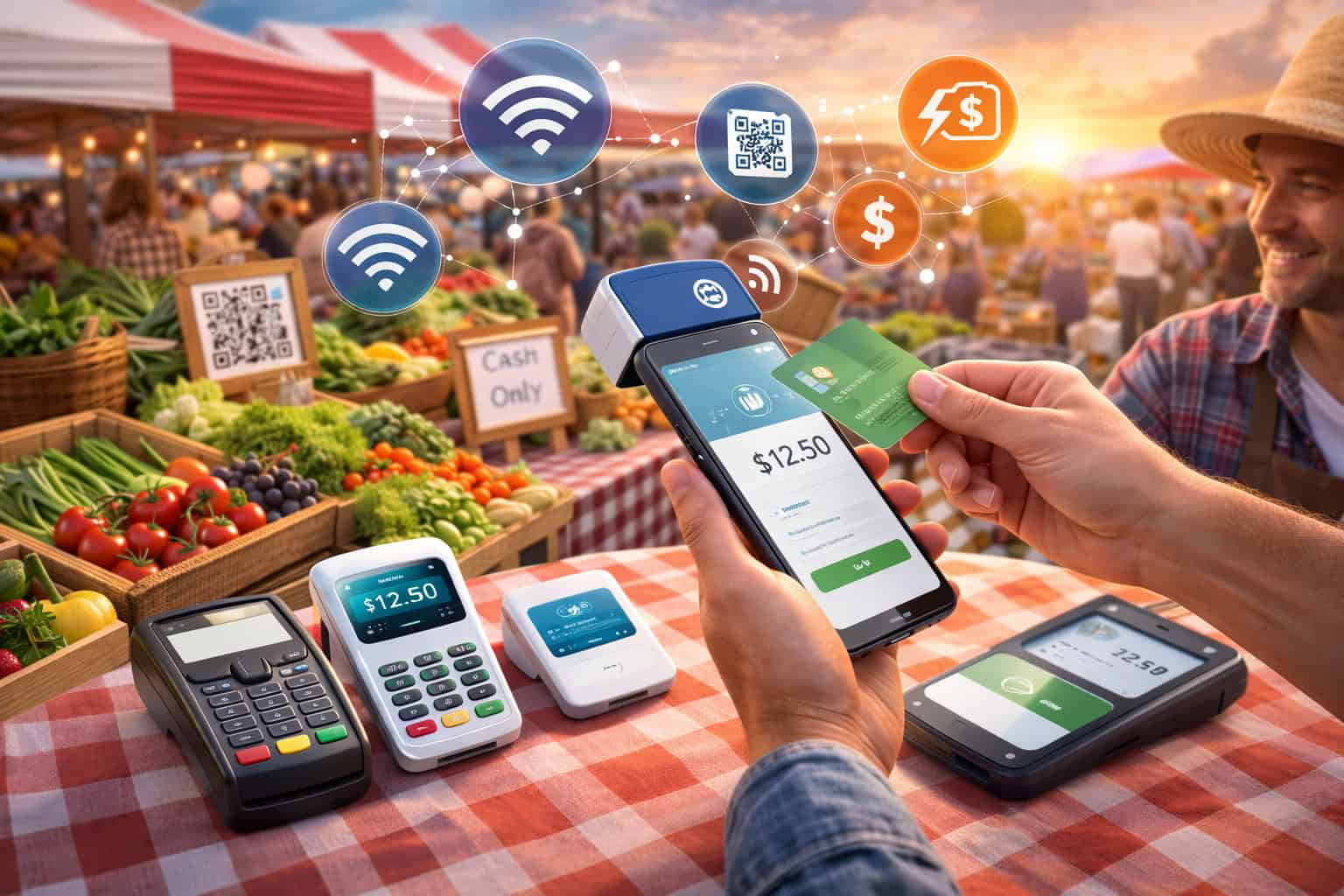
When customers can pay with a card, phone, or contactless wallet as easily as they can hand over cash, checkout becomes smoother, lines move faster, and vendors have a better chance of capturing every sale.
That is why the best card readers for farmers markets matter so much. They are not just small pieces of hardware. They shape how quickly you can serve a line, how confidently you can sell in changing outdoor conditions, and how well your business can keep up during a rush.
For produce growers, bakers, flower sellers, dairy vendors, specialty food businesses, and other market merchants, a dependable payment setup can make the difference between a stressful market morning and an efficient selling day.
This guide breaks down what farmers market vendors actually need from a payment device. You will learn how farmers market card readers differ, which features matter most in real market conditions, what costs to watch, and how to choose a setup that fits your booth, product mix, staffing, and sales volume.
Rather than offering a shallow product roundup, this article focuses on practical decision-making so you can choose mobile card readers for farmers markets with more confidence and fewer surprises.
Why Card Readers Matter for Farmers Markets
Cash still has a place at many markets, but customer expectations have changed. Many shoppers now prefer card payments, tap-to-pay purchases, and digital wallets because they are quick and convenient.
When a booth only accepts cash, some customers walk away, spend less than they intended, or skip impulse purchases entirely because they do not want to search for an ATM or manage change.
For vendors, card acceptance also improves the overall selling experience. Credit card readers for farmers market vendors can help reduce friction during busy periods, especially when several people are waiting at once.
Instead of slowing down to count cash, verify change, and handle receipt requests manually, a card reader can simplify the process and create a more consistent checkout flow.
This matters even more when you are selling popular items that move fast, such as berries, tomatoes, bread, eggs, bouquets, meats, prepared foods, jams, or seasonal specialty products.
Portable payment acceptance is especially useful in market environments where shopping is spontaneous and highly visual. Someone may stop because your peaches look perfect or because your sourdough smells amazing. In those moments, you want a checkout process that supports the buying decision rather than interrupting it.
Card payment systems can also help with business management behind the scenes. Many mobile payment processing for farmers markets platforms offer sales tracking, digital receipts, item libraries, simple reporting, and inventory tools.
Even basic sales summaries can help you understand which items sold best, what time traffic peaked, and how much revenue came from card transactions versus cash.
More Than Convenience: Why Payment Flexibility Supports Growth
At first glance, accepting cards may seem like a simple convenience upgrade. In practice, it often supports bigger operational improvements. Vendors who use card readers for farm vendors typically find it easier to handle higher-volume weekends, train helpers, and maintain cleaner records after a market day.
That becomes increasingly valuable as a business grows from one seasonal stand to multiple weekly markets or pop-up locations.
Flexible payment acceptance also helps vendors serve a wider range of customers. Some shoppers arrive with cash. Others use a debit card for larger purchases. Many prefer tapping a phone or watch.
The more payment methods you can accept smoothly, the less likely you are to lose a sale because of payment friction. This is especially important for booths selling higher-ticket items like bulk produce boxes, meat bundles, artisan gift packs, floral arrangements, or specialty pantry goods.
There is also a trust factor. A professional-looking checkout process can reassure new customers, especially at crowded markets where people are making quick decisions.
A reliable, clean, easy-to-use card reader signals that your business is organized and ready to serve. It can make a small booth feel more polished without making it feel impersonal.
For seasonal sellers, portable card readers for farmers markets offer flexibility without locking the business into a complicated setup. Many vendors want something simple enough for weekend use but capable enough to support busier times of year. That balance is one of the most important reasons the right card reader matters.
Types of Card Readers Farmers Market Vendors Can Use
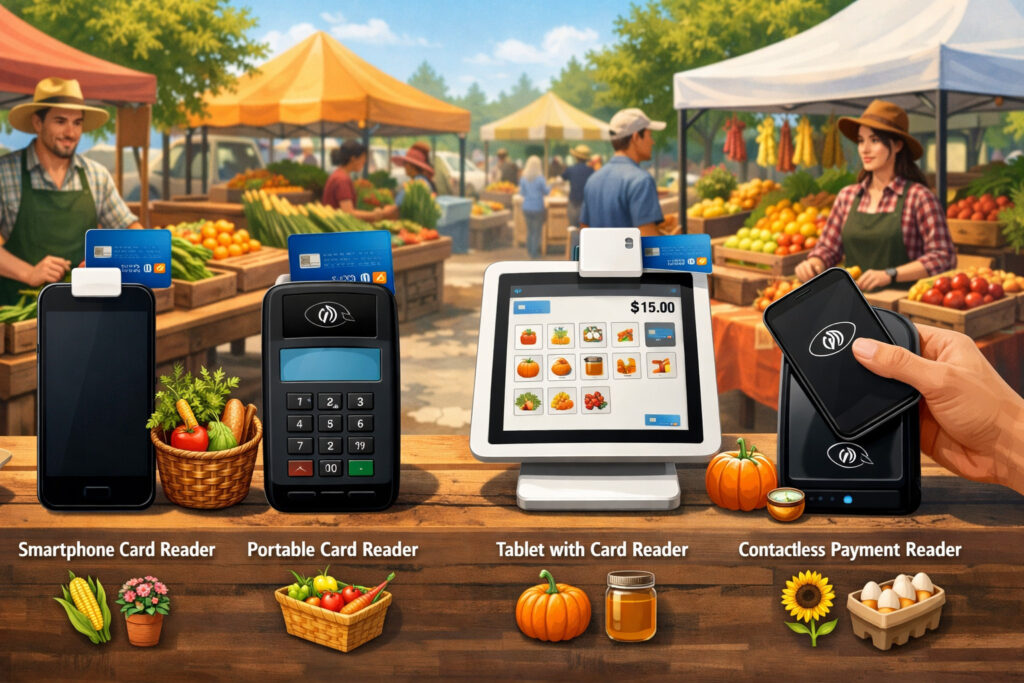
Not every vendor needs the same kind of hardware. Some sellers want a basic tap-and-chip reader that pairs with a phone. Others need a handheld terminal that works independently. Some growing businesses prefer a smart terminal with a screen, receipt options, and basic inventory support. Understanding the main types of card readers is the best place to start.
Phone-connected readers are often the entry point for many vendors. These small devices usually connect to a smartphone or tablet through Bluetooth or a physical connector.
They are compact, portable, and typically easy to carry in an apron, cash box, or checkout tote. For a solo vendor with a small booth and moderate volume, this can be a practical and cost-conscious choice.
Handheld payment devices for market vendors are different because they operate more like standalone tools. These units often include a built-in screen, battery, and wireless connection, which means they do not depend as heavily on a separate phone for every transaction. That can make them more efficient for staff use, mobile selling within a booth, or fast-moving lines.
Smart terminals offer even more functionality. They may support item catalogs, tipping, digital receipts, customer signatures when needed, and detailed reporting. For vendors selling prepared foods, baked goods, beverages, or items with many product variations, a smart terminal can improve speed and reduce manual entry during peak times.
There are also portable payment terminals for produce vendors that are designed for mobility and durability. These often emphasize wireless connectivity, battery performance, and quick tap transactions.
They can work well for vendors who sell in open-air environments, move around their booth frequently, or attend multiple market locations with different layouts.
Mobile Readers and Phone-Connected Devices
Mobile card readers for farmers markets are popular for a reason. They are small, fairly easy to set up, and well suited to businesses that need simple payment acceptance without a lot of hardware.
A typical setup includes a smartphone or tablet running a payment app plus a compact reader that accepts EMV chip cards and contactless payments.
For a vendor just starting out, this option can be appealing because it keeps the system lightweight. You can often manage sales, send digital receipts, review transaction history, and process payments from one device. That simplicity helps when booth space is limited or when you want to set up and break down quickly.
However, phone-connected readers are not perfect for every market business. They depend heavily on the phone’s battery, operating system, and connection stability.
If your phone overheats in the sun, runs low on charge, or struggles with app performance, checkout can slow down. That does not make this category a poor choice, but it does mean vendors need to think about the full setup rather than the reader alone.
These readers are often ideal for smaller farm stands, new vendors, low-to-mid transaction volumes, and businesses with straightforward pricing. If you mainly sell a small range of items and want a portable payment option that is easy to carry and easy to learn, a phone-connected reader may be enough.
Handheld Terminals and Smart Devices for Faster Checkouts
Handheld terminals and smart devices offer more independence than phone-paired readers. They usually include their own touchscreen, internal battery, and wireless connectivity, allowing transactions to happen directly on the device. This can simplify checkout because staff do not need to pass around a personal phone or navigate between apps as much.
For vendors with busier booths, these devices can make a real difference. If you regularly serve long lines at peak times, a standalone terminal can keep the payment process more focused and professional. Staff can ring up items, accept tap-to-pay, and offer receipts without relying on a separate mobile device for every step.
This type of hardware is especially useful for prepared food sellers, beverage vendors, bakers, and specialty food merchants who see repeated surges during a market day. Customers in these lines often expect fast service, and any delay becomes noticeable quickly. A handheld device built for payment acceptance can reduce those delays.
Smart terminals also tend to offer a stronger feature set. Depending on the provider, you may get item management, sales summaries, tipping tools, customer-facing prompts, and integration with broader business software.
For vendors who are moving from a very simple setup to something more structured, this can be a smart step without going all the way to a full countertop point-of-sale system.
Key Features to Look for in a Portable Market Card Reader
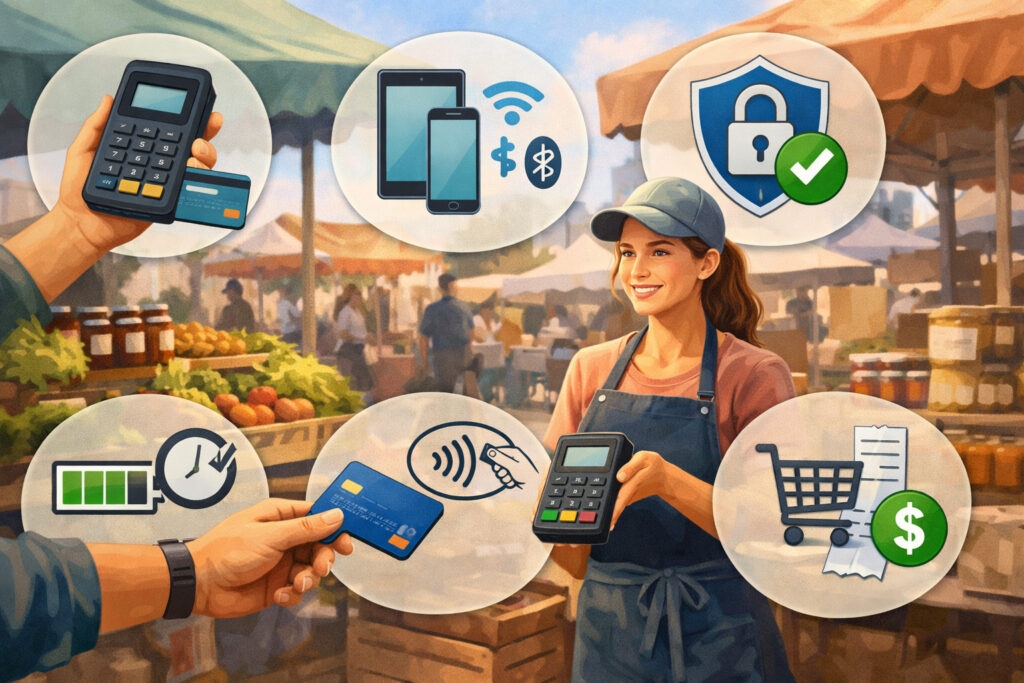
When comparing farmers market card readers, it is easy to focus too heavily on the hardware itself and overlook how the full setup performs during a real selling day. The best option is not always the one with the biggest screen or the newest design. It is the one that helps your booth keep moving smoothly under market conditions.
Start with payment acceptance basics. EMV chip acceptance matters because it supports secure card-present transactions and aligns with how many customers pay today. Contactless capability is equally important.
Tap-to-pay card readers for farm stands make checkout quicker, especially for low-to-mid ticket sales where customers want speed. Digital wallet acceptance also matters because many shoppers prefer paying with a phone or smartwatch rather than pulling out a physical card.
Portability should be evaluated honestly. Ask yourself whether the reader needs to travel in a tote, stay mounted at checkout, move with staff around the booth, or be used in different market layouts. A device that is technically portable but awkward to hold or difficult to protect from the elements may not be ideal for outdoor use.
Battery life is another major factor. A short market with steady power access is very different from a full outdoor day without reliable charging.
Wireless card readers for farmers markets should be able to last through setup, rush periods, and late-day sales without constant power anxiety. If the device relies on a phone, think about both batteries, not just the reader’s battery.
Software usability is often overlooked but incredibly important. A clean app, easy item entry, simple refunds, clear receipt options, and readable transaction history can save a lot of frustration. This matters even more for seasonal staff or family members who help occasionally.
Payment Acceptance, Connectivity, and Reliability
The best card payment solutions for market booths combine broad payment acceptance with dependable performance. Most vendors today should prioritize readers that accept chip cards, contactless cards, and digital wallets.
This gives customers flexibility while also speeding up the line. Tap transactions are especially useful when your average sale is quick and your booth gets crowded.
Connectivity deserves close attention because farmers markets are rarely perfect technology environments. Some readers rely mainly on Bluetooth between the reader and a phone. Others use Wi-Fi or cellular service.
None of these options is automatically best in every setting. What matters is how well the entire system works where you sell. If one market has weak signals and another has decent coverage, your decision should account for both locations.
Offline capability can be valuable, but it should be understood carefully. Some systems allow transactions to be captured temporarily and processed later when a connection returns.
That can be helpful during short service interruptions, but vendors need to understand any limitations, risks, and timing requirements. Not all offline modes work the same way, and not all businesses want to rely on them.
Reliability is also about transaction flow. Can the app reopen quickly if it crashes? Is it easy to reconnect the reader? Can you see whether a payment went through without confusion?
During a line rush, these details matter more than flashy features. A system that is easy to troubleshoot is often better than one that offers advanced tools you rarely use.
Battery Life, Ease of Use, and Receipt Options
A card reader can have great features and still be frustrating if it does not last through the market day. Battery life should be judged based on real usage, not just marketing language. Think about how long you are on-site, how many transactions you process, whether the screen stays on frequently, and whether extreme heat or cold could affect performance.
Ease of use matters just as much. Many vendors do not have time to learn a complicated system before a weekend event. They need hardware that pairs easily, software that makes sense quickly, and a checkout process that does not require too many taps or screens.
If a helper steps in to cover the booth while you restock, they should be able to process a sale confidently.
Receipt options can also be more important than they first appear. Some customers want a text or email receipt. Others do not need one at all. In rare cases, a paper receipt may be useful, especially for higher-value specialty sales.
Digital receipt support is usually enough for most market vendors, but the process should be fast and optional, not something that slows every transaction.
Simple item entry is another key factor. If you sell a fixed list of products, an item library can help speed up checkout. If prices change often by weight or season, manual entry needs to be quick and intuitive. The best farm stand card readers are not just good at taking payments. They support the way real vendors sell.
How Outdoor Selling Conditions Affect Payment Hardware Choices
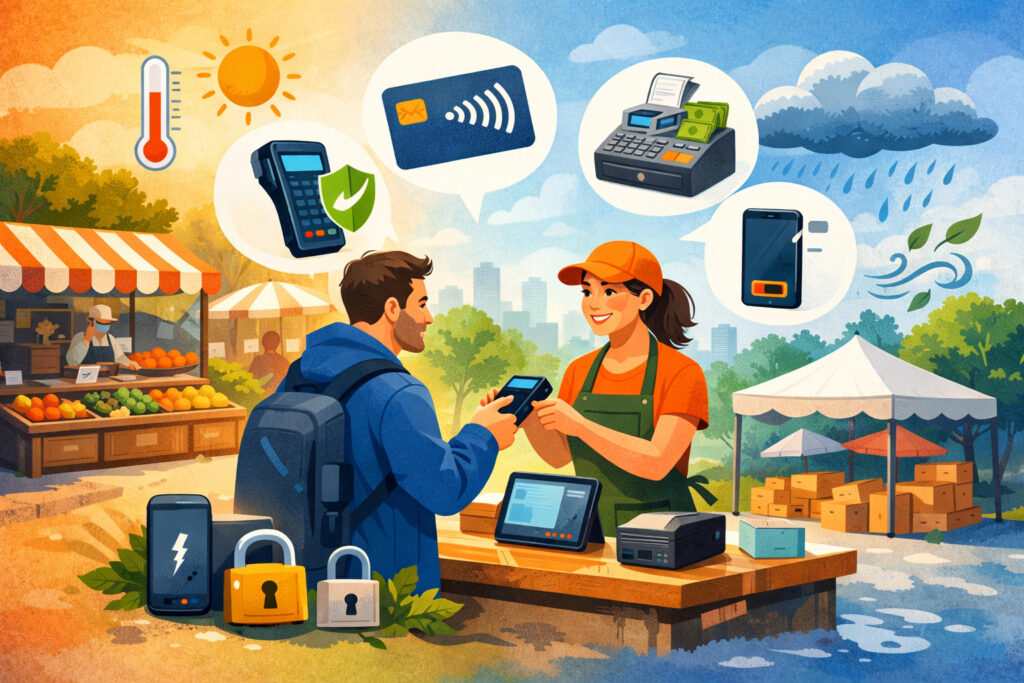
Farmers markets are not controlled indoor retail environments. Vendors often work under tents, in heat, wind, humidity, dust, changing light, and uneven connectivity. That reality should shape how you evaluate card machines for outdoor markets. A reader that performs well in a calm shop setting may not feel nearly as dependable on a busy market morning.
Weather is one of the first considerations. Heat can affect phones, tablets, batteries, and touchscreen responsiveness. Direct sunlight can make screens hard to read. Wind can knock over lightweight setups or make receipt handling annoying.
Even if your market season is mild overall, it only takes a few difficult days to reveal weaknesses in your hardware choice.
Booth layout also matters. Some vendors sell from a table with one clear checkout point. Others move around, answer questions, pack produce bags, or take payments from multiple positions.
Portable card readers for farmers markets should match how you physically sell. A fixed terminal may work well in one booth but feel restrictive in another.
Internet reliability is another major issue. Markets vary widely. Some have decent cellular coverage. Others are patchy, overloaded, or inconsistent during peak attendance. Vendors who rely entirely on live connectivity need to think carefully about signal strength, backup plans, and how their chosen system behaves when service drops.
Busy lines create their own form of stress. When several people are waiting, even small delays become magnified. A hardware setup that seems fine during test transactions may feel frustrating when you are weighing produce, answering questions, bagging items, and processing payments at the same time.
Weather, Booth Layout, and Market Mobility
Outdoor selling conditions affect more than durability. They also shape workflow. If your booth gets crowded and customers gather from multiple sides, you may need a reader that can move with you rather than stay in one spot.
Handheld devices often work well here because they allow more flexible line management and let staff complete transactions without funneling everyone to one corner.
Screen visibility is a practical issue many vendors overlook. On bright mornings, some devices become difficult to read unless they are shaded properly.
If you rely on a tablet or phone as the main point of sale, consider how glare will affect item selection, receipt input, and transaction confirmation. A setup that looks excellent indoors may feel frustrating outdoors in direct light.
Moisture and dirt also matter. Even when it is not raining, condensation, produce debris, flour dust, and general outdoor mess can affect devices. Protective cases, sturdy stands, and thoughtful placement go a long way.
This does not mean every vendor needs rugged industrial hardware, but it does mean payment devices should be treated as field equipment, not just office tech.
Mobility becomes even more important for businesses that sell from multiple locations or change booth designs throughout the season.
Portable payment terminals for produce vendors should be easy to pack, quick to deploy, and simple to adapt across different market environments. The more flexible your hardware, the easier it is to stay consistent from one event to the next.
Weak Signal, Offline Issues, and Real-World Checkout Pressure
Connectivity challenges are among the biggest frustrations for market sellers. A weak signal can lead to slower transactions, device pairing issues, or uncertainty about whether a payment is completed.
That is why vendors should look beyond promises of wireless convenience and think carefully about how a system behaves when internet conditions are less than ideal.
A reader with offline capability can be helpful, but it should not be treated as a cure-all. Vendors need to know whether offline transactions are stored securely, when they are submitted, and what happens if a payment ultimately cannot be completed. In some cases, offline mode is best used as a temporary bridge rather than a primary strategy.
Real-world checkout pressure adds another layer. Markets are noisy, customers are often multitasking, and staff may be weighing produce while answering questions about ingredients, growing methods, or storage tips.
In that environment, card acceptance should feel smooth and predictable. If a device requires too many confirmation steps or frequent reconnection, it can break the rhythm of the sale.
The best wireless card readers for farmers markets are not just technically capable. They reduce stress. They help vendors move through transactions with confidence, even when the market is crowded and service is inconsistent. Reliability under pressure is often worth more than extra features you rarely use.
Costs, Fees, and Setup Factors to Understand
Choosing among credit card readers for farmers market vendors is not just about hardware price. The real cost includes transaction fees, potential monthly charges, accessories, connectivity needs, replacement considerations, and the time it takes to get comfortable with the system. Vendors should understand the full picture before committing to a setup.
Transaction fees are usually the most visible ongoing cost. Many payment providers charge a flat percentage per in-person transaction, while others may have different structures depending on the service plan or hardware type.
What matters most is whether pricing is easy to understand and aligned with your sales pattern. A weekend vendor with moderate volume may want straightforward pricing more than advanced plan options.
Hardware cost also varies widely. A simple mobile reader is often more affordable upfront than a full smart terminal. That can make it attractive for new or seasonal businesses.
On the other hand, a more capable device may save time, reduce checkout errors, and better support staff if your volume is growing. The best choice depends on how often you sell and how much efficiency matters to your operation.
Deposit speed is another factor worth checking. Some businesses want funds available quickly after a market day, especially when cash flow is tight during peak harvest or production periods. Vendors should understand when deposited funds typically arrive and whether faster access comes with added cost.
Accessories are easy to overlook but can affect the total investment. Protective cases, stands, receipt printers, chargers, power banks, tablet mounts, and carrying solutions all add practical value. The cheapest hardware is not always the lowest-cost setup once these needs are included.
Transaction Pricing, Hardware Value, and Deposit Timing
Transparent pricing is one of the most important trust signals in any payment provider. Farmers market vendors often prefer simple, predictable costs because their sales volumes can vary from one week to the next. A clear in-person rate is easier to work with than a confusing pricing model filled with add-ons and conditions.
That said, the lowest transaction rate is not always the best value. A slightly more expensive system may be worth it if it includes better app usability, more reliable hardware, faster checkout flow, and easier reporting.
When comparing options, think in terms of overall efficiency, not just percentage points. If a better device helps you serve more customers during a rush, that added revenue may matter more than a modest fee difference.
Hardware value should also be measured against lifespan and usefulness. A cheap reader that feels unreliable, disconnects often, or struggles in outdoor conditions can cost more in lost time and missed sales than it saves upfront. By contrast, a well-designed device that fits your workflow can provide better value even if the purchase price is higher.
Deposit timing matters because many vendors use market income to fund restocking, labor, packaging, or fuel. Before choosing a system, confirm how soon funds are typically available after transactions are processed.
Fast access can be especially helpful for businesses that operate across several markets each week or need predictable cash flow during the season.
Setup, Training, and Software Learning Curves
Even a strong payment system can become frustrating if setup is complicated or training takes too long. Market vendors usually need tools that work quickly, especially if they are preparing for a busy weekend and juggling many other responsibilities.
The ideal setup process should include straightforward account onboarding, simple hardware pairing, and a usable app interface from day one.
Software learning curve is a real consideration, especially for businesses that rely on part-time help, family members, or seasonal staff. If the system is difficult to navigate, mistakes are more likely during checkout.
That can slow lines, create refund issues, or make end-of-day reporting harder than it needs to be. Look for software that feels intuitive under pressure, not just during a calm demo.
Item management matters too. Some vendors need custom buttons for producing bundles, bakery items, flower bunches, or rotating seasonal products. Others mostly key in totals manually. Either approach can work, but the software should support your selling style without requiring too much fiddling before each market.
Syncing sales records after events is another piece of the puzzle. If your system processes both cash and card sales, it helps to have a simple way to review totals and compare performance across market days.
Reporting does not need to be complex to be useful. Even basic summaries can help you plan inventory, staffing, and market selection more effectively.
How to Choose the Best Card Reader for Your Type of Farm Market Business
The best card readers for farmers markets are not one-size-fits-all. A flower grower with a simple product mix may need something very different from a prepared food vendor handling lunch rushes.
To choose well, it helps to look at your business through a few practical lenses: booth setup, average sale size, number of staff, transaction volume, and how often you sell.
Small farm stands and occasional weekend vendors often do well with simple mobile card readers for farmers markets. If you work alone, have limited booth space, and sell a manageable number of products, a compact reader paired with a phone or tablet may be enough. This kind of setup keeps costs lower while still letting customers pay by chip or tap.
Seasonal sellers should think carefully about ease of use and portability. If you only sell during part of the year, you may not want an overly complex system that takes time to relearn. Straightforward card readers for farm vendors often make more sense here, especially when setup and teardown speed matter.
Growing businesses may need more structure. If you attend several markets, bring staff, or sell a wider product range, a handheld or smart terminal may provide better speed and consistency. A stronger device can help with shared use, faster item entry, and more polished checkout when traffic picks up.
Average ticket size also matters. For low-cost items sold in high volume, speed is critical. For larger transactions, reliability and customer confidence become even more important. Either way, the right reader should support your specific sales pattern rather than forcing your business into a retail model that does not fit the market environment.
Best Fit for Small Stands, Seasonal Sellers, and Solo Vendors
Small farm stands, weekend booths, and solo-run market businesses usually benefit most from simplicity. A lightweight setup with a phone-connected reader can be ideal when you need portability, easy setup, and a low hardware footprint.
It is often enough for vendors selling produce, herbs, honey, eggs, baked goods, bouquets, and other straightforward product lines.
For these businesses, the biggest priorities are usually quick onboarding, dependable tap and chip acceptance, and an app that does not get in the way. You may not need advanced inventory tools or a large touchscreen.
What you do need is a system that starts fast, processes payments clearly, and stays manageable throughout a long outdoor day.
Seasonal sellers should also consider how much time they want to spend maintaining the system. A setup that is easy to store, recharge, update, and relearn after time away can be far more practical than a feature-heavy device that feels like too much for occasional use. Consistency matters more than complexity.
Solo vendors have one more issue to think about: multitasking. If you are bagging items, answering questions, and managing the entire sale yourself, checkout should be as friction-free as possible. The best farm stand card readers for solo use help you move from total to payment with minimal steps and minimal stress.
Best Fit for Busy Booths and Growing Multi-Market Vendors
As sales volume grows, payment needs usually grow with it. Vendors attending several markets each week, running larger booths, or selling high-demand items often reach a point where basic mobile readers feel limited.
In these cases, handheld payment devices for market vendors or smart terminals may deliver a better experience for both staff and customers.
A more advanced device can support faster line handling, especially when multiple people are involved in checkout. One person can take orders while another processes payments, or several staff members can rotate through the same system without relying on a personal phone. This makes training easier and reduces confusion during busy periods.
Prepared food vendors, beverage sellers, specialty food businesses, and booths with frequent impulse purchases often benefit from faster customer-facing screens and better transaction flow.
A standalone terminal can keep things moving during surges, which is especially important when people are deciding whether to stop based on line length.
Growing businesses should also think beyond today’s needs. If you are adding markets, expanding into direct farm pickup, or increasing your product range, a system with better reporting, item organization, and workflow support may be worth the investment.
The best card payment solutions for market booths help you grow without making the selling process harder.
Common Mistakes to Avoid When Selecting a Card Reader
A lot of vendors choose payment hardware based on first impressions, price alone, or what another seller happens to be using. While recommendations can be helpful, your booth, products, customer flow, and market conditions may be very different. One of the most common mistakes is assuming the most popular device is automatically the right fit.
Another mistake is focusing too narrowly on the reader itself rather than the entire payment setup. A small reader may seem affordable, but if it depends on a phone with poor battery life, an unreliable app, and a weak signal, the total system may not perform well. Vendors should evaluate hardware, software, charging, connectivity, and workflow together.
Some businesses also underestimate how much speed matters. A device that takes only a little longer per transaction may not seem like a big issue until the booth gets busy. Over the course of a market day, extra steps, confusing prompts, or slow reconnections can add up to lost time and a less pleasant customer experience.
Ignoring durability is another common issue. Outdoor markets are demanding environments. A device that feels fine in testing may prove frustrating when exposed to heat, glare, dust, and repeated transport. Protective accessories and realistic handling expectations matter more than many vendors initially expect.
Finally, some sellers choose advanced systems they do not really need. More features are not always better. If the software becomes cumbersome or training becomes difficult, the system may create more friction than value.
Choosing Based Only on Price or Hardware Size
Price matters, especially for small businesses, but choosing based only on the cheapest option can backfire. A low-cost device may be attractive upfront, yet it can become expensive in indirect ways if it is unreliable, difficult to use, or poorly suited to outdoor selling. Lost time, missed sales, and repeated frustrations have a real cost too.
Hardware size can also be misleading. Small is not always better. A tiny reader may be easy to carry, but if the overall setup becomes awkward because the phone screen handles too much of the workflow, checkout may feel less efficient than expected.
On the other hand, a larger smart terminal may seem excessive until you experience how much easier it makes busy transactions.
Vendors should think in terms of total fit rather than isolated traits. Does the device make checkout easier? Can it survive a full market day? Will it still suit your business if sales grow? A slightly larger or more expensive unit can be the smarter choice if it better matches your workflow.
This is especially true for businesses with mixed staffing or complex product lines. A small reader may work beautifully for one experienced operator but become confusing when used by helpers. Practical usability is more important than initial appearance.
Overlooking Connectivity, Power, and Real Market Workflow
One of the biggest mistakes vendors make is testing a reader in calm conditions and assuming that performance will hold up at the market.
Real market workflow includes interruptions, weather changes, long lines, weak signals, split attention, and constant movement. If a payment setup only works well under ideal conditions, it may not be the right choice.
Connectivity is often the first overlooked factor. A reader that pairs smoothly at home may struggle in a crowded market with inconsistent cellular service. Similarly, a phone that easily lasts through a normal day may drain much faster when running brightness high, using Bluetooth constantly, and processing transactions outdoors.
Workflow is equally important. Some systems require too many taps to complete a sale. Others make it awkward to switch between products, edit totals, or offer receipts. During a rush, these small frictions become major problems. Vendors should choose systems that match the rhythm of how they actually sell.
Do not ignore power planning, either. Even strong battery performance can be undermined by screen brightness, cold weather, age, or heavy use. Backup charging should be part of the setup from the start, not an afterthought once problems appear.
Best Practices for Smoother Checkout at Farmers Markets
Even the best card reader will not solve every checkout problem on its own. Smooth payment acceptance comes from pairing good hardware with smart booth practices.
Vendors who take time to optimize their checkout flow usually serve customers faster, reduce stress, and create a more professional experience without making the booth feel impersonal.
Start with visibility. Customers should know you accept cards before they reach the register. A clear sign showing card and contactless payment acceptance can increase shopper confidence and reduce hesitation. It also prevents the awkward moment when someone waits in line only to discover that payment options are limited.
Keep your checkout area organized. Whether you use a small mobile reader or a full smart terminal, it should have a defined place within the booth. Cords, bags, scales, produce boxes, and packaging materials should not interfere with payment flow. The easier it is for customers to understand where to pay, the smoother the interaction tends to be.
Prepare item pricing in a way that speeds entry. If you use a point-of-sale app with an item library, take time to set up common products before the market. If you enter totals manually, make sure pricing is consistent and easy to calculate quickly. Clear internal systems reduce mistakes during busy periods.
Staff training also matters, even in small family-run booths. Anyone handling payments should know how to start a sale, accept tap and chip payments, issue a receipt if needed, and respond calmly if the device disconnects. A confident checkout experience makes the whole booth feel more polished.
Booth Setup, Signage, and Line Management
Checkout speed starts well before the payment moment. A booth designed for clear customer flow helps reduce confusion and keeps traffic moving.
If your line tends to form in one area, place your payment device where customers can approach naturally without blocking other shoppers. This is especially useful for booths with high-demand seasonal items or prepared foods.
Signage can play a bigger role than many vendors realize. Simple visual cues such as “Cards and Tap Accepted” or “Contactless Payments Welcome” remove uncertainty and encourage purchases from customers who may not be carrying cash. It also helps set expectations for new shoppers who are scanning booths quickly.
Line management matters most during rush periods. If customers are bunching around the register or unclear about where to wait, transactions slow down.
In some booths, a handheld terminal can help because staff can move toward the customer rather than forcing everyone into one small payment area. In others, a fixed checkout point works better. The right answer depends on your layout.
The key is to reduce hesitation. Every small improvement in booth flow makes it easier for customers to complete a purchase and move on happily, which in turn makes room for the next sale.
End-of-Day Habits That Make Future Markets Easier
A smooth market day is helpful, but what happens afterward matters too. Strong end-of-day habits can make future events easier, especially when you rely on portable card readers for farmers markets and want to keep your system dependable over time.
Start by reviewing sales summaries while the day is still fresh in your mind. Look at total card sales, item patterns if available, and any failed or delayed transactions. This helps you catch issues early and gives you a clearer picture of how the market performed. Even basic reporting can help with inventory planning and pricing decisions.
Charge devices as soon as you return home or to the farm. Waiting until the next market morning increases the chance of forgetting something important. The same goes for power banks, tablets, and backup cables. A consistent charging routine reduces the risk of preventable battery problems.
Clean and repack your checkout gear carefully. Outdoor markets expose equipment to dust, sticky residue, moisture, and general wear. Keeping your payment tools clean and organized helps them last longer and makes setup easier next time. A small dedicated payment bag or tote can save a lot of hassle.
Finally, note any pain points. If the signal was weak in one market corner, if a receipt process slowed the line, or if item entry felt clunky, write it down. Minor adjustments between markets often produce the biggest long-term improvements.
Frequently Asked Questions
Q.1: Do farmers market vendors really need to accept card payments?
Answer: In many cases, yes. Cash is still useful, but many shoppers now expect the option to pay with a card or digital wallet. Accepting electronic payments can help prevent lost sales, support impulse purchases, and make checkout easier for customers who do not carry much cash.
For many vendors, card acceptance is no longer just a convenience feature. It is part of meeting customer expectations and staying competitive in a busy market environment.
Q.2: What are the best card readers for farmers markets: phone-connected readers or standalone terminals?
Answer: The better choice depends on how you sell. Phone-connected readers are often a great fit for smaller booths, solo vendors, seasonal sellers, and businesses with simple product lines.
Standalone handheld or smart terminals are often better for busy booths, higher transaction volume, multiple staff members, or businesses that want a more independent checkout device. The best option is the one that fits your workflow, not necessarily the most advanced one.
Q.3: Do farmers market card readers need internet access to work?
Answer: Many do require internet access for normal transaction processing, but some systems offer offline capability for temporary disruptions. However, offline processing varies by provider and may include limitations or risks.
Vendors should understand exactly how their chosen system handles connectivity issues before relying on it. In markets with weak signal, testing real-world performance is especially important.
Q.4: What features matter most in mobile card readers for farmers markets?
Answer: The most important features usually include EMV chip acceptance, contactless tap-to-pay capability, digital wallet support, dependable battery life, portability, and simple software.
Easy setup, clear transaction confirmation, and a fast checkout flow also matter a lot. For many vendors, reliability and ease of use are more important than advanced features they may rarely use.
Q.5: Are contactless payments important for farm stands and market booths?
Yes. Contactless payments help speed up checkout, reduce handling time, and meet the preferences of many shoppers. Tap-to-pay card readers for farm stands can be especially useful for booths with steady foot traffic and lower average ticket sizes where quick transactions matter. Even for larger purchases, many customers appreciate the convenience of tapping a card or phone.
Q.6: How can vendors avoid card reader problems at outdoor markets?
Answer: Preparation goes a long way. Bring backup charging equipment, test your setup before the market, and choose hardware that works well in your typical selling environment.
Keep devices shaded when possible, protect them from moisture and debris, and make sure everyone handling checkout knows basic troubleshooting steps. It also helps to understand your payment app well enough to reconnect devices or verify transaction status quickly.
Q.7: Are portable card readers for farmers markets good enough for growing businesses?
Answer: They can be, depending on the type of portable reader. Some simple mobile readers are best for small-scale operations, while more advanced handheld terminals and smart devices can support growing multi-market businesses very well.
Vendors should think about current needs and likely growth. A setup that works for one weekend booth may not be ideal once staff, product variety, and transaction volume increase.
Conclusion
The best card readers for farmers markets do more than process payments. They help vendors serve customers faster, handle outdoor selling conditions more confidently, and build a checkout experience that feels smooth and professional.
Whether you run a small produce stand, a busy bakery booth, a flower table, or a growing specialty food business, the right payment setup should support how you actually sell.
For some vendors, that means a compact phone-connected reader with simple tap and chip acceptance. For others, it means a handheld or smart terminal that can handle higher traffic, shared staff use, and a more structured workflow.
The right answer depends on your booth layout, average ticket size, product type, seasonal volume, and how much flexibility you need from one market to the next.
As you compare farmers market card readers, focus on the full picture. Look at portability, battery life, payment acceptance, app usability, connectivity, pricing clarity, and how the system performs under real market pressure.
The goal is not to choose the flashiest device. It is to choose a reliable setup that makes checkout easier for you and more convenient for your customers.