By Rinki Pandey March 10, 2026
Selling directly to customers can be one of the most rewarding parts of running a farm. It creates stronger relationships, gives you more control over margins, and lets people connect with the food, products, and story behind your operation.
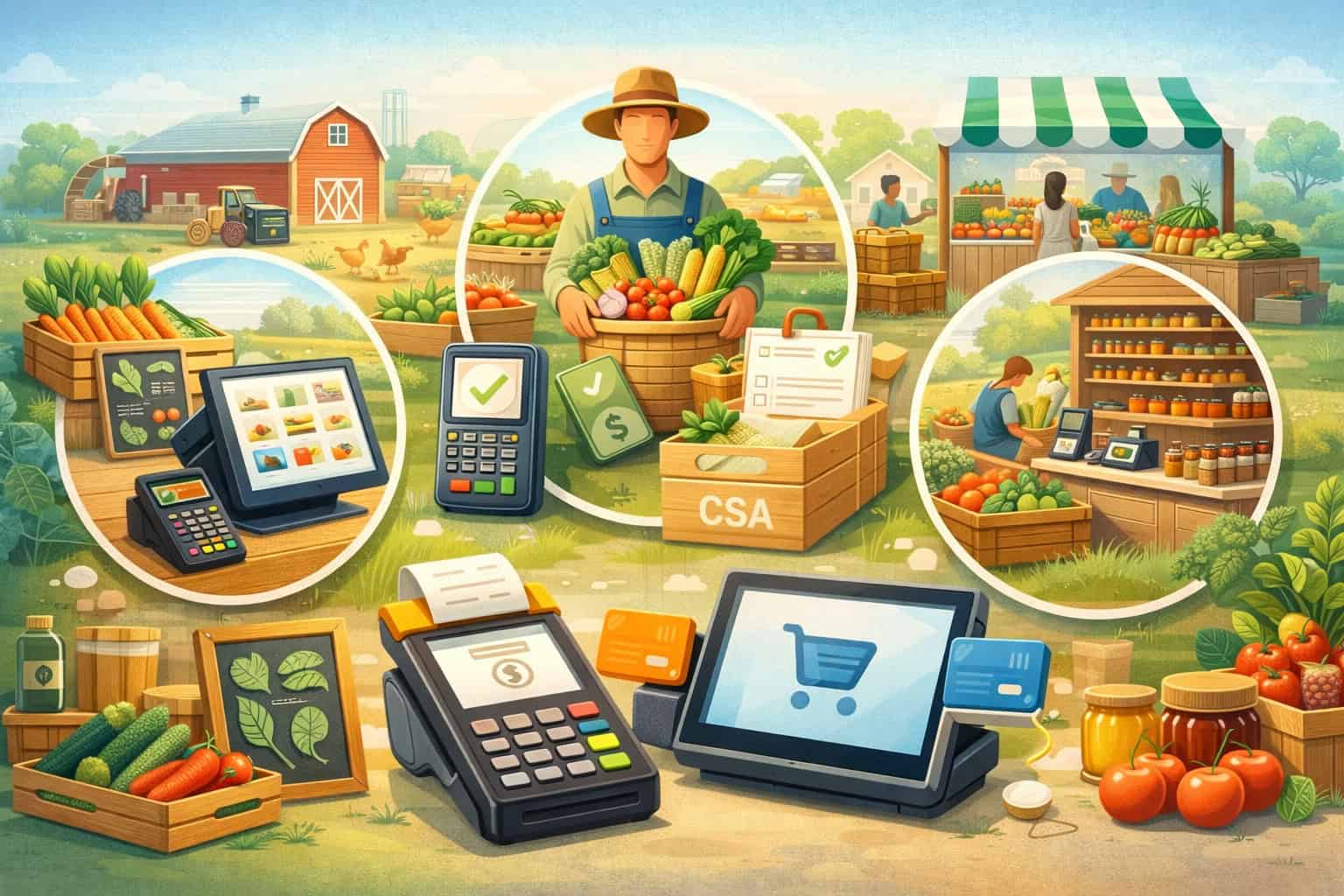
But direct sales also create a long list of moving parts. You may be ringing up produce at a roadside stand in the morning, taking card payments at a farmers market in the afternoon, managing CSA pickups in the evening, and updating online orders after that.
That is where POS systems for farm-to-consumer sales become so important. A good point-of-sale setup does much more than process a payment. It can help track what is sold, keep pricing accurate, organize customer records, support faster checkout, and make it easier to manage sales across multiple channels.
For farms handling seasonal products, changing inventory, and busy event-based selling, the right system can reduce friction at every step.
This guide explains how farm POS systems work in real farm-direct settings and how to choose a setup that fits your sales model.
You will learn what features matter most, where farm direct sales POS systems are used, how payment workflows differ by channel, and what to consider if you run a produce stand, market booth, CSA program, on-farm store, agritourism operation, or growing farm brand.
By the end, you should have a clearer view of what kind of farm retail POS systems make day-to-day selling easier and support long-term growth.
What POS Systems Mean for Farm-to-Consumer Sales
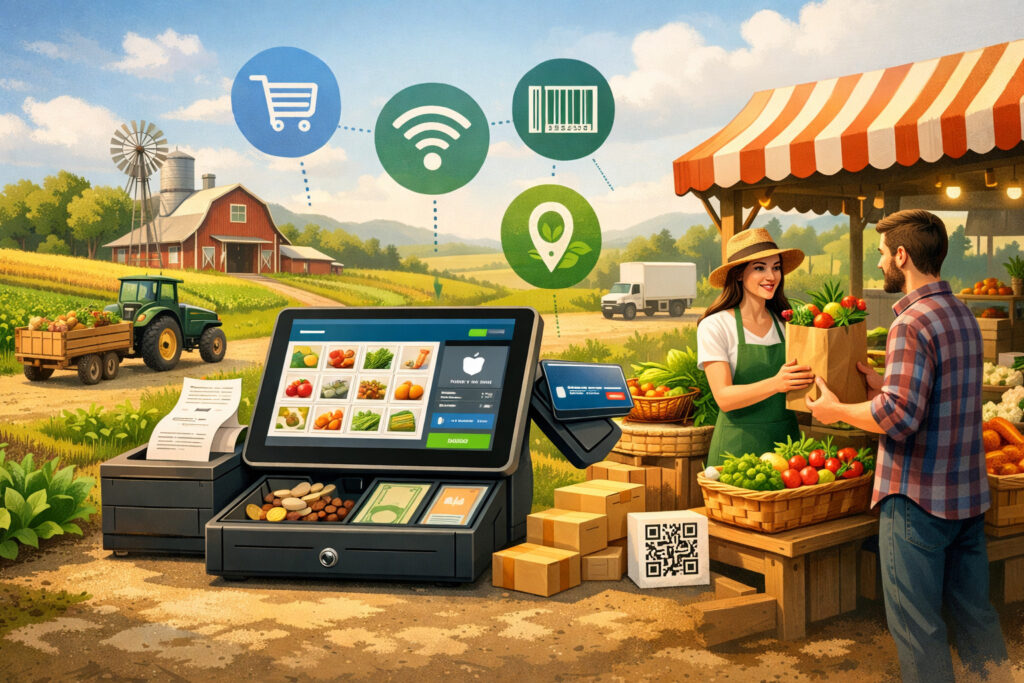
POS systems for farm-to-consumer sales are the tools farms use to accept payments and manage the retail side of direct selling. In the simplest setup, that may mean a phone or tablet paired with a card reader.
In a more advanced setup, it may include checkout hardware, barcode scanners, receipt printers, inventory tools, customer profiles, eCommerce integration, and reporting dashboards.
For farms, a POS system has to do more than a typical checkout tool in a standard retail setting. Farm sales often happen in different places, under different conditions, with different product types.
A produce stand might sell by item, bundle, or weight. A livestock or value-added product business may need SKU tracking, lot-based organization, or more detailed product categories.
A CSA program may need recurring billing and order management. A farm attending weekend markets may need mobile checkout and offline payment capability because internet access is not always reliable.
That is why farm POS systems need to match the reality of direct sales. The system has to work where the farm sells, not just where it would be convenient for software providers.
If your sales happen under a tent, inside a barn store, at a refrigerated trailer, on a delivery route, and through an online ordering page, the POS should help connect those pieces rather than create more manual work.
Another important point is that payment acceptance is only one part of the job. A strong point of sale for farm stands or market booths should also help answer practical questions.
Which products moved fastest this weekend? Did berries sell better by pint or as a bundle? Which CSA members still need to pay? What inventory is left after the market and should be moved to the on-farm store? Which staff members handled checkout during the busiest hours?
When farms rely on handwritten totals, separate apps, or disconnected spreadsheets, those answers are harder to find. A modern farm store POS software setup can make operations more visible and easier to manage.
That visibility is valuable whether you sell ten items a day at a small stand or process hundreds of transactions across several direct channels.
How farm-direct selling changes POS needs
Direct farm sales are different from traditional retail because the environment is less predictable and the product mix changes often. Inventory may be seasonal, short-lived, and harvested in small batches.
Pricing may shift based on yield, grade, freshness, or market conditions. Some products are weighed at checkout, while others are pre-packed, bundled, or sold by unit.
This means farm direct sales POS systems need flexibility. A fixed retail setup designed for identical packaged goods does not always handle fresh products well.
Farms often need a system that can adapt quickly when peaches come into season, eggs are sold out by noon, or a new bouquet bundle is added for a weekend event. The POS should let staff update items, prices, and availability without slowing down sales.
Farm-direct selling also tends to be relationship-driven. Repeat customers may come every week for vegetables, meat boxes, flowers, preserves, baked goods, or seasonal subscriptions.
A POS that can save customer details, order history, and communication preferences can support stronger service. That may help with special orders, pickup reminders, loyalty offers, and more consistent customer care across channels.
Why “simple checkout” is not enough for many farms
A basic card reader can be a good starting point, but many farms outgrow a payment-only solution quickly. Once you sell in more than one place or have more than a handful of products, checkout alone does not solve the bigger operational challenge. You need to know what sold, where it sold, who bought it, and what needs attention next.
That is why produce stand POS systems and farm retail payment solutions often need to connect with inventory, reporting, and online selling tools.
A farm that offers online preorders for pickup, plus market sales and an on-farm store, can easily oversell popular products if those channels are not synced. A checkout system that works in isolation may create more manual reconciliation later.
Why Direct-Selling Farms Need the Right POS Setup
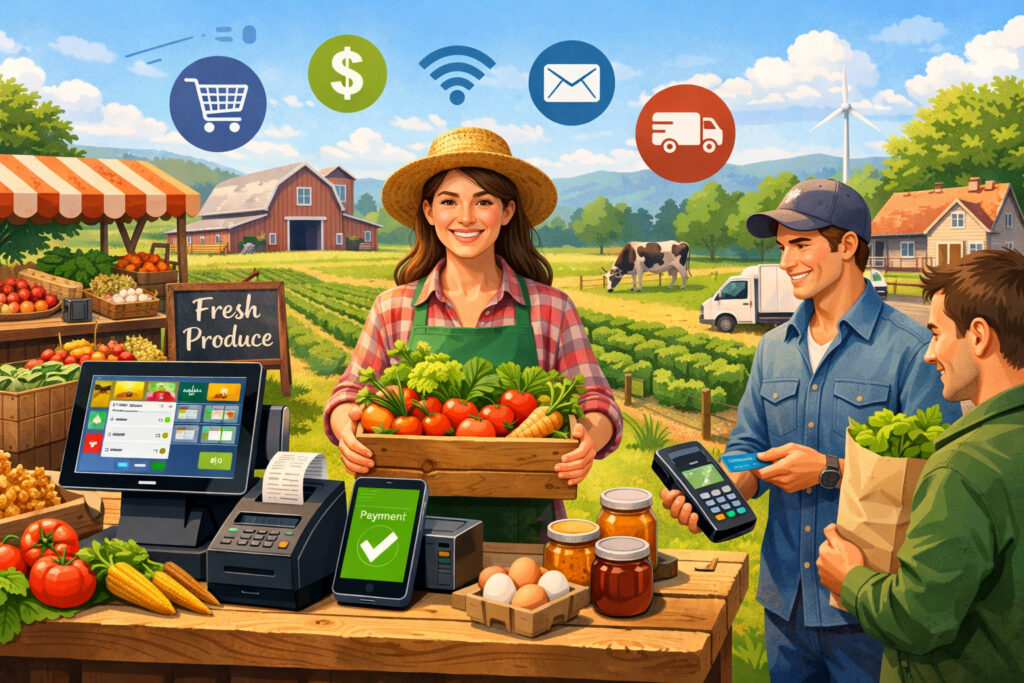
Direct-selling farms face a unique mix of retail, logistics, and customer service demands. The right POS setup brings those moving parts into a more manageable system. It helps create a smoother buying experience for customers while giving the farm better control over daily operations.
One major reason the right setup matters is speed. Customers at market booths, roadside stands, and event pop-ups often make purchase decisions quickly. If checkout is slow, confusing, or limited to cash only, some sales may be lost.
Fast, reliable payment acceptance helps reduce lines and creates a better impression of your brand. It also makes staff more confident during busy rushes when every minute counts.
Accuracy is another big factor. Farms frequently sell products with similar names, sizes, or seasonal variations. That can lead to pricing mistakes, missed items, or messy end-of-day records when checkout is handled manually.
A POS system can keep item names, prices, and taxes organized and consistent. That reduces errors and helps the farm trust its own numbers.
The right setup also supports visibility. When farm owners can see which channels perform best, which products move fastest, and which days create the most sales, they can make better decisions.
That may influence harvest planning, staffing, pricing, packaging, event scheduling, and expansion plans. Without that information, growth becomes harder to manage because decisions are based more on memory than data.
Farmers market payment systems are especially important here. Markets can be high-volume, fast-paced environments where cash, cards, contactless payments, and mobile wallets all need to work smoothly. A reliable POS helps vendors stay organized even when the stand is crowded and the product table is constantly changing.
The right POS setup also builds trust with customers. Clean digital receipts, clear pricing, secure payment acceptance, and a professional checkout experience make a difference.
For many farm shoppers, convenience matters alongside freshness and quality. They want to support local producers, but they also want a purchase process that feels easy and dependable.
Better payment flexibility helps farms meet customer expectations
Customer payment habits have changed. Many shoppers expect to pay with cards, tap-to-pay methods, mobile wallets, online invoices, or preorder links. Farms that only accept one or two payment methods may create friction, especially at markets or self-serve-adjacent setups where speed and convenience matter.
A strong POS system helps farms offer flexible payment processing for direct-to-consumer farms without needing a separate process for each sales channel.
That can include in-person card payments, contactless payments at mobile checkout, online order payments, invoice links for bulk or custom orders, and recurring billing for subscription-style programs such as CSA shares.
The more consistent that experience is across channels, the easier it becomes for customers to buy again. That consistency also reduces internal confusion. Staff do not have to remember multiple payment procedures depending on location or product type.
A strong POS setup can reduce end-of-day stress
Many farms know the feeling of returning from a long market day with a cash box, handwritten notes, and partial sales records that still need to be sorted. That kind of process takes time and creates room for mistakes. It also makes it harder to understand the real performance of an event or sales channel.
Farm retail POS systems can simplify that closeout process. Instead of piecing together sales from memory and paper records, you can review a transaction history, total by payment type, sales by item, and staff activity in one place. That saves time and gives you more reliable reporting.
Common Sales Channels Where Farm POS Systems Are Used
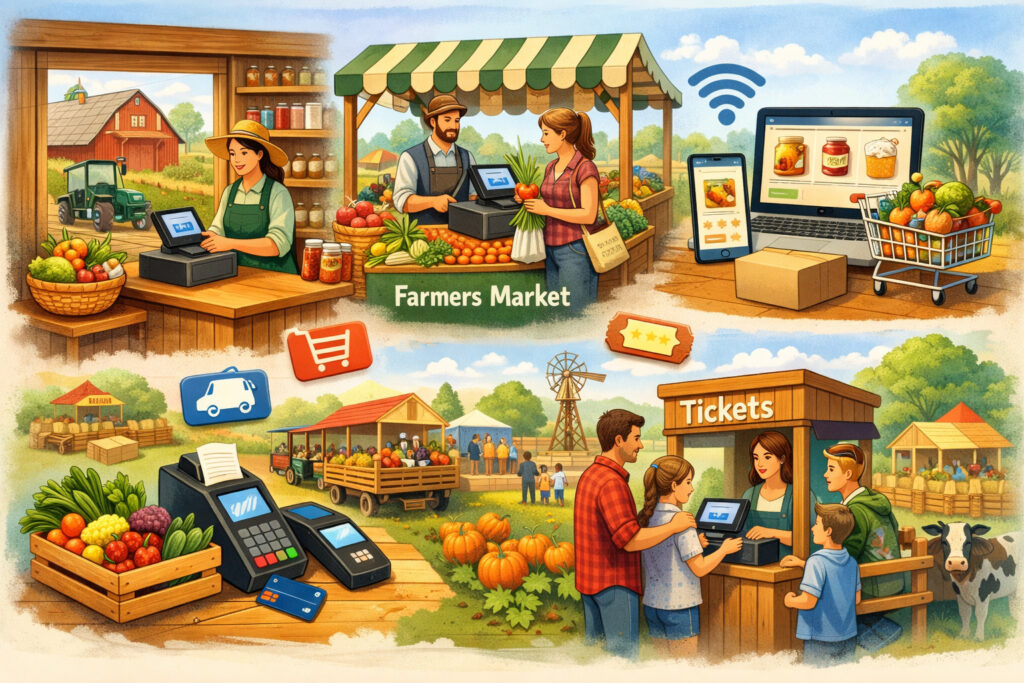
Farms sell directly in many different ways, and each channel creates different checkout needs. That is why there is no single perfect setup for every farm. The best farm POS systems are the ones that fit how and where you actually sell.
Roadside stands and small produce stands often need lightweight, simple tools. Mobility matters, and staff may need to ring up sales quickly without a full countertop station.
A phone or tablet with a mobile card reader may be enough, especially if the item list is short and products are easy to price. Still, even a small point of sale for farm stands can benefit from inventory categories, digital receipts, and daily reporting.
Farmers markets usually demand even more mobility. Vendors need a system that travels easily, works on battery power, handles busy lines, and continues operating if internet service becomes weak.
POS systems for farmers markets should support quick item lookup, contactless payments, and ideally offline functionality. If the farm attends multiple markets or events, that same system should also make it easy to compare performance by location.
CSA pickups have their own needs. In this model, payment may happen in advance, on a recurring schedule, or at pickup. Some farms also offer add-ons such as eggs, flowers, meat, pantry items, or extra produce boxes.
A POS used for CSA operations may need recurring billing, pickup management, order notes, and customer records tied to subscription status. In these cases, the POS is part of a larger order workflow, not just a checkout station.
On-farm stores and permanent retail spaces often need more structured hardware and deeper inventory tools. These locations may benefit from barcode scanners, receipt printers, cash drawers, and staff permissions.
If the farm also sells online or at markets, inventory syncing becomes especially important. Farm store POS software can help connect the physical store to the broader direct-sales operation.
U-pick farms and agritourism operations create another layer of complexity. They may need to handle admissions, timed entries, product sales, concessions, event tickets, or check-in workflows alongside traditional retail sales. In these cases, a POS may need to integrate with booking tools, digital waivers, or event management systems.
Delivery routes and pop-up events call for mobile POS for farms that can travel, operate on cellular data, and keep transactions simple while on the move.
For farms that serve restaurants, households, and pickup sites through scheduled routes, mobile card readers for farms can support efficient payment collection without sending customers through a separate billing process.
Matching the setup to how customers buy
The key difference across channels is not just location. It is customer behavior. At a market booth, the customer wants speed. At a CSA pickup, they may want convenience and account accuracy.
At an on-farm store, they may browse more and expect a polished retail experience. At a U-pick site, they may need guidance, weighing, and add-on purchases all in one visit.
That is why farm retail payment solutions should be chosen with the buying journey in mind. The same farm may need one core system with different hardware and workflows for each channel. A flexible platform often works better than trying to force every sales scenario into one identical checkout format.
Why multi-channel farms need connected systems
As farms grow, they often add channels without replacing old processes. A farm stand may come first, then markets, then online orders, then CSA subscriptions, then seasonal events. Over time, disconnected tools can become hard to manage. Inventory gets split, reporting becomes fragmented, and staff must learn multiple systems.
A connected POS strategy helps prevent that. When your farm stand checkout systems, online order flow, and market sales all feed into one organized structure, you can manage inventory and reporting with less guesswork. That becomes even more important when you sell perishable products and need to react quickly to changing supply.
Key Features to Look for in a Farm POS System
The best features in a farm POS system are the ones that solve everyday problems without creating more complexity. Many platforms offer long lists of tools, but not every farm needs every feature. The goal is to identify the capabilities that support your actual products, sales channels, staff workflow, and customer experience.
Mobile checkout is one of the most important features for many farms. Whether you sell at markets, pop-ups, pickup sites, or on the farm, staff may need to move around.
A tablet or phone-based setup with a reliable reader can make transactions easier in flexible environments. For many direct-selling farms, portability matters just as much as software depth.
Offline payment capability is another high-priority feature. Rural connectivity can be unpredictable, and not every stand, field, or market has dependable service.
A system that can continue processing transactions or safely queue them when internet access drops can prevent lost sales and stressful checkout delays. This feature matters especially for mobile POS for farms that operate outdoors or in temporary setups.
Inventory tools are also essential. Fresh products move quickly and availability changes often. A farm may need to track produce, meat, eggs, flowers, prepared foods, or shelf-stable items in different units.
Some items are sold individually, some by bundle, and some by weight. A POS should make it easy to create, edit, and organize products without requiring too much time at the computer.
Barcode support may be useful for packaged items, jarred goods, frozen products, merch, or more structured retail inventory. Weight-based pricing matters for products sold by pound or other variable-weight formats. Not every farm will use both features, but when relevant, they can make checkout more accurate and efficient.
Customer profiles and order history can be very helpful for repeat business. If your farm runs CSA programs, special orders, delivery subscriptions, or event sales, it helps to know who bought what and when. Digital receipts also improve the customer experience while reducing paper use and simplifying recordkeeping.
Online order integration is increasingly important for direct sales. Many farms now take preorders for market pickup, offer local delivery, or sell products through online store pages. A POS that connects in-person and online sales can reduce manual updates and lower the risk of overselling.
Reporting dashboards help turn transactions into useful business insight. Sales by product, location, payment type, time of day, and staff member can all help farms improve planning. That kind of visibility is one reason farm direct sales POS systems are worth considering beyond the payment function alone.
Features that matter most for fresh, seasonal inventory
Fresh inventory creates a different challenge than stable retail stock. Products may appear and disappear quickly. Prices may shift with size, quality, weather, or supply. Staff may need to swap out items during a market or update what is available after harvest.
A good farm POS should make those updates manageable. It should not take too many steps to mark an item sold out, add a seasonal product, or change a bundle price. The faster the system adapts, the less likely staff are to work around it or revert to handwritten notes. Simplicity matters because farm teams are already managing enough moving parts.
For farms selling both produce and value-added goods, category organization can also help. Clear product groups make checkout faster and reports more useful. That becomes even more important when analyzing which parts of the product mix generate the strongest direct-sales performance.
Hardware considerations that should not be overlooked
Software gets most of the attention, but hardware matters too. The best POS platform can still fall short if the reader battery dies, the tablet is hard to see in sunlight, or the stand setup is awkward during a rush. Hardware needs depend on where and how the farm sells.
Common hardware may include:
- Mobile card readers
- Tablets or phones for checkout
- Receipt printers
- Barcode scanners
- Cash drawers
- Stands, mounts, and protective cases
- Label printers for packaged goods or pickup orders
Farms should think about weather exposure, portability, battery life, and ease of transport. A setup that works beautifully inside a store may not perform well under a tent at a busy summer market.
How to Choose the Best POS System for Your Farm Sales Model
Choosing the best POS system starts with understanding your farm’s sales model, not with comparing brand names or flashy features. The right setup for a small produce stand may be far too limited for a multi-location farm retailer.
At the same time, a large retail system may be unnecessarily expensive and complicated for a farm that only sells at one weekly market and through seasonal CSA pickups.
Start with product mix. Are you selling fresh produce, packaged goods, bulk meat, flowers, baked goods, admissions, subscriptions, or a combination of those?
Product type affects how you price items, track inventory, print labels, and move through checkout. Livestock and produce sales POS needs may differ from a flower farm or a farm store focused on jarred goods and gifts.
Next, look at sales channels. If you only sell in one place, a simple setup may work well. If you sell through markets, an on-farm store, online preorders, and CSA subscriptions, you need a system that can keep those channels connected.
This is one of the most important decision points for farm retail POS systems because disconnected channels often create the biggest operational problems.
Staff size matters too. A solo farm operator may prioritize ease of use and quick setup. A larger team may need staff permissions, training workflows, shift tracking, and more consistent processes across locations.
Seasonal labor adds another layer because temporary staff often need a checkout system that is intuitive and easy to learn fast.
Internet reliability should also influence the decision. If your sales environment includes weak service areas, offline tools become more valuable.
Mobility matters in a similar way. A farm with fixed checkout stations may want more robust hardware. A farm that sells from tents, trailers, and pickup routes may want lighter, more flexible mobile POS for farms.
Budget is important, but it helps to think beyond monthly software cost. Consider payment processing fees, hardware costs, add-on modules, online store fees, support costs, and the value of time saved. A cheaper system that creates inventory errors or extra manual work may cost more in practice than a better-matched option.
Choosing based on farm size and growth stage
Small farms with limited direct channels often do best with systems that are simple, portable, and easy to manage without technical overhead. The priority is usually smooth checkout, card acceptance, and basic reporting. They may not need extensive automation at first, but they should avoid tools that are too limited to grow with them.
Growing farms usually need more structure. As order volume rises and channels multiply, manual processes start to break down. Inventory syncing, online order integration, customer management, and staff controls become more valuable. The best system at this stage is often one that can standardize operations without becoming too rigid.
Larger or more diversified farm brands may need a more complete retail and commerce stack. That can include in-store POS, mobile event checkout, delivery support, online selling, detailed reporting, accounting connections, and more advanced inventory workflows. At that level, the POS becomes part of broader operational infrastructure.
Questions to ask before making a decision
Before choosing a system, farms should ask practical questions such as:
- Where do we sell now, and where do we want to sell next season?
- Which products are sold by item, bundle, weight, or subscription?
- Do we need online preorders or recurring billing?
- How important is offline capability?
- How many staff members will use the system?
- Do we need barcode or label support?
- How often do prices and products change?
- Will this system help us close out the day faster and with fewer mistakes?
These questions often reveal more than a comparison chart does. A good decision usually comes from understanding the workflow first and the feature list second.
Common Challenges and How to Solve Them
Even the best POS setup can run into real-world challenges on a farm. The goal is not to avoid every difficulty. It is to choose a system and process that makes those challenges easier to handle.
One common issue is hardware selection. Farms may buy devices that are not durable enough, difficult to transport, or poorly suited to outdoor conditions.
The result is frustration at checkout and higher replacement costs. Solving this starts with buying for the environment, not just the desk. Protective cases, portable battery packs, sturdy mounts, and backup readers can make a major difference.
Rural connectivity is another frequent challenge. Some farms assume a mobile hotspot or cellular connection will always be enough, only to discover weak performance during busy periods or in certain field locations.
The solution is to prioritize offline capability where possible and test the setup under real selling conditions before peak season begins.
Inventory syncing across channels is often one of the hardest parts of direct sales. A farm may sell the same strawberries through an online preorder page, at a market, and at an on-farm store.
If those channels are not connected, overselling becomes a real risk. Solving this usually requires a POS and commerce setup that centralizes inventory or, at minimum, clear operational rules about how stock is allocated and updated.
Training seasonal staff can also be difficult. Temporary team members may join during the busiest weeks, and checkout errors increase if the system is confusing.
The best response is to keep workflows simple, create short training guides, and use item organization that is easy to understand. Practice sessions before large events or peak harvest weekends can reduce mistakes.
Peak-season sales create pressure on every part of the checkout process. Long lines, product sellouts, price changes, and customer questions all happen at once. A POS system can help, but only if the setup is supported by good process design.
Fast item lookup, clear pricing, enough devices, backup chargers, and predefined bundles all contribute to better performance under pressure.
Operational problems often come from process, not software alone
It is easy to blame the software when checkout feels messy, but many POS issues are really process issues. For example, if market staff need to search through dozens of similar item names, the system may not be poorly built.
The product list may simply need better organization. If inventory numbers look inaccurate, the deeper issue may be inconsistent stock updates between channels.
This is why farms should view POS implementation as part of operations, not just technology. Small workflow improvements can make a big difference. Standardized product naming, simplified pricing, prebuilt favorites screens, and clear staff responsibilities often improve checkout more than switching platforms.
Building backup plans for busy days
Every farm that sells directly should have a backup plan for technology problems. Devices can fail, card readers can disconnect, and internet service can drop. That does not mean the POS is a bad investment. It means the farm needs a practical fallback procedure.
A backup plan may include:
- A second charged reader
- Extra charging cables and battery packs
- Printed product lists and prices
- A manual method for recording sales if needed
- A clear process for retrying payments if service is interrupted
Having those safeguards in place reduces stress and helps staff stay calm when something goes wrong.
Best Practices for Managing Payments and Checkout in Direct Farm Sales
A POS system works best when it supports good checkout habits. Farms that combine the right technology with strong daily practices often see better customer flow, fewer mistakes, and more reliable records.
Start by making pricing easy to understand. Customers should not have to guess whether tomatoes are sold by pound, basket, or bundle. Staff should also be able to find products quickly without scrolling through long, messy lists. Organizing items by category, season, or most common sales format can speed up checkout and reduce confusion.
Offering a mix of payment methods is also a strong practice. Many customers expect the option to pay with cards, contactless payments, and mobile wallets. Depending on the sales model, online payments, invoice links, and recurring billing may also matter. This is especially true for CSA subscriptions, delivery routes, and preorder-based pickup systems.
Digital receipts can improve the experience for both the farm and the customer. They reduce paper handling, help buyers track purchases, and can support customer communication when the system stores contact details appropriately. For repeat customers, saved order history can make special requests and future sales easier to manage.
Another best practice is to review sales data consistently. A POS generates useful information, but that only matters if someone looks at it.
Weekly or event-based review of top sellers, slow movers, average order size, and payment type trends can help with planning. Farms can use that insight to adjust harvest estimates, packaging formats, bundles, staffing, and future event strategy.
For farms using produce stand POS systems or market setups, checkout speed matters. Preloaded favorites, quick-access product screens, and common bundles can shave valuable time off each transaction. For farms selling weight-based items, making the weighing process consistent and easy is equally important.
Customer experience should guide checkout design
The best checkout flow feels smooth and welcoming. Customers should know where to line up, how prices are displayed, and which payment methods are accepted.
Staff should be able to answer common questions without stopping the line for too long. Even a small produce stand can create a polished retail experience with clear signage and a well-organized checkout station.
That customer experience matters because it affects repeat business. People who buy directly from farms often return because they value freshness, trust, and connection. A clunky payment process can weaken that experience. A simple, dependable checkout process supports the relationship instead of interrupting it.
Payment security and recordkeeping matter too
Farms should also pay attention to secure payment handling and accurate records. A reputable POS provider should offer secure card processing and clear transaction records. On the farm side, access permissions, proper cash handling, and clean closeout procedures help protect the business.
When payment records, refunds, order notes, and sales reports are all stored in one place, it becomes easier to resolve customer questions and prepare for bookkeeping. That is one reason payment processing for direct-to-consumer farms should be viewed as part of the business system, not just a way to take money.
How POS Systems Support Long-Term Farm Growth
At first glance, a POS may seem like a tool for today’s sales. In reality, it can also shape what your farm is able to do next. When direct sales are organized, visible, and repeatable, growth becomes easier to manage.
A strong POS helps farms understand customer demand over time. Sales reports can show which products consistently perform well, which bundles increase average order value, and which channels deserve more investment.
That information can support better crop planning, product development, and event strategy. It can also help farms decide when it makes sense to add another market, expand the farm store, or launch online preorder options.
POS systems can also improve customer retention. Customer records, digital receipts, order history, and integrated communication tools can make it easier to reconnect with buyers.
That matters for CSA renewals, seasonal promotions, holiday sales, and product launches. Farms that know their repeat customers better can often market more effectively without feeling pushy or disorganized.
Another long-term benefit is operational integration. As a farm grows, the POS may become one part of a larger workflow that includes eCommerce, accounting, labeling, inventory planning, fulfillment, and customer communication. A well-chosen system can reduce double entry and manual reconciliation. That saves time and improves consistency.
Farm stand checkout systems and farm store POS software can also support stronger branding. Clean receipts, organized checkout, better product naming, and polished payment experiences help farms present themselves professionally.
That can matter when building trust with new customers, retail partners, or wholesale prospects who first encounter the brand through a direct-sales channel.
Growth is easier when data is useful
Many farms have a strong instinct for what sells, but data makes it easier to confirm those patterns and act on them with confidence.
For example, a farm may feel that bouquet subscriptions are growing or that weekend markets outperform midweek events. POS reporting helps verify that and can reveal additional patterns that might otherwise be missed.
Useful data can support decisions such as whether to expand into value-added products, extend store hours, add delivery zones, or shift emphasis toward high-margin categories. It can also highlight problems early, such as low-performing channels or recurring stockouts on popular items.
POS should support your broader systems, not live separately from them
As farm brands mature, disconnected tools create drag. Orders live in one place, payments in another, customer details somewhere else, and inventory updates in a spreadsheet. That separation can work for a while, but it becomes harder to manage as volume grows.
A POS that fits into the broader workflow can reduce that friction. It may connect with eCommerce tools, accounting software, label workflows, or customer communication systems. The exact setup depends on the farm, but the principle is the same: each part of the workflow should make the others easier, not harder.
FAQ
Q.1: What are POS systems for farm-to-consumer sales?
Answer: POS systems for farm-to-consumer sales are checkout and retail management tools used by farms that sell directly to customers. They help process payments, manage products and pricing, track inventory, store customer information, send receipts, and review sales reports.
Depending on the farm, the system may be used at market booths, farm stands, CSA pickups, on-farm stores, U-pick operations, online stores, or delivery routes.
Q.2: Do small farms really need a POS system?
Answer: Many small farms can benefit from one, even if the setup is simple. A basic mobile POS can make card acceptance easier, reduce pricing errors, and provide cleaner sales records than a cash-only or handwritten process.
Small farms do not always need advanced features, but they often benefit from better reporting, digital receipts, and easier end-of-day closeout.
Q.3: What should I look for in POS systems for farmers markets?
Answer: POS systems for farmers markets should be portable, easy to use, and dependable in fast-paced environments. Look for mobile checkout, contactless payment support, battery-friendly hardware, and offline payment capability if internet reliability is a concern. Quick item lookup, digital receipts, and simple reporting are also helpful for market vendors.
Q.4: Can a farm POS system work for CSA subscriptions?
Answer: Yes, but the best fit depends on how the CSA is structured. Some farms need recurring billing, customer profiles, pickup tracking, and online account management. Others may only need basic invoice support and simple customer records.
If CSA is a major part of your business, choose a system that can support subscriptions and add-on orders without forcing too much manual work.
Q.5: How important is offline payment capability for farms?
Answer: It can be very important, especially for mobile selling environments. Farms often operate in places where internet service is inconsistent, including outdoor markets, rural stands, event sites, and field-based pickup locations.
A POS with offline functionality or reliable transaction queuing can reduce the risk of lost sales and checkout disruption.
Q.6: Can farm POS systems help with inventory across online and in-person sales?
Answer: Many can, and that is one of their biggest advantages. A connected system may help sync inventory between online preorders, farm stores, markets, and other direct channels. This can reduce overselling and make stock planning easier. Farms should still review how inventory syncing actually works because the depth of this feature can vary.
Q.7: Are mobile card readers enough for direct farm sales?
Answer: Sometimes they are, especially for smaller operations with straightforward product lists and one or two sales channels. But as the farm grows, a card reader alone may not be enough.
Farms often need better inventory tracking, product organization, reporting, and channel integration. A mobile card reader is often the starting point, not the full long-term solution.
Conclusion
The best POS systems for farm-to-consumer sales are the ones that match the reality of your farm, your products, and your customers.
A useful setup should make it easier to take payments, track inventory, manage direct sales, and understand what is happening across your sales channels. It should support the way you already sell while helping you prepare for the next stage of growth.
For some farms, that means a simple mobile system for markets and a produce stand. For others, it means a more connected platform that supports online orders, CSA billing, on-farm retail, and event sales in one place. The right choice depends on your product mix, mobility needs, staff workflow, internet conditions, and plans for the seasons ahead.
As you evaluate farm POS systems, focus on practical fit over feature overload. Look for a system that helps you move customers through checkout smoothly, reduces manual work, improves reporting, and supports the broader workflow behind direct farm sales.
When the POS fits the business well, it does more than process transactions. It helps the farm operate with more clarity, consistency, and confidence.