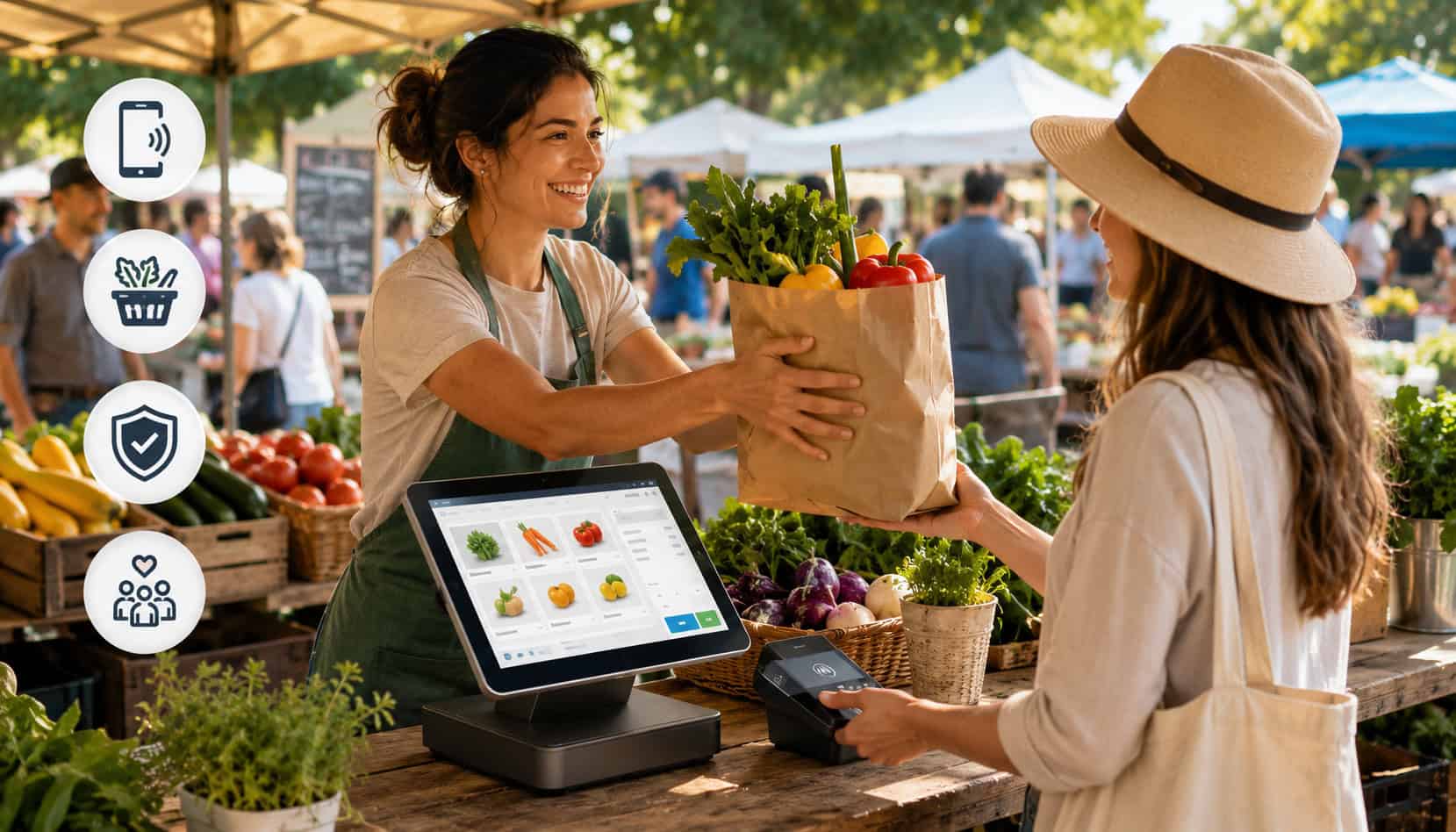
Farmers market vendors have a short window to turn interest into sales. Shoppers may browse quickly, compare stalls, ask questions, and make impulse decisions based on freshness, display, price, and convenience. When checkout feels slow or confusing, even interested customers may walk away.
Building better checkout experiences at farmers markets is about more than taking payment. It includes clear pricing, organized booth flow, fast checkout systems for farmers markets, flexible payment options, digital receipts, EBT payment processing when applicable, and backup plans for outdoor vendor checkout challenges.
A strong farmers market checkout experience helps vendors serve more shoppers during peak hours, reduce stress, and create a smoother customer experience at farmers markets. It also supports repeat customers because people remember vendors who make buying easy.
Why Checkout Experience Matters at Farmers Markets
Checkout is often the last step in a customer’s visit, but it can shape the entire impression of a booth. A shopper may love the produce, baked goods, flowers, honey, prepared foods, or handmade items, but if payment feels slow or awkward, the experience can lose momentum. A smooth checkout keeps the customer’s buying decision moving forward.
Improving checkout at farmers markets can also increase sales. When vendors accept cashless payments, cards, mobile wallets, and EBT where eligible, shoppers have fewer reasons to spend less or leave. A customer who planned to buy one item may add more if payment is convenient.
Speed matters because farmers markets often have rush periods. A booth may be quiet for twenty minutes, then suddenly have eight customers waiting. During those moments, every extra step matters: searching for change, manually typing prices, reconnecting a card reader, or explaining payment options can slow the line.
Trust also matters. A clean payment setup, secure mobile card readers, digital receipts, and clear totals show customers that the vendor is organized. This is especially important for new shoppers who are deciding whether to buy from a booth for the first time.
For more payment-specific guidance, vendors can review contactless payment options for farmers market vendors and compare how different tools support faster checkout.
Common Checkout Problems Farmers Market Vendors Face
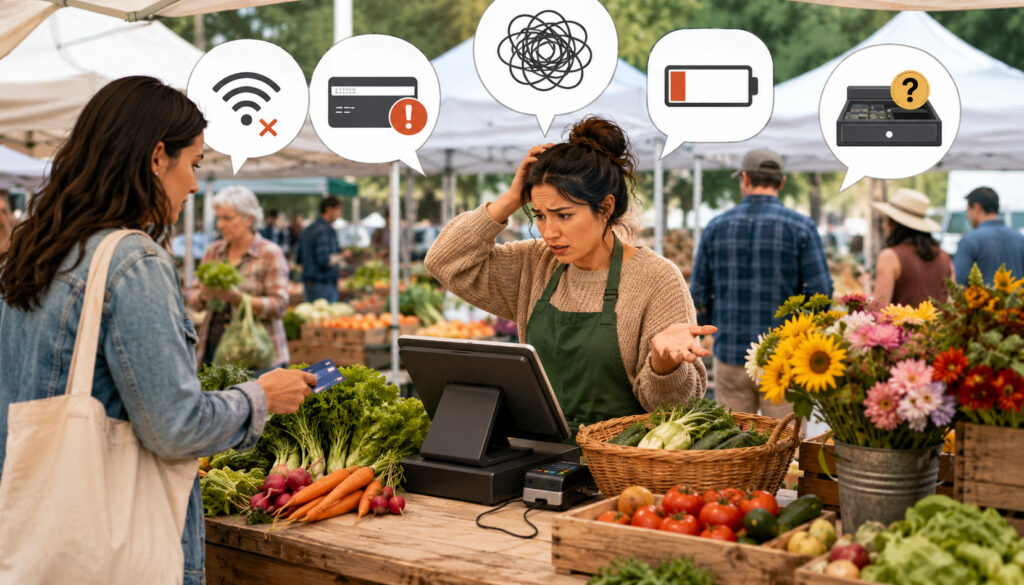
Most checkout problems at markets are not caused by one major failure. They usually come from several small issues happening at once: unclear prices, weak signal, a low battery, a slow card reader, crowded tables, or a helper who does not know the product list. These problems become more noticeable when traffic increases.
The best way to improve checkout is to identify bottlenecks before market day. Vendors should look at the entire flow from customer interest to payment confirmation. Can shoppers see prices without asking? Can staff ring up common items quickly? Is there a backup if the reader fails? Can EBT-eligible items be separated clearly from non-eligible items where needed?
Here is a practical breakdown:
| Checkout Problem | Why It Happens | Better Solution |
| Long lines | Slow payment steps, unclear pricing, one checkout point | Use product buttons, clear signs, and mobile POS for farmers markets |
| Cash-only checkout | Vendor has no card reader or digital payment option | Add mobile card readers and contactless payments |
| Weak connection | Outdoor markets may have inconsistent signal | Test connectivity, use offline mode where appropriate, and carry a backup |
| Low battery | Phones, tablets, and readers drain during long selling windows | Charge devices fully and bring power banks |
| Pricing confusion | Seasonal prices change often | Use menu boards, price tags, and pre-set POS items |
| Receipt delays | Paper receipts or manual notes slow checkout | Offer digital receipts by text or email |
| EBT confusion | Eligible and non-eligible items are mixed together | Train helpers and use clear item categories |
| Crowded payment area | Customers ordering, paying, and collecting items in one spot | Separate order, payment, and pickup zones |
A better farmers market checkout experience comes from reducing friction at each step.
Long Lines During Peak Hours
Long lines are one of the most common signs that checkout needs improvement. Lines may look like a good problem because they show demand, but they can also discourage shoppers who do not want to wait. Some customers will return later, but others will simply move on.
Peak-hour lines often happen when vendors do too many things at the same point: answering questions, weighing items, bagging products, explaining prices, taking payments, and giving receipts. If one person handles all of that, the checkout line can stall quickly.
Unclear pricing also slows transactions. If every customer has to ask, “How much is this?” or “Is this bundle price still available?” the vendor loses time. A clear menu board, visible price tags, and pre-set POS buttons can reduce repeated questions.
Checkout line management works best when vendors separate decisions from payment. Let customers browse, choose, and see prices before they reach checkout. Then payment becomes a quick confirmation rather than a long conversation.
Limited Payment Options
Cash still has a role at many markets, but relying only on cash can create missed sales. Many shoppers now expect vendors to accept cards, contactless payments, and mobile wallet payments. Some shoppers may carry little or no cash, especially when they visit the market casually.
Limited payment options can also reduce average order value. A customer with only a small amount of cash may buy less than they wanted. With cashless payments or mobile POS tools, that same customer may add more items without worrying about exact change.
EBT payment processing can also be important for eligible food vendors. Vendors who can accept EBT may serve more customers and make fresh food more accessible. The setup requires the right authorization, compatible equipment, and staff training. A helpful overview is available in this guide to EBT payment processing.
The goal is not to eliminate cash. The goal is to support multiple payment methods while keeping checkout simple.
Connectivity and Device Issues
Outdoor vendor checkout often depends on technology working in imperfect conditions. Weak internet, crowded networks, low batteries, overheated phones, Bluetooth issues, and card reader errors can all interrupt checkout.
These issues are frustrating because they often happen during the busiest part of the market. A device that worked during setup may struggle once the area becomes crowded or the sun heats the table. Vendors should test devices in real conditions whenever possible.
A backup plan is essential. That may include a second reader, an extra phone or tablet, a portable charger, a hotspot, a cash bank, QR payment backup, or offline payment mode if the provider supports it. Vendors should understand the risks and limits of offline transactions before relying on them.
For more troubleshooting ideas, vendors can review ways to reduce payment declines at farmers markets.
Improving Checkout at Farmers Markets With Better Payment Tools
Payment tools should match the way the vendor actually sells. A small herb vendor with simple pricing may need a lightweight mobile reader. A busy prepared-food booth may need a faster mobile POS system with product buttons, modifiers, tip prompts, and receipt options. A vendor with multiple helpers may need a setup that allows more than one person to ring up customers.
Farmers market POS systems can improve checkout by reducing manual steps. Instead of calculating totals by hand, vendors can tap product buttons, apply discounts, separate taxable and non-taxable items where needed, and issue digital receipts. This reduces errors and helps helpers process sales consistently.
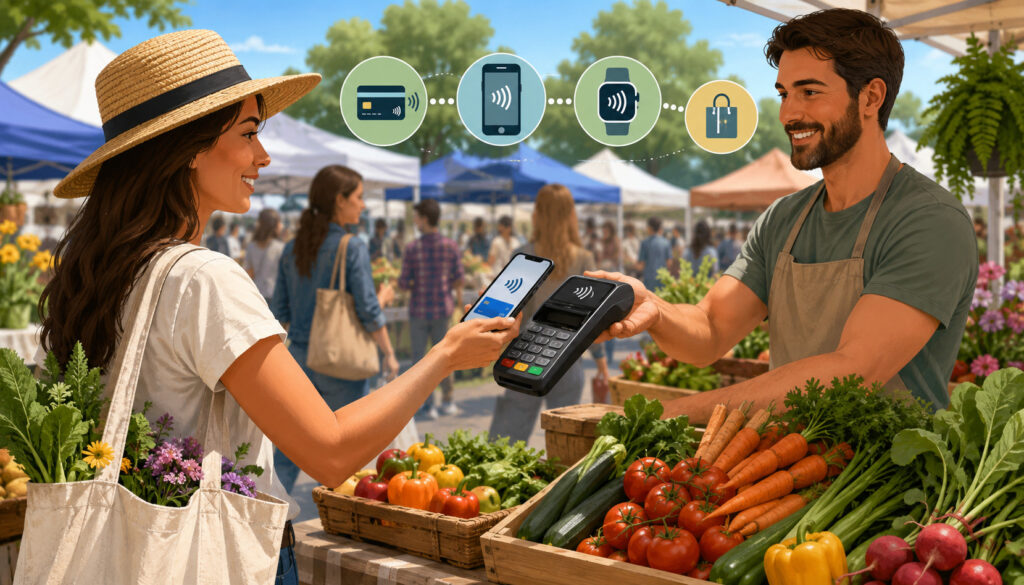
Mobile card readers allow vendors to accept card and contactless payments from a stall, table, checkout station, or line. Contactless payments are especially useful for short transactions because customers can tap a card, phone, or wearable device without inserting or swiping.
Payment links and QR codes can be useful as backups or for preorders. For example, a vendor may let customers reserve a produce box, pay through a secure link, and pick it up at the market. However, these methods should be organized carefully so staff can confirm payment without slowing the line.
Digital receipts also improve the experience. Many customers do not want paper receipts at outdoor markets, but they may appreciate a text or email receipt for larger purchases. Receipts also help vendors maintain cleaner records.
Mobile POS for Faster Transactions
Mobile POS for farmers markets gives vendors the flexibility to process payments where the sale happens. Instead of forcing everyone to one fixed checkout spot, a vendor can ring up customers from a handheld device, tablet, or phone-connected reader.
This is useful when the booth layout changes by market location. Some stalls have wide tables, others have narrow tent spaces, and some require vendors to serve customers from multiple sides. A portable POS setup adapts better than a fixed register.
Speed comes from preparation. Vendors should create product buttons for common items, organize categories clearly, remove outdated items, and make manual price entry easy for variable-weight products. The fewer taps required, the faster each transaction feels.
A mobile POS can also support better reporting. Vendors can review which items sold, when rushes happened, and how payment methods were compared. This helps with inventory planning, staffing, and pricing decisions.
For hardware selection, see this guide on best card readers for farmers markets.
Contactless and Mobile Wallet Payments
Contactless payments reduce friction because customers can tap and go. For small-ticket purchases, this can feel much faster than counting bills, making change, or waiting for chip card processing.
Mobile wallets also support customer convenience. Some shoppers prefer not to carry a physical wallet at all. Others may use a phone or wearable device for nearly every purchase. If a vendor accepts tap-to-pay, those shoppers can complete purchases without changing their normal habits.
The best contactless setup is visible and easy to understand. Vendors should display a small sign showing accepted payment types and place the reader where customers can tap comfortably. Staff should also know how to prompt customers clearly: “You can tap right here when you’re ready.”
Contactless payments work best when paired with clear pricing and fast item entry. A tap-to-pay reader will not fix a confusing product list, but it can make a well-organized checkout much faster.
Organizing Your Booth for Faster Checkout
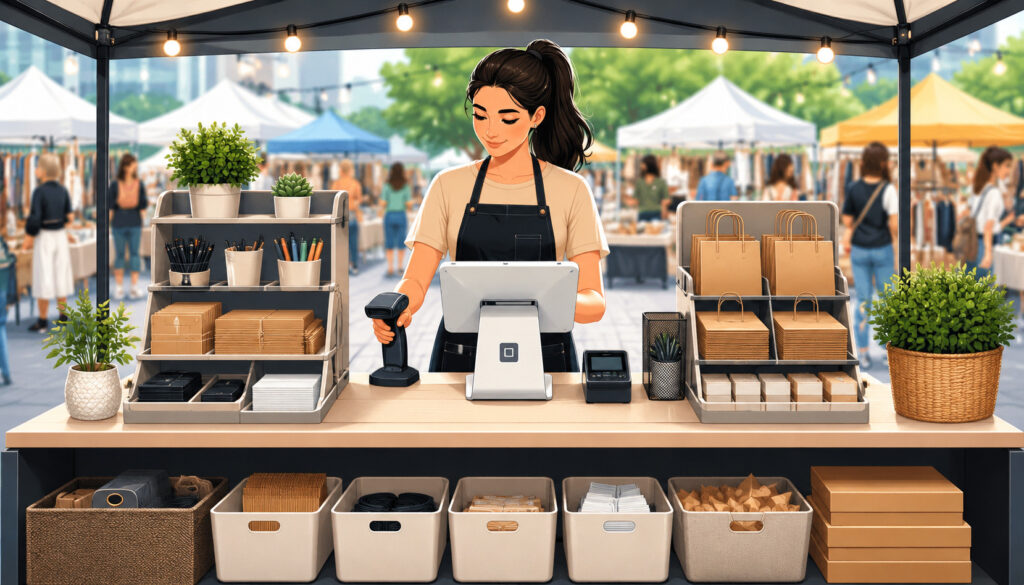
A better checkout experience starts before the customer reaches the payment device. Booth layout, product placement, pricing signs, and traffic flow all affect checkout speed. When customers can understand the booth quickly, they make decisions faster and need less help at the payment point.
Start with clear product zones. Put high-demand items where they are easy to see and easy to restock. Keep fragile or premium items protected but visible. Group similar products together so customers do not have to scan the entire booth for every choice.
Pricing should be visible from a few steps away. Small handwritten tags can be charming, but they may not work during a rush. Use clear menu boards, shelf tags, bundle signs, or chalkboards that show prices, quantities, and special offers.
Separate pickup and payment areas when possible. If customers pay in the same spot where others are choosing items, the booth can become congested. Even a small sign that says “Pay Here” can help.
Pre-bagged items can also speed checkout. Produce bundles, sampler packs, bread bags, flower bunches, and prepared boxes reduce weighing and handling time. This is especially helpful during the busiest hour.
Managing Cash, Cards, and EBT Efficiently
Supporting multiple payment methods does not have to make checkout complicated. The key is to create a simple process for each method and train everyone to follow it. Cash, cards, contactless payments, and EBT can all work together when the booth is organized.
Cash should be handled securely and consistently. Use a cash box, apron, or lockable drawer depending on the booth setup. Keep change organized by denomination, and avoid leaving large bills visible. One person should be responsible for cash reconciliation when possible.
Cards and mobile wallets should run through secure, approved payment tools. Avoid writing down card numbers or storing customer payment details manually. A secure POS system helps protect both the vendor and the customer.
EBT requires extra care because eligible and non-eligible items must be handled correctly. Vendors should understand which products qualify, how PIN entry works, and how to handle receipts. Helpers should be trained before market day, not during a rush.
Digital receipts can simplify all payment types. They help customers track purchases and help vendors maintain records. For vendors who sell higher-value items, subscriptions, preorders, or bulk boxes, receipts can also reduce confusion later.
The best vendor payment solutions make payment flexibility feel simple. Customers should not need a long explanation. They should be able to choose their method, confirm the total, and complete the purchase confidently.
Training Staff or Helpers for Better Checkout
Even the best farmers market POS systems can slow down if helpers are not trained. Many vendors rely on family members, part-time staff, seasonal workers, or friends during busy markets. These helpers need a simple checkout process they can follow under pressure.
Training should start with product knowledge. Helpers should know prices, bundle offers, product names, substitutions, and any items that require special handling. If they do not know the answer, they should know who to ask without stopping the entire line.
Next, train helpers on the POS system. Show them how to select items, enter custom prices, accept cash, process card payments, send digital receipts, cancel mistakes, and reconnect the card reader. Practice a few sample transactions before the market opens.
Scripts can also help. A simple line like “Your total is $18. You can tap, insert, or pay cash” keeps checkout clear. For EBT, helpers should know how to explain eligible items respectfully and briefly.
Customer service matters during checkout. Staff should greet customers, confirm totals, thank them, and keep the line moving without making people feel rushed. A calm helper can prevent small issues from becoming stressful.
Security and Trust at Checkout
Security is a major part of building better checkout experiences at farmers markets. Customers want speed, but they also want to feel confident that their payment information is handled safely. Vendors should use secure card readers, encrypted payment tools, and trusted payment workflows rather than informal methods that create risk.
A secure checkout starts with approved hardware and software. Mobile card readers and POS devices should be updated regularly. Vendors should install app updates before market day, not during a rush. Devices should be protected with passcodes, biometric locks, or other access controls.
Customer privacy matters too. Do not leave receipts, order notes, phone numbers, or email addresses visible to other shoppers. If digital receipts are offered, ask for the customer’s email or phone number discreetly and only when needed.
Avoid manual card storage. Writing down card numbers, saving photos of cards, or entering card details later can create serious security and trust problems. Payments should be processed through secure systems at the time of sale whenever possible.
Trust also includes transparency. Customers should see the total before paying. If tips, fees, deposits, or taxes apply, they should be clear before the transaction is completed. A clean, honest checkout experience supports repeat business.
Common Mistakes to Avoid
Many checkout problems are preventable. One common mistake is unclear pricing. If shoppers cannot see prices, they ask more questions, hesitate longer, and slow the line. Clear signs are one of the simplest ways to improve checkout speed.
Another mistake is having no backup payment method. If the card reader fails and the booth cannot accept cash, QR payment, or another secure option, sales may be lost. A backup reader or alternate payment workflow can protect revenue.
Low battery is another avoidable issue. Phones, tablets, readers, hotspots, and receipt printers should be charged before arrival. Vendors should bring power banks and charging cables that fit every device.
Slow manual entry can also hurt checkout. If staff must type every product name or price during a rush, errors become more likely. Product buttons, favorites, and categories can reduce checkout time.
Poor line flow is another problem. When customers do not know where to stand, where to pay, or where to pick up items, they gather in the wrong place. Signs and booth layout can solve much of this.
Missing receipts can cause confusion, especially for preorders, bulk purchases, or EBT transactions. Digital receipts are often enough, but vendors should know when a receipt is required or helpful.
Finally, untrained helpers can create delays. A helper who does not know prices, payment steps, or troubleshooting basics may unintentionally slow every sale.
Best Practices for Better Farmers Market Checkout
The best checkout systems are simple, tested, and repeatable. Vendors should prepare before market day rather than trying to solve problems during the rush. A few habits can make checkout faster and more reliable.
Test every device before leaving for the market. Open the POS app, connect the reader, check battery levels, confirm the item library, and run a small test transaction when appropriate. Make sure software updates are complete.
Charge all devices fully. Bring backup power for phones, tablets, card readers, hotspots, and printers. Keep devices shaded when possible to prevent overheating.
Enable offline mode if your payment provider supports it and if you understand the limits. Offline mode can help during short connection gaps, but vendors should know how long transactions can remain offline and what risks apply.
Simplify product buttons. Keep best sellers at the top, group items logically, and remove old seasonal products. If helpers use the system, labels should be clear enough for them to understand quickly.
Accept multiple payment methods. Cash, cards, contactless payments, mobile wallets, and EBT where applicable can help vendors serve more shoppers. Payment flexibility should not make checkout confusing, so signs and staff scripts are important.
Post prices clearly. Use large, readable signs and update them whenever prices change. Bundle offers should be easy to understand.
Review sales reports after each market. Reports can reveal best sellers, peak selling times, payment trends, and inventory patterns. Vendors can use those insights to improve staffing, product planning, and checkout setup. For deeper guidance, see sales analytics for farmers market vendors.
How can vendors improve checkout at farmers markets?
Vendors can improve checkout by making prices clear, organizing the booth for easy traffic flow, using mobile POS tools, accepting multiple payment methods, and training helpers before the market opens. The goal is to reduce repeated questions and unnecessary steps.
A strong checkout setup should include visible payment signs, charged devices, backup options, and a simple process for receipts. Vendors should also review what caused delays after each market and adjust the layout or tools before the next one.
What payment methods should farmers market vendors accept?
Many vendors benefit from accepting cash, cards, contactless payments, mobile wallets, and EBT if eligible. The right mix depends on the products sold, market rules, customer preferences, and available payment equipment.
Cash can remain useful, but cashless payments help capture sales from shoppers who do not carry bills. Mobile card readers and farmers market POS systems make it easier to accept different payment types without adding too much complexity.
Do mobile POS systems speed up checkout?
Yes, mobile POS systems can speed up checkout when they are set up well. Product buttons, digital receipts, contactless payments, and quick card reader connections reduce manual work and help staff process sales consistently.
However, the system must match the booth. A complicated POS with too many screens can slow things down. Vendors should simplify menus, test devices, and train helpers so the POS supports the workflow instead of interrupting it.
Can farmers market vendors accept EBT?
Eligible vendors may be able to accept EBT after completing the required authorization process and using compatible payment equipment. Vendors should understand eligible items, PIN requirements, receipt handling, and any program rules before offering EBT at checkout.
EBT payment processing can help vendors serve more shoppers, but it should be handled carefully. Staff should know which products qualify and how to process transactions respectfully and accurately.
How can vendors handle weak internet?
Vendors can handle weak internet by testing signal strength at the market, bringing a hotspot, choosing payment tools with reliable connectivity, and using offline mode where supported. They should also know the limitations of offline transactions.
A backup plan is important. This may include a second reader, cash acceptance, QR payment backup, or a manual order record that helps reconcile sales later.
What should vendors do if a card reader fails?
If a card reader fails, vendors should first check battery, Bluetooth, app status, and connection. Restarting the reader or POS app may solve the issue. A backup reader can prevent the line from stopping.
Staff should also know an alternate payment process. This might include another secure device, cash, or a payment link. The key is to avoid scrambling while customers are waiting.
Are digital receipts useful?
Digital receipts are useful because they give customers proof of purchase without requiring paper. They are especially helpful for larger purchases, preorders, EBT transactions, and customers who track spending.
They also help vendors maintain cleaner records. A POS system that sends text or email receipts can reduce paper clutter and make post-market bookkeeping easier.
How can vendors reduce checkout lines?
Vendors can reduce checkout lines by posting clear prices, pre-bagging popular items, using fast checkout systems for farmers markets, accepting tap-to-pay, and separating ordering from payment when possible. Helpers should be trained to keep the process moving.
Line reduction is also about booth design. Customers should know where to browse, where to pay, and where to pick up items. A clear flow prevents crowding and confusion.
Conclusion
Building better checkout experiences at farmers markets requires a practical mix of speed, clarity, flexibility, and trust. Vendors need more than a payment device. They need clear pricing, organized booth flow, secure processing, trained helpers, digital receipts, reliable mobile POS tools, and backup plans for outdoor selling conditions.
A better farmers market checkout experience helps vendors serve more shoppers during short selling windows. It can reduce wait times, support cashless payments, simplify EBT payment processing where applicable, and improve customer confidence.
The most effective improvements are often simple: charge devices, test readers, post prices clearly, create product buttons, accept flexible payments, and train helpers before the rush begins. When checkout feels easy, shoppers are more likely to buy, return, and recommend the booth to others.