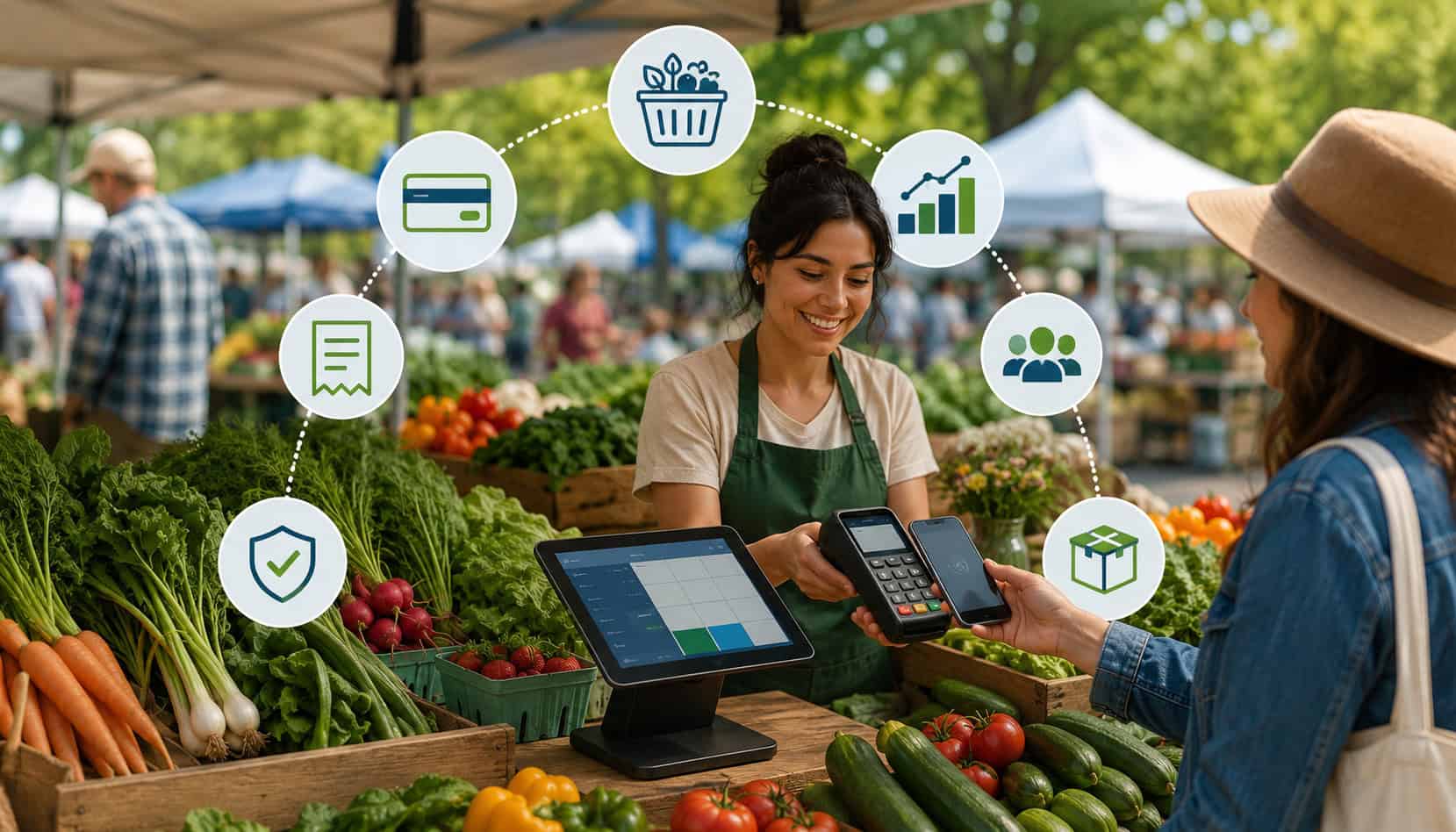
Farmers market selling is fast, personal, and unpredictable. One customer may want a single bunch of herbs, the next may buy a full basket of produce, and another may ask to pay with a phone, card, or benefits card.
That is why POS Systems for Farmers Markets have become so important for vendors who want a smoother checkout process, better records, and more flexible payment options.
A good farmers market POS setup helps vendors accept cards, tap-to-pay, mobile wallets, cashless payments, and sometimes EBT payment processing.
It can also support inventory tracking, digital receipts, sales reporting, tax settings, and end-of-day reconciliation. Instead of relying only on a cash box and handwritten notes, vendors can run a more organized booth from a phone, tablet, mobile card reader, or portable terminal.
The right system does not need to be complicated. For many sellers, a simple mobile POS for farmers markets is enough to process payments, record sales, and email receipts. For larger vendors, the best POS systems for farmers markets may include product catalogs, barcode scanning, customer records, staff access, online ordering, and detailed reports.
What Are POS Systems for Farmers Markets?
POS Systems for Farmers Markets are checkout systems designed to help vendors accept payments, record transactions, manage products, and review sales activity from a market booth. POS stands for point of sale, which simply means the place where a customer pays for goods.
At a farmers market, that “place” is usually a table, tent, trailer, farm stand, or mobile booth. Unlike a fixed retail store, market vendors often need a checkout system that can work outdoors, move easily, run on battery power, and connect through mobile data or Wi-Fi.
A farmers market POS system usually includes three basic parts: software, payment hardware, and a payment processing connection. The software may run on a phone, tablet, or terminal.
The hardware may include mobile card readers, receipt printers, cash drawers, barcode scanners, or scales. The payment connection allows the vendor to accept credit cards, debit cards, contactless payments, mobile wallets, and other market vendor payment solutions.
For example, a produce seller may create product buttons for tomatoes, cucumbers, greens, herbs, and flowers. A bakery vendor may build a catalog for loaves, pastries, cookies, and seasonal items. A prepared food vendor may use modifiers for add-ons, sizes, and tax settings.
Modern farmers market checkout systems do more than process payments. They also help vendors answer practical questions:
- Which products sold fastest?
- How much cash was collected?
- How many card payments came through?
- Which items should be restocked next week?
- What was the average transaction size?
- Did contactless payments speed up the line?
This type of information is especially useful when inventory is perishable, seasonal, or limited. A POS system gives vendors a clearer picture of what happened during the market day, rather than relying only on memory.
For deeper insight into tracking market performance, this guide on sales analytics for farmers market vendors explains how sales data can support better product planning and demand forecasting.
Why Farmers Market Vendors Need Modern POS Systems
Modern farmers market POS systems help vendors serve more customers with less friction. At busy markets, even small delays can cause long lines. A customer who has to wait while a vendor counts change, writes a receipt, or manually totals items may decide not to complete the purchase.
Customer payment habits have also changed. Many shoppers expect to pay with a card, mobile wallet, or contactless payment method. A vendor who only accepts cash may lose sales from customers who did not bring enough bills or do not want to find an ATM.
Contactless payment options can also create a faster checkout flow because customers can tap a card or phone instead of handling cash.
Cash still matters at many markets, but relying on cash alone creates limitations. Vendors must bring change, protect the cash box, count money carefully, and reconcile totals manually. Card and digital payments create automatic records, which can help with bookkeeping and sales reporting.
Modern vendor POS systems also help sellers understand their business better. Instead of guessing which items performed well, vendors can review reports by product, category, payment type, and time of day. That makes it easier to prepare for the next market, adjust pricing, reduce waste, and identify customer preferences.
| POS Feature | How It Helps Vendors | Why It Matters |
| Mobile card readers | Accept chip cards, tap cards, and mobile wallets | Reduces missed sales from customers without cash |
| Contactless payments | Speeds up checkout with tap-to-pay | Keeps lines moving during busy periods |
| Inventory tracking | Records product movement and remaining stock | Helps vendors plan harvests, batches, and restocking |
| Sales reporting | Shows revenue by product, time, and payment type | Supports smarter pricing and market decisions |
| Offline payments | Allows sales when connectivity is weak | Helps vendors keep selling in unreliable signal areas |
| Digital receipts | Sends receipts by email or text | Builds trust and reduces paper clutter |
| EBT payment processing | Supports eligible food purchases through approved programs | Expands payment access for qualified customers |
| Product catalogs | Creates quick buttons for common items | Makes checkout faster and more accurate |
Mobile Card Readers
Mobile card readers are one of the most common tools in mobile POS for farmers markets. These small devices connect to a phone, tablet, or app-based terminal and allow vendors to accept chip cards, swipe cards, tap-to-pay cards, and mobile wallets.
For many vendors, mobile card readers are the easiest way to begin accepting cashless payments. They are portable, relatively simple to set up, and designed for sellers who move between markets, festivals, farm stands, and pickup locations.
The best card readers for farmers markets should be lightweight, durable, battery-powered, and compatible with the payment methods customers actually use. A reader that supports EMV chip cards and contactless payments is usually more useful than a swipe-only reader because it gives customers more secure and convenient ways to pay.
Some vendors pair a mobile reader with a phone. Others use a tablet mounted at the booth. Larger sellers may prefer a handheld terminal with a built-in screen, printer, and cellular connection. Each setup can work well, depending on transaction volume, staffing, booth size, and budget.
You can compare hardware considerations in this guide to the best card readers for farmers markets.
Offline Payment Capability
Offline payments are important because farmers markets do not always have reliable internet access. A booth may be located in a park, parking lot, rural area, covered pavilion, or crowded event space where mobile signals are weak. Even when Wi-Fi is available, many vendors may be sharing the same network.
Offline mode allows a POS system to store payment information temporarily and process it later when the device reconnects. This can help vendors continue taking card payments instead of turning customers away.
However, offline payments should be used carefully. Because the transaction may not be approved until later, there is some risk that a card could decline after the customer has already left. Vendors should understand the limits, rules, and risk settings of their provider before relying on offline mode.
Offline functionality is especially helpful for sellers with steady lines, perishable goods, or limited market hours. If a connection drops during peak traffic, being able to continue checkout can protect sales and reduce customer frustration.
Digital Receipts and Sales Reports
Digital receipts and sales reports make farmers market payment processing more organized. A digital receipt gives the customer proof of purchase by email or text. It can also reduce the need for paper receipt rolls, printers, and extra booth equipment.
Receipts are useful for customer trust. If a shopper buys a higher-value order, pays by card, or needs a record for reimbursement, a digital receipt creates a professional experience. It also helps reduce confusion if a customer later asks about a charge.
Sales reports are just as valuable for the vendor. A good POS report can show total sales, payment method breakdown, product performance, taxes collected, discounts, refunds, and tips. That information helps with bookkeeping, inventory tracking, and business planning.
For example, if a vendor sees that card payments are consistently higher than cash payments, it may be worth upgrading to a faster terminal. If reports show that certain products sell out early, the vendor can bring more next time. If a product consistently underperforms, it may need new pricing, display placement, or a smaller production run.
Key Features to Look for in Farmers Market POS Systems
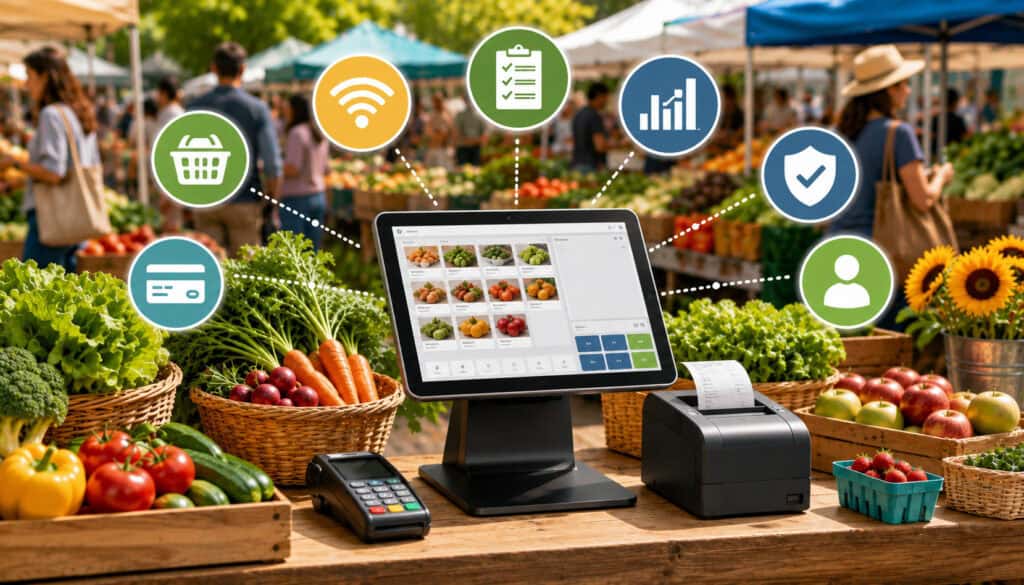
Choosing farmers market POS systems should begin with real booth conditions. A system that works well in a fixed storefront may not be the best choice for a vendor who sells outdoors, travels between locations, and depends on battery-powered devices.
The most important feature is payment flexibility. Vendors should be able to accept cash, credit cards, debit cards, mobile wallets, and contactless payments. For eligible food sellers, EBT payment processing may also be important. The easier it is for customers to pay, the fewer sales are lost because of payment limitations.
Mobile hardware is another major factor. A farmers market POS system should work with portable devices such as phones, tablets, handheld terminals, and mobile card readers.
Battery life matters because market days can be long, and outlets are not always available. A vendor should also consider whether the device needs a separate phone or can operate as a standalone terminal.
Inventory tracking is useful for vendors who sell multiple products, seasonal items, or limited quantities. A produce seller may track bunches, bags, crates, or individual items. A baker may track batches and flavors. A flower vendor may track bouquet sizes and arrangements. Even basic item-level tracking can reveal what sells fastest.
Product catalogs help speed up checkout. Instead of manually entering every price, vendors can create buttons for common products. Categories, modifiers, and preset prices reduce errors and make training easier for staff.
Other helpful features include:
- Tax settings for taxable and non-taxable items
- Tipping options for prepared food or service-based booths
- Digital and printed receipt choices
- Refund and exchange tools
- Staff permissions
- End-of-day closeout reports
- Integration with bookkeeping software
- Support for offline payments
- Simple setup and easy updates
EBT support requires extra attention. Not every POS system or terminal supports EBT payment processing, and vendors may need approval, proper equipment, and clear eligible-item procedures.
The Food and Nutrition Service offers a SNAP Retailer Locator, which helps shoppers find authorized retailers and reflects the importance of approved benefit acceptance channels.
Farmers Market Payment Processing Options
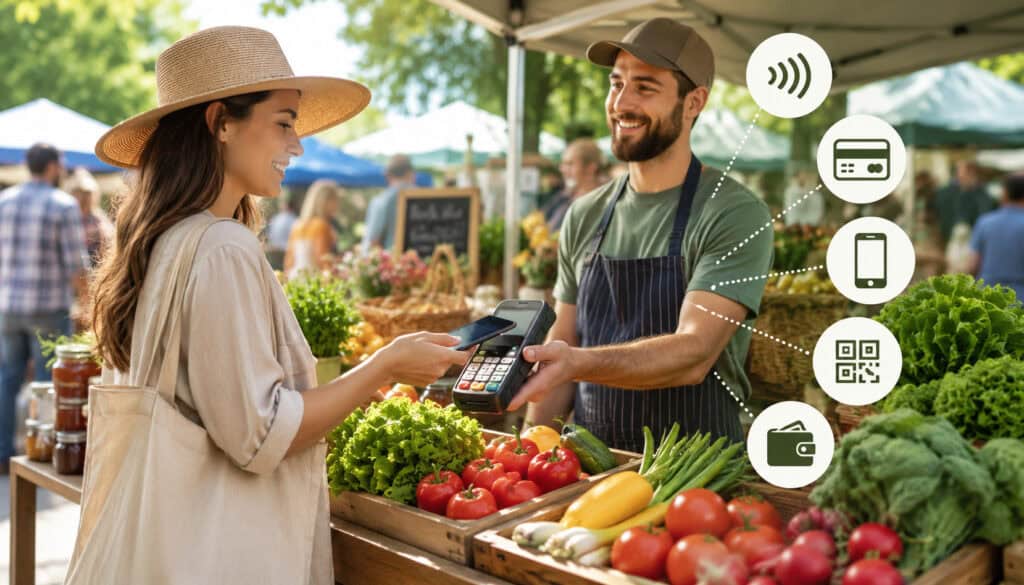
Farmers market payment processing should support the way customers actually shop. Some shoppers still prefer cash, while others expect tap-to-pay, mobile wallets, debit cards, QR payments, or benefit cards. A flexible payment setup helps vendors meet more customers where they are.
Cash is simple, familiar, and does not require internet access. It is still useful as a backup and for small transactions. However, cash requires change, secure storage, careful counting, and manual records. Vendors who accept cash should still enter cash sales into the POS system whenever possible so reports stay accurate.
Credit and debit cards are essential for many market vendors. A customer who wants to buy a larger basket of goods may not have enough cash on hand. Accepting cards can make it easier to capture larger orders and impulse purchases.
Contactless payments are especially useful at busy booths. Tap-to-pay cards and mobile wallets can speed up checkout because the customer only needs to tap a card, phone, or watch. Many modern mobile card readers support contactless payments, which makes them practical for vendors with limited space.
Mobile wallets are part of the broader shift toward cashless payments. They are convenient for shoppers and can reduce physical card handling. Vendors should display payment signs so customers know these options are accepted before reaching checkout.
EBT payment processing can be important for eligible vendors and markets that sell qualifying food items. Vendors should understand authorization requirements, eligible product rules, terminal compatibility, and receipt procedures before accepting benefit payments.
Payment links and QR payments can also be useful, especially for preorders, pickup orders, deposits, or backup payment situations. However, they should be tracked carefully. If QR payments are not integrated into the POS system, vendors may need to manually confirm the payment and record the sale.
For more on tap-to-pay and wallet-based checkout, see this overview of contactless payment options for farmers market vendors.
POS Security and Customer Payment Protection

Security matters whenever customer payment information is involved. Farmers market vendors may operate from a casual booth, but customers still expect their card and payment data to be handled safely.
Modern POS systems protect payment data through secure payment apps, encrypted card readers, tokenization, and compliance-focused processing systems. Encryption helps protect card information as it moves through the payment system. Tokenization replaces sensitive card details with a secure token, reducing exposure of the actual card number.
Vendors should avoid unsafe practices such as writing down card numbers, storing payment details in notes, taking photos of cards, or using unapproved devices. Card information should be entered only through secure, approved payment hardware or software.
Device security is also important. Phones, tablets, and terminals should be protected with passwords, PINs, biometric locks, or device management settings. POS apps should be updated regularly because updates often include security improvements and bug fixes.
A secure farmers market checkout system should also include basic operational habits:
- Do not leave unlocked devices unattended.
- Use strong passwords for POS accounts.
- Limit staff access to only what they need.
- Avoid public Wi-Fi when possible.
- Use a trusted mobile hotspot or secure network.
- Log out of devices not in use.
- Review refunds and voids after each market.
Customer-facing behavior matters too. Vendors should never ask customers to share card information out loud. If the customer taps, inserts, or swipes, the device should remain visible and the transaction should be confirmed clearly.
Digital receipts can also support trust. A receipt helps customers identify the purchase and reduces disputes caused by unclear transaction names.
Costs and Fees to Consider
The cost of POS Systems for Farmers Markets can vary widely. Some vendors can start with a free app and a low-cost mobile card reader. Others may need a full mobile terminal, receipt printer, cash drawer, software subscription, and advanced reporting tools.
Hardware costs are usually the first expense. A basic mobile card reader may be enough for a small booth, while a standalone terminal may be better for vendors with higher volume or multiple staff members. Optional hardware can include tablet stands, barcode scanners, scales, receipt printers, and backup batteries.
Software fees are another consideration. Some POS apps have no monthly fee but charge payment processing fees. Others charge a subscription for features such as advanced inventory tracking, staff permissions, loyalty tools, or multi-location reporting.
Processing fees apply to card and digital payments. Fees may vary depending on whether the customer taps, inserts, swipes, or pays through a keyed-in transaction. Keyed-in payments are often more expensive because they carry greater risk.
EBT payment processing may involve separate setup needs, eligible terminal requirements, or program-specific procedures. Vendors should review these costs and requirements before assuming that every POS system supports EBT.
Other possible costs include:
- Chargeback fees
- Refund processing rules
- Mobile data plans
- Hotspot devices
- Replacement readers
- Receipt paper
- Battery packs
- Accounting integrations
- Same-day or faster funding fees
Settlement timing is also important. Vendors should know when funds will reach their account after each market. Some systems offer fast deposits for an added fee, while others follow standard deposit timing.
The cheapest system is not always the lowest-cost system in practice. A low-priced setup that causes slow checkout, missed sales, weak reports, or payment failures may cost more over time than a reliable system with slightly higher fees.
Common POS Mistakes Farmers Market Vendors Should Avoid
One common mistake is choosing a POS system based only on price. Low upfront cost can be attractive, especially for new vendors, but the system still needs to work reliably in real market conditions. If the app is confusing, the reader disconnects often, or reports are weak, the savings may not be worth it.
Another mistake is ignoring offline payments. Even strong markets can have weak signal areas. Vendors who assume every transaction will process instantly may be caught off guard when connectivity drops. A system with offline mode, cellular backup, or a tested hotspot can reduce disruption.
Some vendors fail to test devices before market day. A new card reader may need pairing, firmware updates, app permissions, or account verification. Testing the setup at home helps prevent checkout problems in front of customers.
Poor receipt practices can also create issues. Customers may want proof of purchase, especially for larger orders or card payments. Vendors should know how to send digital receipts quickly and how transaction names appear on customer statements.
Weak security habits are another risk. Shared passwords, unlocked devices, and unapproved payment workarounds can create avoidable problems. Even a small booth should follow basic payment data protection habits.
Inventory tracking mistakes are also common. Some vendors set up a POS system but continue to enter generic totals instead of item-level sales. That may process payments, but it limits the value of reports. When products are entered properly, reports become much more useful.
Other mistakes include:
- Not charging devices fully
- Forgetting backup batteries
- Not bringing enough change
- Using unclear product names
- Failing to reconcile cash and card totals
- Not training staff before busy periods
- Overcomplicating the checkout screen
- Ignoring refund and void procedures
Best Practices for Using Mobile POS at Farmers Markets
The best mobile POS for farmers markets is only effective when vendors use it consistently. A strong routine begins before the market opens. Charge every device, update the app, pair the card reader, confirm inventory, and test a small transaction if possible.
Connectivity should be checked early. If the market offers Wi-Fi, test it before customers arrive. If using mobile data, check signal strength at the booth location. Vendors who regularly face weak signals may benefit from a dedicated hotspot or terminal with cellular service.
Product catalogs should be organized for speed. Put best-selling items on the main checkout screen. Use clear names and categories. Remove outdated products so staff do not accidentally ring up the wrong item.
For vendors with changing inventory, it may help to create seasonal categories such as greens, berries, baked goods, flowers, preserves, or prepared foods. This keeps checkout clean while still supporting useful reporting.
At the booth, payment signage helps customers move faster. Signs that say cards, tap-to-pay, mobile wallets, or EBT accepted can answer questions before checkout. This is especially useful when lines are forming.
During the market, staff should enter every sale into the POS system, including cash sales. This keeps reports accurate and helps vendors understand total performance. If cash sales are not entered, inventory and sales reports may be incomplete.
After the market, reconcile the day. Compare POS totals, cash in drawer, card deposits, refunds, tips, and remaining inventory. Note anything unusual, such as weather, product shortages, special events, or equipment issues.
Good habits include:
- Charge devices the night before.
- Bring backup power.
- Test the reader before opening.
- Keep a backup payment option ready.
- Organize product buttons by popularity.
- Use item-level sales whenever possible.
- Send receipts for card transactions.
- Review reports after each market.
- Train staff on refunds, discounts, and offline mode.
For vendors who sell through multiple direct channels, this guide on POS systems for farm-to-consumer sales offers additional context for markets, farm stands, pickup orders, and related selling environments.
What are POS systems for farmers markets?
POS systems for farmers markets are mobile checkout systems that help vendors accept payments, track sales, manage products, issue receipts, and review reports. They often run on phones, tablets, or portable terminals and connect to mobile card readers.
A farmers market POS system can handle cash, cards, contactless payments, mobile wallets, and sometimes EBT payment processing. It may also support inventory tracking, tax settings, tipping, product catalogs, customer records, and sales reporting.
What is the best POS system for farmers market vendors?
The best POS system depends on the vendor’s products, budget, payment needs, and market conditions. A small vendor may only need a phone, POS app, and mobile card reader. A high-volume vendor may need a standalone terminal, receipt printer, stronger reporting, and better inventory tools.
The best POS systems for farmers markets are usually portable, easy to use, reliable in outdoor settings, and flexible enough to accept the payment methods customers prefer.
Can farmers market POS systems work offline?
Some farmers market POS systems can work offline, but the feature varies by provider. Offline payments allow vendors to continue accepting card transactions when Wi-Fi or mobile data is unavailable.
Vendors should understand the risks. Offline transactions may not be approved until the device reconnects, so there is a chance that a payment could later decline. Always review the provider’s offline rules before relying on this feature.
Can vendors accept EBT payments?
Eligible vendors may be able to accept EBT payments if they meet program requirements, have proper authorization, and use compatible payment equipment. EBT payment processing is not automatically included with every POS system.
Vendors should confirm whether their products qualify, whether their terminal supports EBT, and what procedures are required for eligible purchases. Clear staff training is important so benefit payments are handled correctly.
What payment methods should vendors accept?
Most vendors benefit from accepting cash, credit cards, debit cards, contactless payments, and mobile wallets. Depending on the business, QR payments, payment links, and EBT may also be useful.
The goal is to reduce payment friction. When customers can pay the way they prefer, checkout becomes easier and vendors are less likely to lose sales.
Are mobile POS systems secure?
Mobile POS systems can be secure when vendors use approved hardware, trusted payment apps, strong passwords, updated software, and safe device practices. Secure systems use protections such as encryption and tokenization to help protect customer payment data.
Vendors should never write down card numbers, store card photos, or process payments through unapproved methods. Basic device security is just as important as payment security.
How much does a farmers market POS system cost?
Costs can include hardware, software subscriptions, processing fees, receipt supplies, mobile data, EBT-related setup needs, and optional accessories. A basic setup may be inexpensive, while a more advanced system with terminals, printers, and reporting tools may cost more.
Vendors should compare total cost over time, not just the first device purchase. Reliability, checkout speed, reporting quality, and support can all affect the real value of the system.
Conclusion
POS Systems for Farmers Markets help vendors accept more payment types, speed up checkout, reduce cash-handling issues, track inventory, issue receipts, and understand sales performance.
Whether a vendor sells produce, baked goods, flowers, prepared foods, meat, dairy, preserves, or handmade market items, the right POS setup can make each market day more organized.
A strong farmers market POS system should be mobile, reliable, easy to learn, and flexible enough to handle real booth conditions. Features like mobile card readers, contactless payments, offline payments, EBT payment processing, inventory tracking, and sales reporting can all support a better customer experience.
The best approach is to choose a system that fits the way the vendor actually sells. Start with essential payment tools, build a clean product catalog, test the setup before market day, and review reports after each event. Over time, those habits can turn a simple checkout system into a valuable business tool.