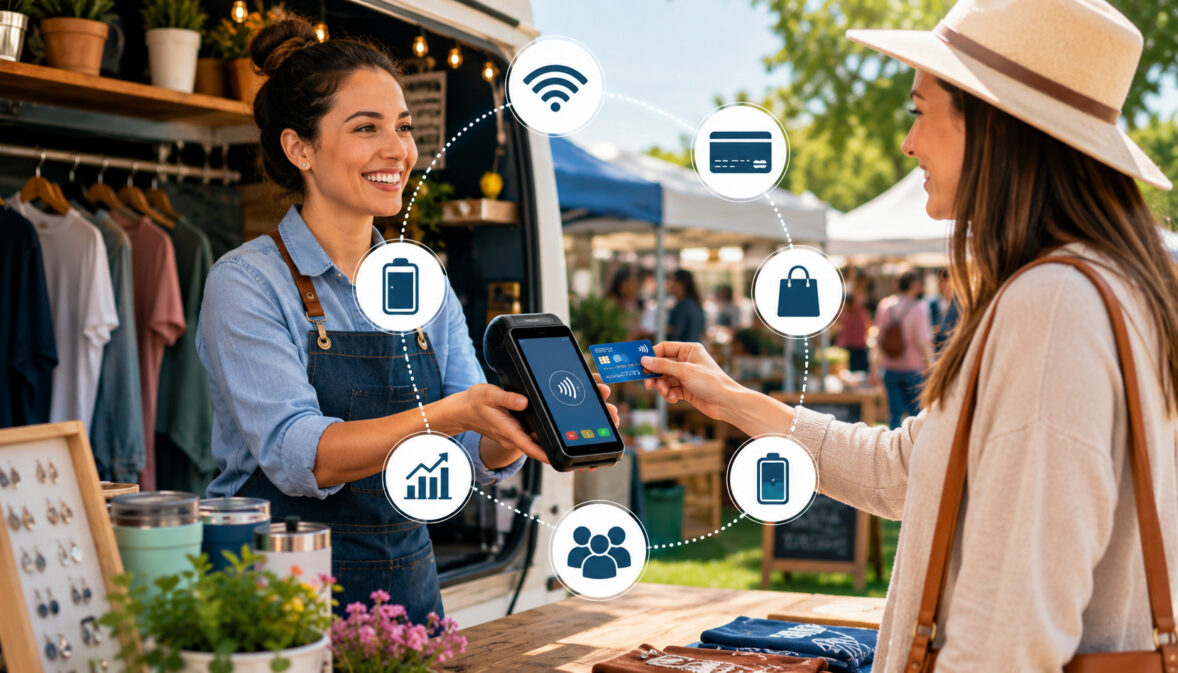
Outdoor selling is fast, unpredictable, and highly dependent on convenience. Vendors at farmers markets, festivals, fairs, food stands, craft booths, pop-up shops, and mobile retail events need payment tools that can keep up with short selling windows, changing weather, uneven foot traffic, and customers who may not carry cash.
That is why understanding how mobile POS systems improve outdoor selling matters for vendors who want smoother checkout, fewer missed sales, and better control over daily operations.
A mobile POS setup can help vendors accept card payments, contactless payments, and digital receipts while also supporting weak internet planning, inventory tracking, sales reporting, and customer convenience.
Instead of relying only on a cash box, paper notes, and memory, outdoor vendors can use phones, tablets, portable terminals, mobile card readers, and cloud-based software to run a more organized booth. The right system can make a temporary stall feel as polished as a permanent retail counter.
For vendors comparing contactless payment options for farmers market vendors, the goal is not just accepting more payment types. It is building a checkout process that works in real outdoor conditions: bright sun, long lines, weak signal, quick product changes, and customers who expect a fast cashless checkout.
What Are Mobile POS Systems for Outdoor Selling?
Mobile POS systems for outdoor selling are portable checkout systems that let vendors accept payments and manage sales without being tied to a fixed register.
A mobile POS usually combines software, a phone or tablet, a portable terminal, and a card reader. Some setups are as simple as a mobile payment app and a small reader, while others include barcode scanning, receipt printing, inventory tracking, staff permissions, and detailed sales reporting.
For outdoor businesses, portability is the main advantage. Vendors can sell from a tent, truck, booth, table, trailer, roadside stand, or temporary event space. Instead of sending customers to an ATM or writing orders by hand, they can ring up items, apply tax or discounts, accept payment, and send receipts from one device.
Mobile POS systems for outdoor selling often support:
- Credit and debit card payments
- Contactless payments
- Mobile wallet payments
- Cash tracking
- QR code payments
- Payment links
- Digital receipts
- Item catalogs
- Inventory tracking
- Sales reporting
- Staff logins
- Refunds and exchanges
The best outdoor vendor mobile POS solutions do more than process payments. They help vendors understand what sold, when it sold, how customers paid, and which products need restocking. This is especially useful for vendors who sell across multiple events or seasonal markets.
A mobile POS can also improve customer confidence. A clean checkout screen, itemized receipt, and secure payment process make a booth feel more professional. For shoppers, that professionalism can make the difference between browsing and buying.
Why Outdoor Vendors Need Portable POS Systems
Outdoor selling creates challenges that indoor retail rarely faces. Vendors may have limited power, unreliable Wi-Fi, changing booth layouts, crowded aisles, uneven lighting, and customers who want to pay in different ways.
Portable POS systems for outdoor businesses help solve these problems by putting checkout, records, and payment acceptance into a compact setup.
At a busy market or festival, speed matters. A vendor may have only a few hours to earn most of the day’s revenue. If checkout is slow, customers may leave the line or skip add-on purchases. Mobile payment processing for outdoor vendors helps reduce friction by letting shoppers tap, insert, swipe, or pay digitally without searching for exact cash.
Outdoor selling also requires flexibility. A vendor may sell produce in the morning, prepared food in the afternoon, and bundled gift items at a weekend event. A mobile POS can update pricing, track limited inventory, and separate sales by location or event. That makes it easier to compare performance and plan what to bring next time.
| Outdoor Selling Challenge | How Mobile POS Helps | Business Benefit |
| Long customer lines | Speeds up checkout with saved items, tap payments, and quick totals | More customers served during peak traffic |
| Limited power access | Works with phones, tablets, portable terminals, and battery packs | Checkout stays active throughout the event |
| Weak internet | Supports offline payments or backup connection planning | Fewer missed sales when signal drops |
| Multiple payment preferences | Accepts cards, cash, wallets, QR payments, and payment links | Better customer convenience |
| Manual inventory counts | Tracks product sales as transactions happen | Smarter restocking and less guesswork |
| End-of-day confusion | Provides sales reports and payment summaries | Easier reconciliation |
| Weather exposure | Compact devices can be protected and moved quickly | Less disruption during outdoor conditions |
| Temporary locations | Portable setup works at markets, pop-ups, fairs, and festivals | More flexible selling opportunities |
Portable POS systems also help vendors create consistency. Whether selling at a farmers market, pop-up shop POS setup, craft fair, roadside stand, or food event, the vendor can use the same checkout workflow. That consistency reduces staff mistakes and helps new helpers learn faster.
Fast Checkout in Busy Market Environments
Fast checkout is one of the clearest ways mobile POS systems improve outdoor selling. Outdoor customers often make quick decisions. They may be walking through a crowded aisle, carrying bags, managing children, or trying to visit multiple booths before an event closes. A slow payment process can turn interest into hesitation.
A mobile POS lets vendors create preloaded product buttons for popular items. Instead of typing every price manually, the seller taps “large bouquet,” “three-pack,” “jar,” “combo,” or “meal plate” and moves straight to payment. This reduces errors and keeps the line moving.
Fast checkout also helps with impulse purchases. When customers see that they can tap a card or phone and receive a receipt instantly, they are more likely to add one more item. For high-traffic events, shaving even a few seconds off each sale can add up to meaningful extra revenue.
Festival vendor payment processing can be especially demanding because lines often come in waves. A mobile POS gives vendors a better chance to handle rush periods without losing control of order accuracy, payment records, or customer service.
Flexible Payment Acceptance Anywhere
Outdoor vendors benefit when they can accept payment wherever the customer is ready to buy. That might be at the front of a booth, beside a display rack, at a food truck window, or near a pickup table. Mobile card readers and portable terminals make this possible.
Flexible payment acceptance includes debit cards, credit cards, contactless payments, mobile wallets, cash, and sometimes QR-based payments. Some vendors also use payment links for custom orders, deposits, wholesale pickups, or after-event follow-ups.
This flexibility matters because customers do not all pay the same way. Some prefer cash, others prefer cards, and many expect tap-to-pay. If a vendor accepts only one method, every customer without that method becomes a potential lost sale.
Outdoor retail payment solutions should fit the booth’s selling style. A high-volume food stand may need a rugged terminal and simple menu buttons. A craft vendor may need item variations and digital receipts. A farm stand may need weight-based pricing, inventory notes, and seasonal item tracking.
Digital Receipts and Customer Trust
Digital receipts are more than a convenience. They create a professional record of the purchase, which can reduce confusion and support customer trust. When shoppers buy food, handmade goods, plants, gifts, or event merchandise, they may want proof of payment, especially for larger purchases.
A mobile POS can send receipts by text or email. This gives customers an itemized record without requiring a printer, paper rolls, or extra booth space. It also helps vendors avoid disputes because the transaction details are stored digitally.
Digital receipts can also support repeat business. Depending on the POS setup and consent settings, vendors may be able to build customer lists, send order confirmations, or track purchase history. Even when no marketing is involved, a receipt makes the transaction feel organized.
For outdoor vendors, professionalism matters. A booth may be temporary, but the customer experience should still feel reliable. Digital receipts, clear totals, and secure checkout all help reinforce that confidence.
Key Ways Mobile POS Systems Improve Outdoor Selling
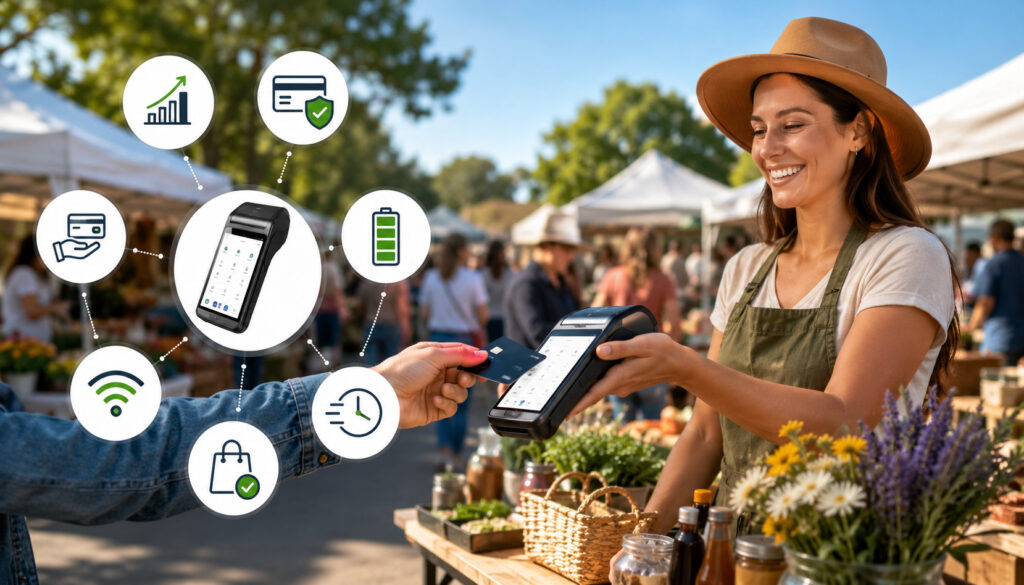
The most important answer to how mobile POS systems improve outdoor selling is that they help vendors sell faster, accept more payments, and make better decisions after the event. Outdoor selling often happens in short windows, so every minute matters. A slow checkout setup, poor payment flexibility, or lost sales record can directly affect the day’s results.
Mobile POS systems reduce missed sales by letting customers pay with the method they already have available. If a shopper does not have cash, a vendor with mobile card readers, contactless payments, or payment links can still complete the sale. This is especially useful for higher-ticket items, bundled products, and impulse buys.
They also improve recordkeeping. Instead of relying on handwritten notes, vendors can review sales by item, category, payment type, staff member, and event. This makes it easier to identify bestsellers, slow-moving products, and peak selling times.
Mobile POS systems also simplify end-of-day reconciliation. Vendors can compare cash collected, card payments processed, refunds issued, and total sales. This reduces the stress of counting everything from memory after a long outdoor event.
Common improvements include:
- Faster checkout during peak traffic
- Fewer missed card and wallet payments
- Cleaner sales records
- Better inventory visibility
- More accurate pricing
- Easier refunds and receipts
- Stronger customer experience
- Better reporting after each event
For vendors researching mobile payment processing tools, it helps to look beyond basic card acceptance and consider reporting, security, reliability, and device flexibility.
Payment Methods Outdoor Vendors Should Accept
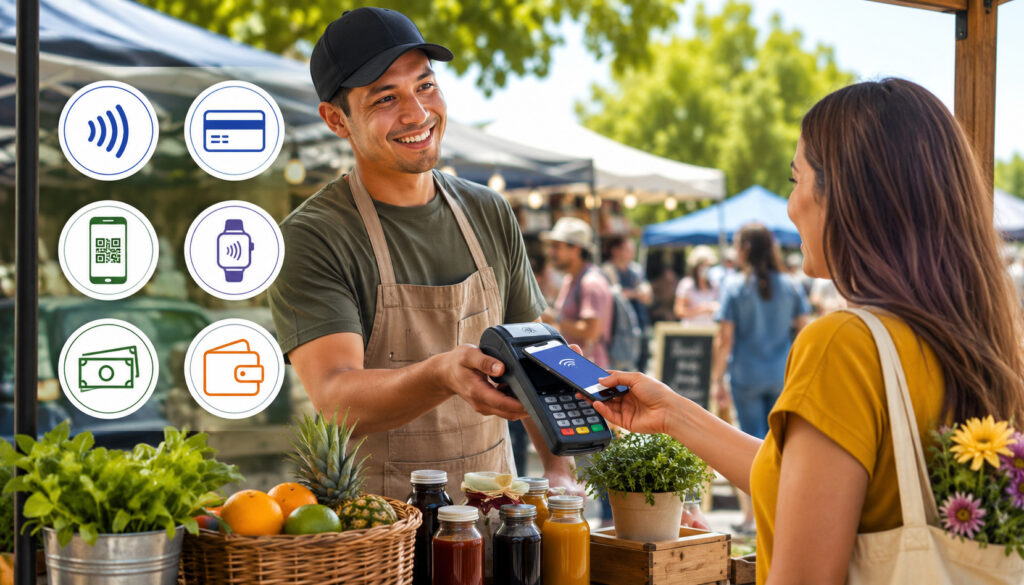
Outdoor vendors should accept a practical mix of payment methods. The goal is not to accept every possible option, but to reduce barriers for the customers most likely to buy. At minimum, most outdoor vendors benefit from accepting cash, debit cards, credit cards, and contactless payments.
Cash is still useful for small purchases, quick backup transactions, and customers who prefer physical payment. However, cash-only selling can limit sales, especially when shoppers carry less cash than expected. It also creates extra work for change, counting, security, and reconciliation.
Card payments are essential for many vendors because they support higher order values and make checkout easier for customers. Debit and credit cards also work well for bundled purchases, custom orders, and festival buying where shoppers may not want to manage cash.
Contactless payments are especially valuable outdoors because they are fast. Customers can tap a card or mobile wallet and move on. This supports cashless checkout and keeps lines shorter during busy periods.
QR payments and payment links can be helpful as backup options. For example, a vendor may send a payment link for a custom order, deposit, or post-event invoice. QR payments can also work when a customer wants a touch-free payment experience, though vendors should confirm payment before handing over goods.
Where relevant and permitted, certain food vendors may also need benefit-card acceptance or approved assistance-program payment tools. Those setups may require specific authorization, equipment, and compliance steps, so vendors should verify requirements before relying on them at an event.
A balanced payment setup might include:
- Cash with organized change
- Mobile card reader
- Tap-to-pay option
- Digital wallet support
- Backup reader
- Payment link option
- Printed or written order backup
- Clear refund process
Offline Payments and Connectivity Planning
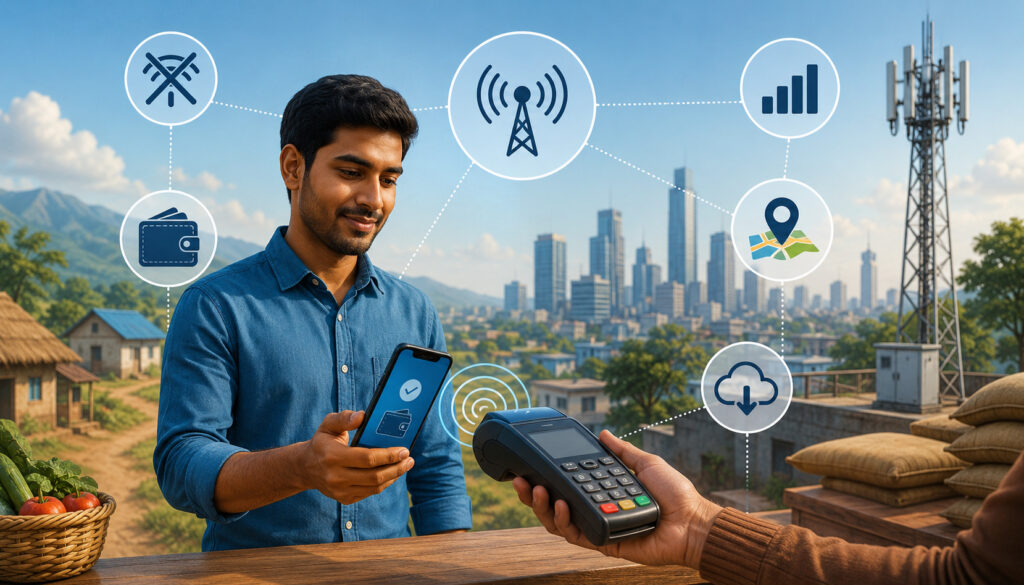
Connectivity is one of the biggest outdoor payment risks. Markets, fairs, and festivals may have crowded networks, weak Wi-Fi, overloaded cellular towers, or booth locations with poor signal. Offline payments and connectivity planning help vendors keep selling when the connection becomes unreliable.
Offline payments allow a POS system to store card transactions temporarily and submit them when the device reconnects. This can be valuable, but vendors should understand the risk.
Offline transactions may not be approved later if the card is declined, expired, or otherwise unavailable. For that reason, offline mode is useful, but it should not be treated as a perfect substitute for live authorization.
Good planning starts before the event. Vendors should test devices, update apps, charge equipment, and check whether their POS supports offline mode. They should also know which payment types work offline and whether there are transaction limits. Some systems may support offline card payments but not wallet payments, refunds, or certain keyed transactions.
Portable power is just as important as internet access. A fully charged card reader is not enough if the phone or tablet dies. Vendors should bring power banks, charging cables, backup devices, and weather-safe storage.
Printed backup options can also help. A vendor may keep a small order pad, price list, and receipt book in case the POS becomes unavailable. These tools should not replace secure payment processing, but they can help preserve order accuracy until systems recover.
Connectivity planning makes outdoor vendor mobile POS solutions more dependable. The best setup is not just the one that works in perfect conditions. It is the one that still gives the vendor options when the event gets crowded, the signal weakens, or a device battery drops.
Handling Weak Wi-Fi or Mobile Signal
Weak Wi-Fi or mobile signals can interrupt checkout at exactly the wrong time. Outdoor events often place many vendors and customers in one area, which can strain available networks. A vendor who tests only at home may discover that the same setup performs differently at a crowded event.
Before selling, vendors should test their POS app, card reader, and backup connection. If possible, they should arrive early and run a small test transaction from the booth location. They should also check whether their device can switch between Wi-Fi and mobile data without disrupting the payment app.
A dedicated hotspot can help, but it should not be the only plan. Hotspots also need signal, battery, and sometimes a clear placement away from metal barriers or thick crowds. Vendors should keep hotspot devices charged and secured.
If offline payments are enabled, staff should know when to use them and what limits apply. It is also wise to avoid unusually large offline transactions unless the customer is known and the vendor is comfortable with the risk.
Backup Payment Plans
A backup payment plan keeps sales moving when the main setup fails. At minimum, vendors should bring a second reader if possible, extra charging cables, a power bank, cash change, and a manual order pad. These small items can prevent a short disruption from becoming a lost selling day.
QR codes and payment links can also help. A vendor can display a QR code for approved payment options or send a link for later payment. However, these methods require careful confirmation. Vendors should verify that payment is received before completing the sale.
Manual notes are useful for order accuracy, but vendors should avoid writing down sensitive card details. Secure payment data should stay inside approved payment tools, not on paper, phones, or spreadsheets.
A good backup plan should answer four questions: How will we take orders? How will we accept payment? How will we confirm payment? How will we reconcile everything later? If the team can answer those questions before the event, checkout will feel calmer when problems happen.
Inventory and Sales Tracking for Outdoor Vendors
Inventory tracking is one of the most valuable features of farmers market POS systems and outdoor retail payment solutions. Outdoor vendors often bring limited stock because space, transport, and setup time are limited. Without accurate tracking, it is easy to overpack slow-moving items, underpack bestsellers, or lose track of what sold.
A mobile POS helps vendors track products as sales happen. Each time an item is sold, the system can reduce available stock, record the sale, and include it in reporting. This gives vendors a clearer picture of what customers actually bought, not just what staff remember selling.
For seasonal vendors, this information is especially useful. A produce seller may want to know which items sell best during morning traffic. A craft seller may want to compare color, size, or design variations. A food vendor may want to identify which menu combinations move fastest at festivals compared with smaller markets.
Sales reporting also supports better pricing decisions. If an item sells out too early every week, the vendor may need to bring more stock, raise the price, or create bundles. If another item comes home repeatedly, the vendor may need a display change, promotion, or smaller production batch.
Inventory and reporting tools can help vendors track:
- Bestselling products
- Slow-moving items
- Stockouts
- Seasonal demand
- Event-by-event performance
- Average order value
- Payment method trends
- Refunds and discounts
- Staff sales activity
For vendors looking into sales analytics for market vendors, the key value is turning daily transactions into better planning. Even basic reports can show what to bring, what to promote, and what to stop carrying.
Security Best Practices for Mobile Outdoor Payments
Security matters in every sales environment, but outdoor selling adds extra risks. Devices are more exposed, staff may work in crowded areas, and checkout tools may be handled quickly during rushes. Secure mobile payment processing for outdoor vendors should protect both the customer and the business.
Modern payment systems commonly use security tools such as encryption and tokenization. Encryption helps protect payment data during transmission, while tokenization replaces sensitive card data with a non-sensitive token for processing. Vendors do not need to manage the technical details, but they should choose payment tools that support secure, compliant processing.
Device security is also critical. Phones, tablets, and portable terminals should use strong passcodes, automatic screen locks, and updated operating systems. Payment apps should be kept current because updates often include security improvements and bug fixes.
Staff permissions can reduce mistakes and misuse. Helpers may need access to checkout, but not refunds, reports, settings, or bank information. A POS with role-based permissions lets owners control who can do what.
Vendors should also inspect devices before and during events. Card readers should be kept in sight, protected from tampering, and stored securely when not in use. If a device looks damaged, behaves oddly, or disconnects repeatedly, it should be removed from service until checked.
Avoid storing card numbers manually. Writing card details on paper, saving photos of cards, or typing sensitive information into notes apps creates unnecessary risk. Payments should be handled through approved POS tools only.
Security checklist:
- Use strong device passcodes
- Enable automatic locks
- Update POS apps before events
- Use staff permissions
- Keep readers in sight
- Avoid public device sharing
- Never store card details manually
- Reconcile sales after each event
- Protect devices from theft and weather
Common Mobile POS Mistakes Outdoor Vendors Should Avoid
A mobile POS can make outdoor selling easier, but only if it is prepared correctly. Many payment problems happen because vendors wait until event day to test devices, connect readers, update apps, or build product lists. A few minutes of preparation can prevent hours of frustration.
One common mistake is relying only on Wi-Fi. Outdoor Wi-Fi can be slow, crowded, or unavailable. Vendors should know whether their devices can use mobile data, hotspot backup, or offline payments. They should also test signal from the actual booth area whenever possible.
Another mistake is ignoring battery life. Phones, tablets, card readers, hotspots, and portable printers all need power. Cold, heat, screen brightness, and constant use can drain batteries faster than expected. Vendors should bring more charging capacity than they think they need.
Poor product setup is another issue. If every item must be typed manually, checkout slows down and errors increase. Vendors should create clear product buttons, categories, modifiers, discounts, and tax settings before the event.
Weak receipt practices can also create problems. Customers may ask for proof of purchase, especially for higher-value items or custom orders. Digital receipts make this easier and help reduce disputes.
Refund and exchange confusion can damage trust. Vendors should know how to issue a refund, whether partial refunds are supported, and how long payment reversals may take. Staff should know the policy before customers ask.
Common mistakes include:
- Not testing devices before the event
- Forgetting app updates
- Bringing only one reader
- Depending only on Wi-Fi
- Underestimating battery needs
- Using unclear product names
- Skipping digital receipts
- Not training helpers
- Failing to reconcile sales
- Mixing personal and business payments
For vendors studying payment decline prevention at markets, the larger lesson is preparation. Many checkout problems are preventable when equipment, connectivity, and staff workflows are tested in advance.
Best Practices for Using Mobile Payment Processing Outdoors
The best mobile POS setup is simple, tested, and matched to the way the vendor sells. Outdoor vendors do not need unnecessary complexity, but they do need reliability. A good workflow should let staff ring up items quickly, accept multiple payment methods, send receipts, and keep records accurate.
Start by organizing products in the POS. Use clear names that staff can recognize quickly. Group items by category, such as produce, baked goods, drinks, crafts, bundles, or merchandise. Add photos if the POS supports them, especially when helpers are new.
Next, prepare devices. Charge everything fully before the event. Bring power banks, extra cables, and a secure place to store equipment. Reduce screen brightness when possible, but keep the display readable in sunlight.
Train helpers before customers arrive. Show them how to add items, accept payments, apply discounts, send receipts, process cash, and handle failed transactions. If only the owner knows how the POS works, checkout can break down during rushes.
Protect devices from weather. Use shade, waterproof storage, screen covers, and elevated surfaces. Avoid placing readers directly on wet tables, dusty counters, or unstable displays.
Review reports after the event. Compare card totals, cash totals, refunds, and inventory changes. This habit helps catch errors quickly and improves planning for the next market or festival.
Best practices include:
- Charge all devices before leaving
- Bring backup readers and power
- Organize products by category
- Enable digital receipts
- Use clear item names
- Train every helper
- Protect devices from sun and rain
- Test offline mode if available
- Keep cash organized
- Review reports after closing
Outdoor vendors comparing card reader options for farmers markets should choose based on real selling conditions, not just device cost. Battery life, connectivity, receipt options, and reporting can matter as much as the reader itself.
How do mobile POS systems improve outdoor selling?
Mobile POS systems improve outdoor selling by making checkout faster, accepting more payment types, reducing missed sales, and keeping better records. Vendors can accept cards, contactless payments, mobile wallets, and cash from a booth, tent, stand, truck, or pop-up location.
They also help with inventory tracking, sales reporting, digital receipts, refunds, and end-of-day reconciliation. Instead of guessing what sold or counting everything manually, vendors can review clear transaction data after each event.
What is the best POS setup for outdoor vendors?
The best setup depends on the vendor’s products, sales volume, event type, and connectivity needs. A small vendor may only need a phone, mobile card reader, payment app, and power bank. A high-volume food or retail vendor may benefit from a tablet, portable terminal, receipt printer, cash drawer, and hotspot.
The best outdoor vendor mobile POS solutions are portable, easy to use, secure, and reliable in crowded environments. Vendors should prioritize battery life, offline options, clear reporting, fast checkout, and simple product setup.
Can mobile POS systems work without the internet?
Some mobile POS systems can support offline payments, but features vary. Offline mode may allow card transactions to be stored temporarily and submitted later when the device reconnects. However, offline transactions may carry approval risk because the payment is not fully authorized in real time.
Vendors should test offline mode before relying on it. They should also bring backup options such as a hotspot, cash handling supplies, payment links, QR codes, and manual order notes.
What payment methods should outdoor vendors accept?
Outdoor vendors should usually accept cash, debit cards, credit cards, contactless payments, and mobile wallet payments. Depending on the business, QR payments, payment links, invoices, or approved benefit-card options may also be useful.
The goal is to match customer expectations while keeping checkout manageable. Too few options can cost sales, while too many disconnected options can complicate bookkeeping.
Are mobile POS systems secure?
Mobile POS systems can be secure when vendors use reputable payment tools, updated apps, strong device passcodes, staff permissions, and approved card readers. Secure systems may use encryption, tokenization, and other protections to reduce exposure of sensitive payment data.
Vendors should avoid writing down card numbers, storing payment details manually, or using unsecured devices. They should also keep readers in sight and inspect equipment regularly.
How can vendors avoid payment problems outdoors?
Vendors can avoid payment problems by testing devices before the event, charging all equipment, bringing backup power, checking connectivity, enabling receipts, and training helpers. It also helps to have a backup reader and a written plan for weak signal situations.
Clear signs showing accepted payment methods can also prevent confusion. Customers should know before they reach the counter whether they can pay by card, tap, cash, or another accepted method.
Do mobile POS systems track inventory?
Many mobile POS systems include inventory tracking, though features vary by provider and plan. Basic systems may subtract items as they sell, while advanced systems may support variants, categories, low-stock alerts, purchase orders, and multi-location inventory.
For outdoor vendors, even simple inventory tracking can be valuable. It helps identify bestsellers, prevent stockouts, reduce overpacking, and plan future event inventory more accurately
What should vendors bring for backup payment processing?
Vendors should bring a backup card reader, extra charging cables, power banks, cash and change, a manual order pad, a printed price list, and a hotspot if available. They may also prepare QR codes or payment links for backup situations.
The backup kit should be packed before every event. Outdoor selling leaves little time to solve payment problems once customers are waiting in line.
Conclusion
Mobile POS systems improve outdoor selling by helping vendors work faster, accept more payment types, and operate with better control. For farmers markets, festivals, fairs, pop-up shops, food stands, craft booths, and mobile retail, a portable POS can turn a temporary booth into a reliable checkout station.
The biggest benefits include faster checkout, mobile card readers, contactless payments, cashless checkout, digital receipts, offline payment planning, inventory tracking, sales reporting, and smoother end-of-day reconciliation. These tools help vendors serve more customers while reducing manual work and avoidable mistakes.
Outdoor selling will always involve variables such as weather, power, signal strength, and crowd flow. A strong mobile POS setup gives vendors the flexibility to handle those variables with confidence.
When payment processing, product tracking, receipts, and reporting all work together, outdoor vendors can spend less time managing checkout problems and more time selling.