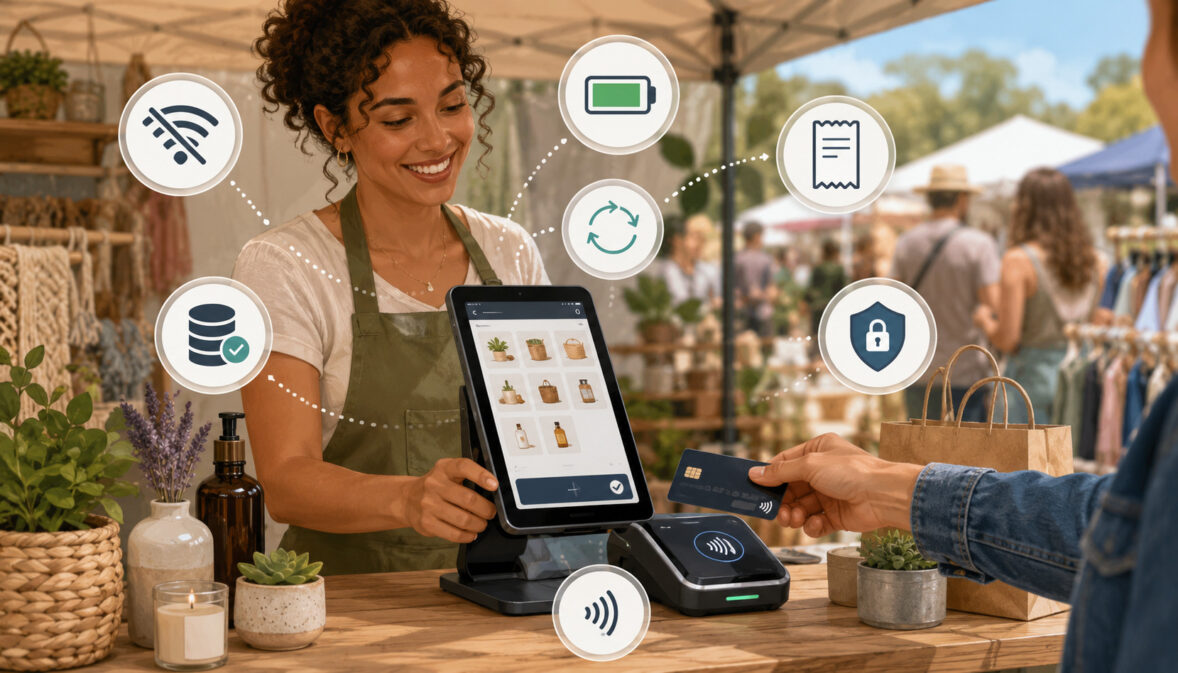
Mobile sellers rarely operate under perfect conditions. A farmers market may be located in a rural field with weak cellular coverage. A festival may attract thousands of visitors who overload the available network. A pop-up shop may depend on temporary Wi-Fi that slows down during the busiest part of the day.
These conditions can create serious checkout problems. A customer may be ready to purchase fresh produce, baked goods, handmade crafts, flowers, prepared food, or seasonal products, only to find that the vendor’s payment terminal cannot connect. When the customer does not have cash, even a brief outage can lead to a lost sale.
Mobile POS systems with offline payment support are designed to reduce this disruption. They allow eligible transactions to be recorded temporarily when the internet connection is unavailable. The transactions can then be transmitted for authorization and settlement after the device reconnects.
Offline payment support can be useful for farmers market vendors, small farm owners, food sellers, craft vendors, mobile merchants, festival operators, and seasonal businesses. However, it should not be treated as guaranteed payment approval.
Because the transaction may not be authorized immediately, the seller can still face delayed declines, duplicate transactions, missing receipts, fraud concerns, and reconciliation problems.
A reliable mobile checkout system therefore requires more than an offline switch. Vendors should understand the payment flow, confirm transaction limits, use secure hardware, train staff, maintain backup connectivity, carry adequate power, provide receipts, and sync transactions as quickly as possible.
This guide explains how mobile POS systems work, why offline payment support matters, what features to compare, what risks to consider, and how to build a dependable payment setup for outdoor, temporary, and low-connectivity selling environments.
What Are Mobile POS Systems With Offline Payment Support?
Mobile POS systems are portable checkout tools that allow a seller to accept and record payments from a phone, tablet, handheld terminal, or compact card reader. A typical system combines a mobile POS app, payment hardware, product information, receipt tools, sales reporting, and a connection to a payment processor.
Unlike a traditional countertop register, a mobile POS can travel with the business. It can be used at a farmers market booth, farm stand, craft fair, food truck, festival tent, roadside location, home-service appointment, or temporary retail space.
A seller can usually use the system to:
- Select products or enter a custom amount.
- Calculate taxes, discounts, and tips where applicable.
- Accept chip cards and contactless payments.
- Record cash payments.
- Send or print receipts.
- Track inventory.
- Review daily sales.
- Process refunds.
- Manage staff access.
- Reconcile sales with deposits.
Mobile POS systems with offline payment support add another capability: they may allow certain card transactions to be captured when Wi-Fi or cellular service is temporarily unavailable.
The details vary significantly between systems. Some offline POS systems support only particular card types. Others limit the amount of each transaction, the total value accepted offline, or the length of time transactions may remain unsynced. Certain payment methods, including some PIN-based debit transactions or digital wallets, may require a live connection.
For that reason, “offline capable” should never be interpreted as “works without restrictions.” Vendors need to confirm exactly what their hardware, app, account, and processor permit.
How Mobile POS Offline Mode Works
Mobile POS offline mode allows the checkout application to record an eligible payment even though the device cannot reach the payment network. Instead of requesting immediate authorization, the system encrypts and stores the transaction for later transmission.
The customer presents a card, and the card reader captures the required payment information. The POS records the amount, products, transaction time, device, and receipt details. When connectivity returns, the stored transaction is uploaded for authorization.
The delayed process creates an important difference. During a normal online transaction, the seller receives an approval or decline before handing over the goods. During offline payment processing, the seller may provide the goods before knowing whether the payment will ultimately be approved.
A card can later decline because of insufficient available funds, an expired account, an issuer restriction, suspected fraud, an offline transaction limit, or another authorization problem.
A well-designed mobile POS offline mode should clearly show:
- That the device is operating offline.
- Which payment methods are available.
- Whether the transaction was stored successfully.
- The amount of each unsynced transaction.
- The time remaining before synchronization is required.
- Whether a receipt can be provided immediately.
- What happened after the transaction was uploaded.
Vendors should also verify whether inventory and sales records update locally while offline. In some systems, product counts may not synchronize across multiple devices until every device reconnects.
Offline Payment Support vs. Regular Mobile POS Payments
A regular mobile POS transaction uses an active internet connection to contact the payment processor and card network. The customer presents a card, the payment request is transmitted, and an approval or decline usually returns within seconds.
This real-time authorization helps the seller know whether the payment has been accepted before the customer leaves. It also allows the POS to update cloud-based inventory, send digital receipts, record the transaction in online reports, and begin the settlement process.
Offline card payments follow a different path. The device captures the transaction but postpones authorization until connectivity returns. The customer may see a successful checkout screen, but that screen generally confirms that the transaction was recorded—not necessarily that the card issuer approved it.
The operational distinction can be summarized as follows:
- Online payment: Authorization happens before the sale is completed.
- Offline payment: Authorization may happen after the customer has received the purchase.
- Online inventory update: Connected devices may update almost immediately.
- Offline inventory update: Other devices may not see the sale until synchronization.
- Online receipt delivery: Email or SMS receipts may be sent immediately.
- Offline receipt delivery: Digital delivery may be delayed until reconnection.
- Online decline: The seller can request another payment method.
- Offline decline: The customer may already have left.
Offline payment support is therefore best viewed as a continuity feature for temporary outages—not a replacement for dependable connectivity.
Why Offline Payment Support Matters for Mobile Sellers
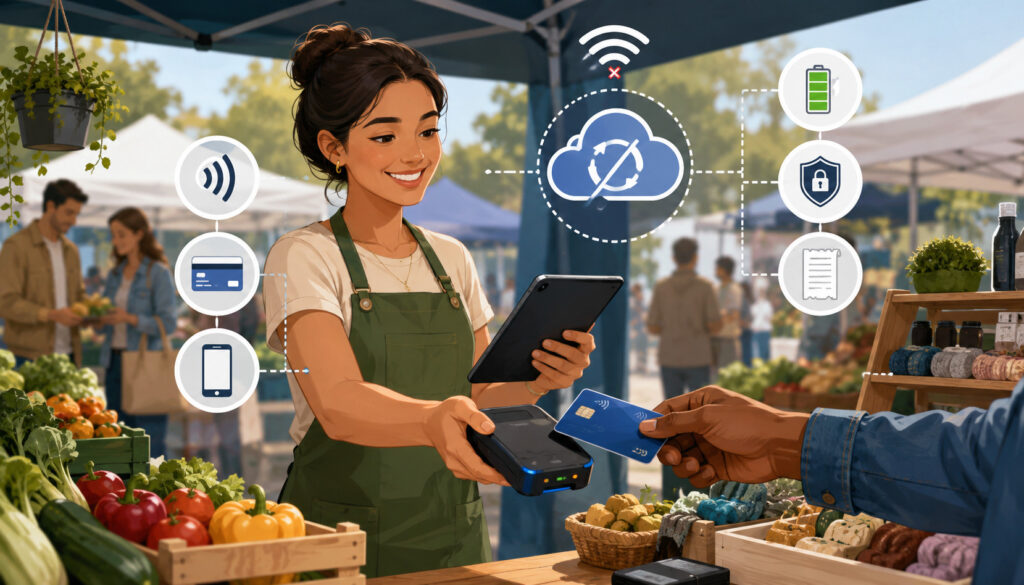
Traditional retail stores usually have fixed internet service, permanent electrical outlets, protected equipment, and predictable checkout areas. Mobile sellers work in environments where these advantages may not exist.
A vendor may set up under a tent, beside a road, inside a temporary building, or several hundred feet from the nearest router. The selling location may change every week. Device performance can also be affected by heat, rain, dust, cold temperatures, low batteries, and crowded cellular networks.
Mobile POS systems with offline payment support help reduce dependence on a continuous connection. When an outage occurs, vendors may be able to continue recording eligible card transactions instead of stopping checkout entirely.
This flexibility is particularly valuable for businesses that have short selling windows. A farmers market may be open for only four or five hours. A lunch vendor may generate most of the day’s sales during a brief rush. A festival booth may experience heavy traffic immediately before or after an event.
If card acceptance stops during these periods, customers may not wait. Some will search for cash, but others may reduce their purchase or leave.
Offline support does not eliminate every payment problem. Nevertheless, it can form an important part of a larger continuity plan that includes cellular service, a mobile hotspot, cash, backup hardware, power banks, and staff procedures.
Vendors preparing a mobile POS for farmers markets can benefit from evaluating the complete checkout experience rather than focusing only on the card reader.
Connectivity Problems at Outdoor Markets
Outdoor markets are difficult environments for mobile payment processing. Cellular coverage may be strong during setup but deteriorate once shoppers arrive. Hundreds of phones, vendor terminals, hotspots, and tablets may attempt to use the same network at the same time.
Temporary Wi-Fi can create additional problems. The signal may not reach every booth, or the network may have insufficient capacity. Public Wi-Fi may also be slow, unstable, or unsuitable for business payment activity without appropriate security protections.
Common causes of interrupted farmers market payment processing include:
- Weak cellular coverage.
- Congested mobile networks.
- Overloaded venue Wi-Fi.
- A hotspot with no remaining battery.
- Bluetooth pairing failures.
- An outdated POS application.
- A card reader that has lost power.
- Device overheating.
- Weather-related equipment damage.
- A data plan reaching its limit.
- A temporary processor or network outage.
Vendors should test connectivity from the exact location where checkout will occur. Signal strength near the parking area may not match signal strength inside the booth.
It is also helpful to ask market managers and nearby vendors which networks perform reliably at the location. A second device using another carrier can sometimes provide a useful backup when one network is unavailable.
Additional strategies for managing internet outages at farmers markets include testing readers, maintaining a cash reserve, using a hotspot, and documenting a clear fallback process.
Preventing Lost Sales During Checkout Interruptions
Checkout interruptions are especially damaging when a line has already formed. Customers may be holding perishable food, hot meals, fragile crafts, or products that must be weighed and packaged. Restarting an app or reconnecting a card reader can quickly create confusion.
Mobile POS offline mode may allow the vendor to keep the line moving. Products can still be added to the order, totals can be calculated, and eligible cards can be captured for later submission.
This matters because customers increasingly expect flexible payment options. Some carry no cash, while others carry less than the amount needed for an unplanned purchase. Contactless payments and mobile credit card processing make it easier for shoppers to purchase additional items without searching for an ATM.
A fast checkout also affects the overall customer experience. When payment is organized and predictable, staff can focus on serving customers instead of troubleshooting technology.
However, vendors should avoid accepting every transaction offline without considering the risk. A small purchase of bread, vegetables, or soap presents a different exposure than a large custom order or a high-value product.
Reasonable offline limits can reduce potential losses. Vendors can also ask for another payment method when an unusually large transaction cannot be authorized in real time.
How Offline Payment Processing Works in a Mobile POS
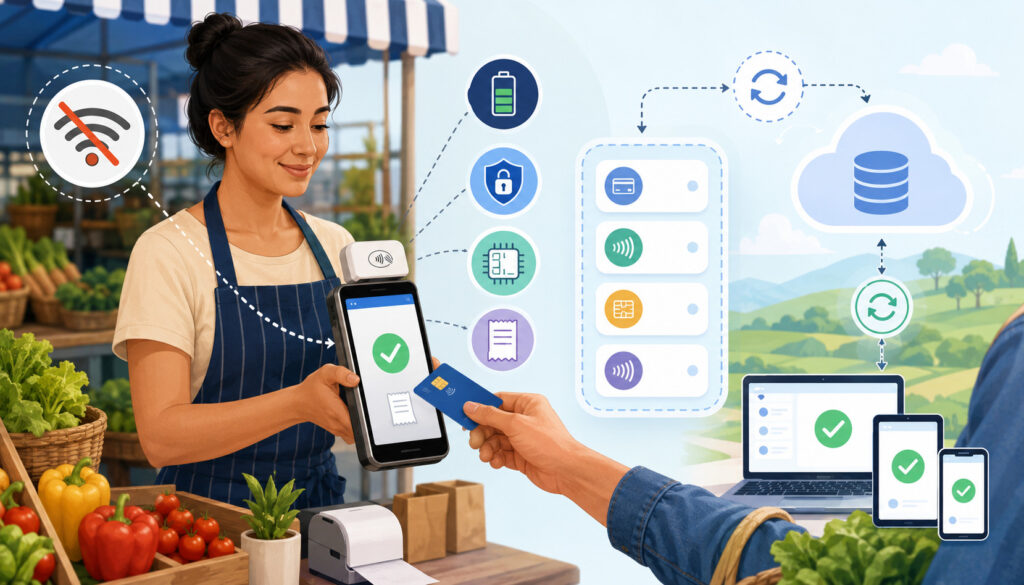
The offline payment flow begins much like a connected sale. The vendor opens the POS application, selects the products, confirms the total, and asks the customer to present a card.
The card reader captures the payment credentials using the supported method. An EMV chip card may be inserted, or a customer may use another payment method permitted by the offline system. The POS then stores the transaction securely instead of transmitting it for immediate authorization.
The customer may receive a printed receipt, an on-screen confirmation, or a digital receipt queued for later delivery. The system records the transaction in a local offline queue.
When the phone, tablet, or terminal reconnects, the POS transmits queued payments. The payment processor then seeks authorization. Approved transactions proceed toward settlement, while declined transactions appear in the merchant’s reports.
The vendor should review the results rather than assuming that every queued payment succeeded. This review is essential because the offline checkout screen may have confirmed only that the transaction was saved.
The final steps include matching approved payments to sales totals, checking refunds, identifying duplicates, confirming deposits, updating inventory, and documenting declined payments.
Step-by-Step Offline Mobile POS Payment Flow
Although the exact screens vary, a typical offline credit card processing workflow includes the following steps:
- Open the POS application: Confirm that the app is functioning and that the correct staff profile, location, tax settings, and product catalog are active.
- Add the customer’s items: Select product buttons, scan items, enter quantities, or type a custom amount.
- Confirm the total: Review prices, taxes, discounts, tips, and the final amount with the customer.
- Check the connection status: The POS should indicate that it is offline. Staff should confirm that offline payments are permitted before proceeding.
- Present the card reader: The customer uses a supported card method. The vendor should not manually write down or photograph card details.
- Record the transaction offline: The POS securely stores the payment information and places the transaction in an offline queue.
- Provide a receipt: A printed receipt may be available immediately. An email or SMS receipt may remain queued until connectivity returns.
- Monitor the offline queue: Staff should know how many transactions remain unsynced and the total amount at risk.
- Reconnect as soon as possible: Switch to cellular data, a hotspot, venue Wi-Fi, or another secure connection.
- Sync the transactions: Allow the POS to upload all stored payments without repeatedly restarting the process.
- Review approvals and declines: Check transaction reports, receipt status, and any warnings.
- Reconcile the selling day: Compare card sales, cash sales, refunds, deposits, inventory changes, and fees.
Staff should avoid repeatedly tapping the payment button when the application appears slow. Multiple attempts can create duplicate transactions or confusing pending records.
What Happens After Transactions Sync
Once the device reconnects, the stored payments are transmitted for authorization. Each transaction may return an approval, decline, error, or pending status.
Approved transactions normally move into the provider’s settlement process. The funding timeline depends on the merchant account, processor schedule, banking days, account settings, and any risk review.
Declined transactions require attention because the goods may already have been provided. The POS may display a reason or general decline code, although detailed issuer information is not always available.
The seller should review:
- The number of offline transactions uploaded.
- The number approved.
- The number declined.
- Transactions that remain pending.
- Duplicate amounts or repeated customer receipts.
- Refunds and voids.
- Expected deposits.
- Processing fees.
- Inventory adjustments.
- Staff notes.
Vendors should not attempt to recharge a customer automatically unless the transaction agreement and customer authorization clearly permit it. For a declined payment, the appropriate follow-up depends on the business relationship, transaction record, receipt, and provider procedures.
If a duplicate appears, confirm which transaction settled before issuing a refund. Refunding too early can turn a duplicate-charge question into an additional loss.
Mobile POS Systems With Offline Payment Support Compared
Different payment setups solve different operational problems. A lightweight mobile card reader may be sufficient for a flower seller with a short product list. A food vendor with modifiers, tips, and multiple staff members may need a tablet POS. A high-volume booth may benefit from a handheld terminal with built-in cellular connectivity.
The following table compares common options.
| Payment Setup | Best For | Benefits | What to Review |
| Mobile POS with offline mode | Farmers markets and low-signal areas | Keeps eligible checkout activity moving during temporary outages | Decline exposure, limits, supported cards, and sync deadlines |
| Online mobile POS | Locations with dependable cellular or Wi-Fi service | Provides real-time authorization and immediate reporting | Network reliability and backup connectivity |
| Standalone card reader | Sellers needing simple portable card acceptance | Compact hardware and fast setup | Offline capability, battery life, receipts, and reporting |
| Tablet POS | Larger booths, food vendors, or detailed product catalogs | Larger display, inventory tools, product buttons, and staff access | Weather protection, battery life, stand security, and connectivity |
| Handheld payment terminal | Busy booths and line-busting checkout | Integrated reader, screen, and sometimes printer or cellular service | Device cost, durability, data plan, and offline rules |
| Cash payments | Backup acceptance and small purchases | No network authorization required | Change, theft controls, counting, and reconciliation |
| Payment links | Custom orders, deposits, and follow-up payments | Lets customers pay from their own device | Customer follow-through, secure delivery, and order matching |
| Mobile hotspot | Restoring online payment processing | Provides backup internet for phones and tablets | Carrier coverage, password security, data allowance, and power |
| Tap-to-pay on a phone | Sellers wanting less separate hardware | Uses a compatible phone as a contactless acceptance device | Device support, battery use, supported cards, and offline availability |
How to Use the Table Before Choosing a POS
Start by identifying the conditions under which the system will be used. Consider whether the business sells at one dependable location or travels between rural markets, urban festivals, indoor events, and roadside stands.
Next, review the average transaction amount. A business selling low-cost produce may be comfortable with a limited amount of offline exposure. A vendor selling expensive handmade goods may require real-time authorization for most transactions.
Other important factors include:
- Number of transactions during the busiest hour.
- Number of staff members taking payments.
- Need for tipping or order modifiers.
- Product catalog size.
- Variable-weight products.
- Inventory requirements.
- Receipt preferences.
- Expected battery life.
- Weather exposure.
- Need for barcode scanning.
- Use of cash and alternative payment methods.
- Funding and reconciliation needs.
The best mobile POS systems with offline payment support are not necessarily the systems with the longest feature lists. The most suitable option is the one that fits the seller’s actual market environment and checkout routine.
A simple smartphone POS may be practical for a solo vendor. A larger operation may need multiple synchronized devices, staff permissions, inventory controls, and end-of-day reporting.
Why Offline Support Should Be Tested, Not Assumed
Providers use the phrase “offline payments” in different ways. One system may allow chip-card transactions without internet access, while another may allow only limited payment methods. A platform may support offline product entry but not offline card acceptance.
Some systems require offline mode to be enabled while the device is still connected. Others impose a maximum amount per transaction or a total offline limit. Transactions may also need to be uploaded within a specific period.
Before relying on a system, confirm:
- Whether offline mode is included in the selected plan.
- Which phones, tablets, and terminals support it.
- Which card types are eligible.
- Whether chip, tap, or swipe methods work offline.
- Whether PIN entry requires connectivity.
- The maximum amount per transaction.
- The total offline exposure permitted.
- The synchronization deadline.
- How receipts are handled.
- How declined payments are reported.
- Whether inventory updates locally.
- What happens if the device is lost before syncing.
Run a controlled test using the same device and reader that will be used at the event. Confirm that the transaction appears in the offline queue, synchronizes correctly, produces a receipt, and appears in reports.
Key Features to Review in Mobile POS Systems
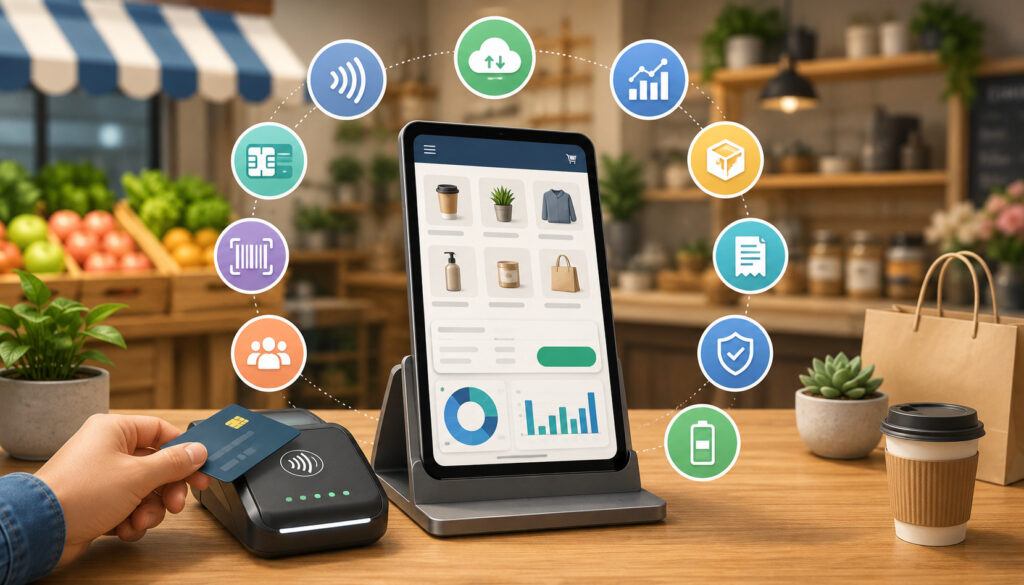
Offline payment support is important, but it is only one part of a practical mobile POS system. The system must also help vendors process transactions efficiently, maintain records, protect customer information, and operate under real market conditions.
Payment features should cover the methods customers are likely to use. Business management features should reduce manual work and improve visibility into sales and inventory.
A good farmers market POS system may include:
- EMV chip card acceptance.
- Contactless card support.
- Digital wallet acceptance.
- Mobile POS offline mode.
- Cash payment recording.
- Printed or digital receipts.
- Refund and void tools.
- Product catalogs.
- Inventory tracking.
- Category reporting.
- Tax settings.
- Tip options where appropriate.
- Staff accounts and permissions.
- Customer notes.
- End-of-day summaries.
- Deposit reporting.
Vendors should distinguish between essential features and optional features. Extra functions may increase cost or complexity without improving checkout.
For example, a small farm stand may need fast product buttons, cash tracking, card acceptance, and offline mode. It may not need advanced customer relationship management or complex employee scheduling.
Payment Features Vendors Should Check
The card reader should support current, secure payment methods. EMV chip cards and contactless payments are generally preferable to relying on magnetic-stripe transactions because they use more modern transaction technology.
Contactless support also improves convenience. Customers may tap a physical card, phone, or wearable device when the system and connection allow it. A guide to contactless payment options for farmers market vendors can help sellers understand the role of card readers, mobile wallets, and tap-to-pay tools.
Payment features worth reviewing include:
- Chip-card acceptance.
- Contactless card acceptance.
- Digital wallets.
- Tap-to-pay on compatible phones.
- Offline card payments.
- Cash transaction recording.
- Payment links.
- Custom amount entry.
- Tips and gratuities.
- Discounts.
- Split payments.
- Refunds and voids.
- Printed, email, or SMS receipts.
- Transaction search.
- Offline transaction limits.
Ask whether offline functionality supports the same payment methods as online mode. A contactless-capable reader does not automatically mean that every contactless payment can be processed offline.
Sellers should also confirm how the system handles a card reader disconnection. A Bluetooth problem is different from an internet outage, and offline mode may not solve a reader-pairing failure.
Business Management Features Vendors May Need
A mobile POS should make the selling day easier to manage. Product buttons can reduce manual price entry, while inventory tracking can help vendors prepare for the next event.
Useful business management features include:
- Product names, images, and categories.
- Variable pricing.
- Unit and quantity tracking.
- Inventory alerts.
- Sales by product.
- Sales by market or location.
- Cash and card totals.
- Staff activity reports.
- Tax categories.
- Discount controls.
- Customer order notes.
- End-of-day reports.
- Exportable transaction records.
Inventory tools are particularly useful for limited-stock items. A flower vendor may need to know which arrangements sold. A baker may need item-level counts for loaves, pastries, and seasonal products. A craft seller may need to track one-of-a-kind items.
Multi-device sellers should ask what happens to inventory while devices are offline. Two staff members could accidentally sell the final item if their devices cannot share updates until reconnection.
Staff permissions can also reduce mistakes. Helpers may need permission to create sales but not change tax settings, issue large refunds, view deposits, or edit the product catalog.
Offline Payment Risks Vendors Should Understand
Offline payment processing shifts part of the authorization risk to the seller. The transaction may look complete at checkout, but final approval occurs later.
The most obvious risk is a delayed decline. The customer receives the product, leaves the location, and the seller later discovers that payment was not approved.
Other risks include:
- Expired or restricted cards.
- Insufficient available funds.
- Fraudulent cards.
- Transactions exceeding offline limits.
- Missing transaction data.
- Device loss before synchronization.
- Duplicate charges.
- Delayed receipts.
- Inventory mismatches.
- Refund confusion.
- Chargebacks and customer disputes.
- Staff processing errors.
The level of exposure depends on average ticket size, product type, customer relationship, fraud environment, and the provider’s controls. A low-value food purchase may present limited risk. A large custom order could create a substantial loss.
Vendors should create an offline policy that defines when offline mode may be used, the maximum transaction amount, who may approve exceptions, and how quickly transactions must be synced.
Delayed Declines and Authorization Risk
A delayed decline occurs when an offline transaction is submitted after reconnection and the card issuer refuses the payment.
Possible reasons include:
- Insufficient funds or available credit.
- Card expiration.
- Account closure.
- Issuer fraud controls.
- Incorrect payment credentials.
- A lost or stolen card report.
- An offline transaction restriction.
- Provider limits.
- A transaction submitted outside the permitted window.
Because the customer may no longer be present, the seller cannot simply request another card. Contacting the customer may be difficult or inappropriate depending on how the transaction and receipt were handled.
Vendors can reduce authorization risk by:
- Keeping offline ticket amounts reasonable.
- Reconnecting frequently.
- Avoiding unusually large offline orders.
- Using online authorization when signal is available.
- Monitoring the offline queue.
- Reviewing declines immediately after syncing.
- Maintaining accurate receipts and order records.
- Training staff not to override established limits.
Offline transactions should never be described to customers as fully approved when authorization is still pending.
Sync Errors and Duplicate Transaction Risk
Duplicate transactions often occur when staff are unsure whether a payment was recorded. The customer taps or inserts the card, the screen appears frozen, and the employee retries the transaction.
If the first attempt was stored successfully, the second attempt may create another charge. Problems can also arise when multiple devices are used without clear order tracking.
To reduce duplicates:
- Wait for the POS to display a final transaction status.
- Check the offline queue before retrying.
- Search recent transactions by amount and time.
- Assign a unique order number where available.
- Avoid switching devices in the middle of a payment.
- Train staff to distinguish failed reader attempts from stored transactions.
- Review repeated amounts after synchronization.
When a customer reports a duplicate charge, verify whether both transactions settled or whether one is merely pending. Issuing a refund before confirming the final status can create an additional accounting problem.
Best Practices for Using Mobile POS Offline Mode
Successful offline payment processing depends on preparation. Vendors should know how the system behaves before a live selling event.
Recommended practices include:
- Test offline mode before the event.
- Confirm transaction and total offline limits.
- Keep offline ticket sizes reasonable.
- Use updated POS software.
- Use secure, compatible card readers.
- Charge every device fully.
- Carry power banks and spare cables.
- Bring a mobile hotspot.
- Maintain a cash backup.
- Provide receipts where possible.
- Sync as soon as connectivity returns.
- Review declined payments.
- Avoid writing down card details.
- Train every staff member.
- Reconcile after each event.
- Monitor refunds and duplicates.
A written procedure can help temporary staff respond consistently. It should explain how to recognize offline mode, where to view queued transactions, what limits apply, and when to request cash or another payment method.
Testing Offline Mode Before Market Day
A test should reproduce the actual selling setup as closely as possible. Use the same phone or tablet, card reader, staff account, POS application, and receipt method.
A practical test can include:
- Confirming that the app and reader are updated.
- Creating a low-value test product.
- Enabling offline mode according to provider instructions.
- Disconnecting Wi-Fi and cellular data.
- Completing an eligible transaction.
- Confirming that the transaction is stored.
- Checking whether a receipt is available.
- Reconnecting the device.
- Synchronizing the transaction.
- Confirming approval, reporting, and inventory updates.
- Processing a test refund after settlement if appropriate.
- Documenting the steps for staff.
Also test what happens when the reader loses Bluetooth connectivity. Staff should know whether to restart the reader, re-pair it, switch devices, or use a backup payment method.
Testing is particularly important after an app update, operating-system update, new card reader, account-plan change, or device replacement.
Syncing Transactions Quickly
Offline transactions should be synchronized as soon as a stable, secure connection becomes available. Quick syncing reduces the amount of time the business remains uncertain about payment approval.
During a long event, vendors may reconnect periodically instead of waiting until the end of the day. This can reveal declined transactions sooner and reduce the number of payments stored on the device.
After syncing:
- Confirm the offline queue is empty.
- Review approval and decline counts.
- Verify receipt delivery.
- Check for duplicates.
- Compare the uploaded amount with offline notes.
- Confirm inventory changes.
- Review expected settlement totals.
Do not delete the application, reset the device, or sign out of the account while unsynced transactions remain unless the provider gives specific instructions. Doing so could interfere with recovery.
Payment Security for Mobile POS Systems
Mobile sellers handle payment information in busy, public environments. Phones and card readers may be placed on open tables, passed between staff, exposed to customers, or transported between locations.
Secure mobile POS payments depend on approved hardware, updated software, controlled staff access, device protection, and careful data-handling practices.
The Payment Card Industry’s merchant guidance explains that payment-card information must be protected when mobile devices are used to accept payments. Its mobile acceptance resources also address risks associated with smartphones, tablets, and other portable payment environments.
Vendors should ask their payment provider what security responsibilities apply to their setup. Compliance validation requirements may differ by merchant, payment method, provider, and card-brand program.
Security practices should include:
- Using approved card readers.
- Keeping POS applications updated.
- Enabling strong device passcodes.
- Using automatic screen locks.
- Limiting staff permissions.
- Avoiding untrusted applications.
- Protecting hotspot passwords.
- Reviewing devices for tampering.
- Never storing card numbers in notes.
- Reporting lost devices promptly.
Protecting Customer Card Data
Customer card information should remain inside the approved payment workflow. Vendors should never bypass the system by manually recording sensitive information.
Avoid:
- Writing down full card numbers.
- Storing card numbers in a notebook.
- Typing payment information into general notes.
- Taking a photograph of a card.
- Requesting card details through ordinary text messages.
- Saving security codes.
- Emailing unprotected payment information.
- Allowing unauthorized staff to view transaction data.
Encryption can help protect data in transit, while tokenization may replace sensitive account information with a non-sensitive value for supported functions.
However, sellers should not assume that the presence of encryption removes every security responsibility. The merchant’s devices, staff procedures, account access, and connected systems still matter.
General business security guidance also recommends keeping only necessary sensitive information, controlling access, protecting stored data, and maintaining a response plan for security incidents.
Securing Phones, Tablets, and Card Readers
Every device used for payment acceptance should be treated as business equipment, even when it is personally owned.
Use:
- A strong passcode.
- Biometric access where appropriate.
- A short automatic-lock period.
- Current operating-system updates.
- Current POS application versions.
- Remote device-location or erase features.
- Separate staff accounts.
- Restricted administrative access.
- Secure device cases and stands.
- A locked storage container during transport.
Inspect card readers regularly. Look for loose parts, unexpected attachments, damaged ports, or anything that appears different from the normal condition.
Avoid leaving devices unattended at a crowded market. If a customer must interact with a screen, use a stand or controlled handoff rather than giving unrestricted access to the phone or tablet.
Hotspots should use strong passwords. Public Wi-Fi should not be the only connection option, particularly when its security and performance are unknown.
Choosing Hardware for Mobile POS Systems
Hardware should match the business’s selling environment. A compact setup may include only a smartphone and a mobile card reader. A larger booth may require a tablet, stand, receipt printer, cash drawer, barcode scanner, and hotspot.
Common mobile POS hardware includes:
- Smartphones.
- Tablets.
- Handheld terminals.
- EMV and contactless card readers.
- Receipt printers.
- Cash drawers.
- Barcode scanners.
- Tablet stands.
- Weather-resistant cases.
- Power banks.
- Charging cables.
- Mobile hotspots.
Portability is important, but durability and power are equally important. A lightweight reader has little value if its battery fails during the busiest hour.
The number of devices also matters. A solo vendor may use one checkout point. A food booth with multiple order stations may require several devices and a clear synchronization plan.
Card Readers and Payment Terminals
A mobile card reader should support the payment methods customers commonly use and connect reliably to the selected device.
Review:
- EMV chip-card support.
- Contactless card support.
- Digital wallet compatibility.
- Bluetooth, USB, or wired connectivity.
- Battery capacity.
- Charging time.
- Offline support.
- Device and operating-system compatibility.
- Reader firmware updates.
- Durability.
- Receipt options.
- Replacement availability.
A standalone payment terminal may include a touchscreen, card reader, printer, and cellular connection in one device. This reduces dependence on a separate phone but may cost more and require an additional data plan.
A phone-connected reader may be more affordable and compact. However, the complete system depends on both devices being charged, paired, updated, and compatible.
Confirm whether the reader supports offline transactions. The POS app may have offline features that do not work with every hardware model.
Battery Life and Outdoor Durability
Outdoor selling places unusual demands on electronic equipment. Bright sunlight can make screens difficult to read, while heat can cause phones or tablets to slow down or shut off. Rain, dust, wind, and cold conditions may affect readers, cables, and printers.
Prepare with:
- Fully charged devices.
- High-capacity power banks.
- Spare charging cables.
- A powered battery hub where practical.
- Weather-resistant cases.
- A shaded checkout area.
- Waterproof storage bags.
- Screen covers.
- A stable tablet stand.
- Spare receipt paper.
- A backup reader.
Keep devices away from direct sunlight and wet surfaces. Do not place a phone or reader on an unstable stack of boxes where it can fall or be taken.
Test the entire setup for the full expected event duration. A device that lasts all day under light use may drain much faster when its screen, Bluetooth, cellular connection, and POS application remain active.
Receipts, Refunds, and Customer Communication
Receipts provide evidence of the purchase and help customers verify the amount charged. They can also reduce confusion when an offline transaction remains pending or when a digital receipt is delayed.
Mobile POS systems may offer:
- Printed receipts.
- Email receipts.
- SMS receipts.
- In-app order records.
- Queued digital receipts.
- Custom receipt notes.
Vendors should explain what customers can expect during an outage. A customer may see a charge later than usual because the transaction was uploaded after reconnection.
Refunds require additional care. Before issuing a refund, confirm that the original transaction was approved and settled. An offline transaction that later declines does not require a refund because the seller did not receive the payment.
Receipts During Offline Payments
Some mobile POS systems can print an offline receipt immediately. Others may queue an email or SMS receipt until the device reconnects.
A useful receipt should include:
- Seller identification.
- Date and time.
- Products or order description.
- Total amount.
- Payment method.
- Transaction or order reference.
- Refund or exchange information.
- Contact details where appropriate.
The receipt should not expose full card information.
If digital delivery is delayed, tell the customer before they leave. For example, staff can explain that the receipt will be sent after the device reconnects.
For higher-value transactions, a printed receipt or clearly documented order record may provide additional reassurance. Vendors should also maintain their own copy of the transaction details for reconciliation and potential disputes.
Refunds After Offline Transactions
Before processing a refund, verify the status of the original payment. The transaction may be stored, approved, declined, pending, voided, or duplicated.
Use the original POS record whenever possible. This helps connect the refund to the correct transaction and preserves reporting accuracy.
Document:
- Original transaction reference.
- Refund amount.
- Reason for the refund.
- Products returned.
- Date and staff member.
- Customer communication.
- Whether inventory was restored.
- Whether the refund was partial or full.
For duplicate-charge complaints, confirm whether both entries are settled. One entry may be a temporary authorization or pending transaction.
Staff permissions can help control refund risk. Temporary helpers may be allowed to initiate a refund request while a manager completes the final action.
Reporting and Reconciliation After Offline Sales
Reconciliation confirms that recorded sales, approved payments, cash, refunds, fees, deposits, and inventory changes agree.
This process is especially important after offline payment processing because the time of sale and the time of authorization may differ. A checkout report may show a transaction on the market day, while the deposit report may reflect the later synchronization date.
A complete review should include:
- Total sales.
- Online card transactions.
- Offline card transactions.
- Approved offline payments.
- Declined offline payments.
- Cash sales.
- Refunds.
- Voids.
- Tips.
- Taxes.
- Processing fees.
- Deposits.
- Inventory changes.
- Duplicate transactions.
Reconciliation should occur after every event rather than being postponed until the end of the month. Prompt review makes it easier to remember what happened and locate receipts or staff notes.
Matching Offline Sales to Deposits
Begin with the POS selling-day total. Separate cash, online card payments, and offline card payments.
Next, compare the offline queue report with the synchronization results. Confirm how many payments were approved and whether any declined.
Then compare approved transaction totals with the provider’s settlement or deposit report. Account for processing fees, refunds, deposit timing, and transactions included in a later batch.
A practical reconciliation formula is:
Recorded card sales
– declined offline payments
– refunds
– applicable processing fees
= expected net funding
The exact report format will vary, and some providers deduct fees separately. The objective is to explain every difference rather than forcing the numbers to match without investigation.
Keep notes for:
- Declines.
- Duplicate corrections.
- Refunds.
- Delayed deposits.
- Customer follow-up.
- Technical errors.
- Missing receipts.
Tracking Inventory After Offline Transactions
Inventory records may become inaccurate when devices operate offline. A product can be sold physically while the cloud inventory still shows it as available.
This issue is particularly important for:
- Perishable food.
- Handmade products.
- Limited seasonal items.
- One-of-a-kind crafts.
- Preordered boxes.
- Variable-weight products.
- Products sold across multiple devices.
After synchronization, review whether the POS automatically applied offline sales to inventory. Compare the final product count with physical stock.
When multiple devices are used, create a process for limited items. Staff might reserve the final units at one checkout station or use a manual tally until the devices reconnect.
Inventory differences should be investigated alongside payment differences. A missing item could indicate an unrecorded cash sale, an offline sale that failed to sync, a duplicate product entry, waste, or a counting error.
Mobile POS Offline Payment Support Checklist
Use this checklist when preparing for farmers markets, festivals, pop-ups, craft fairs, and other mobile selling events.
| Checklist Area | What to Check | Why It Matters |
| Offline mode | Confirm that the device, app, account, and reader support offline card payments | Prevents reliance on a feature that is unavailable |
| Transaction limits | Review individual and total offline maximums | Controls exposure to delayed declines |
| Supported payments | Confirm which chip, tap, wallet, and debit methods work offline | Avoids surprises during checkout |
| Card reader | Test EMV and contactless functions | Improves payment flexibility |
| Device battery | Charge phones, tablets, readers, printers, and hotspots | Keeps checkout operating |
| Power backup | Pack power banks and spare cables | Extends operation during long events |
| Receipts | Test printed and digital receipt delivery | Provides customer and business records |
| Security | Update apps, set passcodes, and inspect readers | Protects devices and payment information |
| Connectivity backup | Test cellular data, hotspot, and available Wi-Fi | Helps restore real-time authorization |
| Staff training | Practice offline checkout, retry rules, and synchronization | Reduces errors and duplicates |
| Cash backup | Prepare change and secure storage | Provides an alternative during outages |
| Sync process | Know how to upload queued payments | Confirms authorization promptly |
| Reconciliation | Compare sales, declines, refunds, deposits, and inventory | Identifies problems quickly |
How to Use the Checklist Before Every Event
Review the checklist the day before the event and again during setup. Do not assume that equipment remains ready because it worked at the previous market.
Updates, depleted batteries, changed passwords, damaged cables, and expired data plans can create new problems.
Assign responsibility for each area. One person may charge devices, another may prepare cash, and a manager may confirm offline limits and reporting access.
During setup:
- Test the cellular signal.
- Connect the hotspot.
- Open the POS application.
- Pair the reader.
- Verify the product catalog.
- Check receipt supplies.
- Confirm battery levels.
- Review the offline policy with staff.
- Complete a test transaction where appropriate.
At closing, reverse the process. Sync transactions, reconcile the day, recharge equipment, replace receipt paper, and document technical problems before the next event.
Records to Keep After Each Selling Day
Organized records make it easier to investigate declines, duplicates, deposit differences, refunds, and customer questions.
Keep:
- Daily sales summary.
- Offline transaction report.
- Sync results.
- Decline notes.
- Refund and void report.
- Cash count.
- Deposit report.
- Processing fee report.
- Inventory summary.
- Receipt records.
- Customer correspondence related to payment issues.
- Staff incident notes.
Retention practices should follow the business’s accounting, tax, privacy, and payment-provider requirements. Avoid keeping unnecessary sensitive information.
A consistent event name can simplify reporting. For example, label transactions by market location and date so deposits and inventory can be compared with the correct selling event.
Common Mistakes to Avoid With Offline POS Systems
Offline POS systems are useful only when the feature is understood and managed carefully.
Common mistakes include:
- Assuming every POS offers offline card acceptance.
- Failing to test the feature.
- Ignoring transaction limits.
- Accepting unusually large offline purchases.
- Waiting too long to sync.
- Repeatedly retrying transactions.
- Allowing batteries to run low.
- Depending on one connection.
- Skipping receipts.
- Writing down card information.
- Failing to train helpers.
- Ignoring declined transactions.
- Skipping reconciliation.
- Treating stored payments as guaranteed approvals.
A reliable payment plan combines technology with procedures. Even the best hardware cannot prevent mistakes when staff do not know what the status messages mean.
Assuming Every Offline Payment Will Be Approved
The offline checkout screen usually confirms that the POS captured the transaction. It does not necessarily mean that the issuing bank approved it.
Vendors should explain this distinction during staff training. Staff must not tell customers that payment has been fully approved when authorization is still pending.
To control exposure:
- Establish an offline amount limit.
- Require approval for exceptions.
- Avoid offline processing for unusually large orders.
- Reconnect whenever possible.
- Monitor the unsynced total.
- Stop accepting offline cards when the risk becomes too high.
The business should choose a limit based on product margins, average ticket size, fraud exposure, and tolerance for loss.
Waiting Too Long to Reconnect and Sync
A long delay makes declined transactions harder to investigate. It can also interfere with reporting, receipts, inventory, and settlement.
Some providers require offline transactions to be uploaded within a defined period. Transactions submitted after that period may be rejected or handled differently.
Vendors should sync:
- When a stable connection returns.
- During slower periods.
- Before leaving the event.
- Before changing or resetting devices.
- Before deleting or reinstalling the POS application.
- Before the provider’s deadline.
After syncing, confirm that no transaction remains in the offline queue. Do not assume that reconnecting automatically completed every upload.
How to Choose the Best Mobile POS Systems With Offline Payment Support
Choosing a POS requires more than comparing processing rates. The system must remain practical during real selling conditions.
Review:
- Offline card-payment capability.
- Supported payment types.
- Device compatibility.
- Card reader compatibility.
- Transaction limits.
- Synchronization deadlines.
- Declined-payment reporting.
- Receipt options.
- Inventory tools.
- Refund functions.
- Staff permissions.
- Security controls.
- Hardware durability.
- Battery performance.
- Fees.
- Funding timelines.
- Reporting quality.
- Customer support.
- Ease of use.
Consider the total operating cost. This may include hardware, replacement equipment, software subscriptions, transaction fees, cellular service, receipt supplies, accessories, and support.
A useful farmers market payment processing setup should address weak connectivity, customer payment preferences, cash handling, device power, reporting, and staff training as one connected workflow.
Questions to Ask Before Choosing a Mobile POS
Ask specific questions rather than accepting a general statement that the system “works offline.”
Useful questions include:
- Does the system accept card payments without internet access?
- Which devices and card readers support offline mode?
- Which card types can be accepted offline?
- Do chip and contactless payments work offline?
- Are PIN-based transactions supported?
- What is the maximum offline transaction amount?
- Is there a total offline limit?
- How long can payments remain unsynced?
- What happens if a card declines later?
- How are declined transactions displayed?
- Can receipts be printed offline?
- Are email and SMS receipts queued?
- Does inventory update locally?
- Can refunds be processed while offline?
- What happens if the device is lost?
- How are duplicates identified?
- Are offline transactions priced differently?
- When are approved transactions funded?
- What support is available during market hours?
- Can reports separate online and offline sales?
Ask for written documentation and keep it accessible to managers. Provider rules can change, so review them periodically.
Comparing Reliability, Security, and Ease of Use
Price matters, but checkout reliability may matter more during a busy event. A slightly less expensive system can become costly if it frequently disconnects, drains batteries, creates confusing reports, or lacks useful support.
Evaluate reliability by testing:
- Reader pairing.
- Transaction speed.
- Offline queue visibility.
- Reconnection.
- Receipt delivery.
- Inventory synchronization.
- Battery performance.
- Multi-device behavior.
Evaluate security by reviewing:
- Approved hardware.
- Encryption and tokenization where available.
- App updates.
- Staff permissions.
- Device controls.
- Login protections.
- Transaction logs.
- Provider security guidance.
Evaluate ease of use by asking a new helper to complete a sample sale. The product catalog, payment screen, receipt options, and offline status should be understandable without extensive troubleshooting.
The best mobile POS systems with offline payment support balance continuity, security, usable hardware, clear reporting, and a checkout process that staff can follow under pressure.
Frequently Asked Questions
What are mobile POS systems with offline payment support?
Mobile POS systems with offline payment support are portable checkout systems that may record eligible card transactions when a phone, tablet, or terminal temporarily loses internet access.
The transaction is stored on the device or within the payment application and submitted after connectivity returns. These systems may also support product entry, receipts, inventory tracking, cash recording, sales reports, refunds, and staff accounts.
Offline rules vary. Vendors should confirm supported devices, cards, transaction limits, receipt behavior, and synchronization deadlines.
How does mobile POS offline mode work?
Mobile POS offline mode captures an eligible transaction without requesting immediate online authorization. The POS securely queues the payment and uploads it when the device reconnects.
After upload, the transaction may be approved or declined. Because authorization happens later, vendors should keep offline amounts reasonable and synchronize quickly.
The checkout confirmation should be understood as confirmation that the transaction was recorded, not necessarily confirmation that the issuer approved it.
Can mobile POS systems accept card payments without internet?
Some systems can accept certain card payments without an active connection, but not every system, device, reader, or payment type supports this capability.
Offline credit card processing may be restricted by card type, transaction amount, device model, account plan, or submission window. Some debit and contactless transactions may require a live connection. Vendors should test the exact setup before relying on it at an event.
Are offline POS payments approved immediately?
Usually, an offline payment is not fully authorized at the moment of checkout. The transaction is submitted after the POS reconnects.
This means that the payment can decline after the customer has left. Vendors assume more risk than they do with real-time authorization.
Reasonable transaction limits, fast syncing, receipts, and accurate records can help control that risk.
What are the risks of offline payment processing?
The main risk is a delayed decline. Other risks include duplicate transactions, expired cards, stolen cards, missing synchronization, delayed receipts, inventory errors, device loss, chargebacks, and refund confusion.
Vendors should understand these risks before enabling offline mode. They should also maintain backup connectivity and cash acceptance where practical. Offline mode is most useful for temporary interruptions, not extended operation without connectivity.
What features should vendors look for in offline POS systems?
Look for clear offline status indicators, transaction limits, secure storage, fast synchronization, declined-payment reporting, EMV support, contactless capability, receipts, refunds, inventory tracking, sales reports, staff permissions, and device-security controls.
Hardware compatibility and battery life are equally important. The selected reader must support the payment methods and offline functions the business expects to use. Responsive support is also valuable when a technical problem occurs during a live market.
How can vendors reduce declined offline payments?
Vendors can reduce exposure by setting conservative transaction limits, avoiding unusually large offline sales, reconnecting frequently, using updated hardware, and reviewing the offline queue.
They should also request another payment method when the transaction amount exceeds the business’s risk tolerance.
No procedure can guarantee approval, because the issuing bank does not make the authorization decision until the transaction is submitted.
What is the best way to choose mobile POS systems with offline payment support?
Start with the selling environment. Consider connectivity, average ticket size, product catalog, customer payment preferences, staff count, battery needs, inventory requirements, and reporting.
Then compare offline rules, supported payments, hardware compatibility, security, fees, funding, receipts, refunds, support, and synchronization.
Test the leading option in realistic conditions before using it with customers. The most appropriate system is the one that fits the business’s daily checkout process—not simply the one with the lowest advertised price.
Conclusion
Mobile POS systems with offline payment support can help vendors continue serving customers when cellular service drops, venue Wi-Fi slows down, or crowded networks interrupt payment processing.
They are particularly useful for farmers markets, farm stands, food booths, craft fairs, festivals, pop-up shops, seasonal markets, and other mobile selling environments where permanent connectivity cannot be guaranteed.
However, offline payment support should be used carefully. An offline transaction may not be authorized until after the customer has left. Sellers must be prepared for delayed declines, duplicate transactions, receipt delays, inventory mismatches, and reconciliation work.
A dependable setup combines offline capability with secure card readers, updated devices, reasonable transaction limits, staff training, power banks, backup connectivity, cash, clear receipts, quick synchronization, fraud awareness, and end-of-day reconciliation.
Before choosing a system, vendors should review exactly how offline mode works, which payment types it supports, how long transactions may remain unsynced, how declines are reported, and how the system handles receipts, refunds, inventory, and deposits.
The right mobile POS system should fit the products being sold, the checkout volume, the selling environment, the customer experience, and the business’s tolerance for payment risk. With preparation and disciplined procedures, offline payment support can provide valuable continuity without sacrificing organized reporting or secure payment handling.